
Secure Code Review Checklist: Static Analysis and Logic Flaws
Automated scanners miss business logic errors, so manual review must focus on data flow and state management rather than syntax patterns.
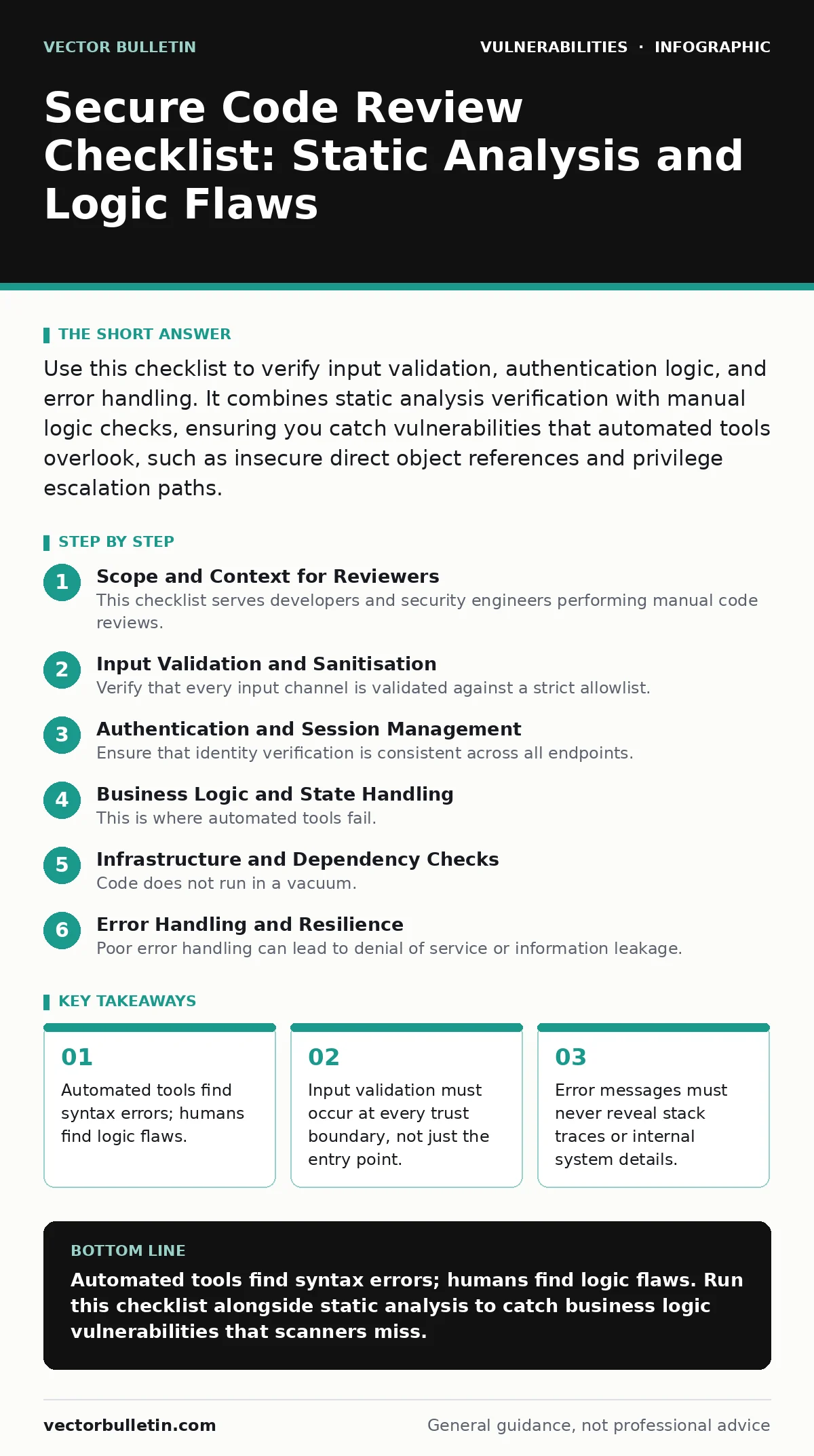
Use this checklist to verify input validation, authentication logic, and error handling. It combines static analysis verification with manual logic checks, ensuring you catch vulnerabilities that automated tools overlook, such as insecure direct object references and privilege escalation paths.
Scope and Context for Reviewers
This checklist serves developers and security engineers performing manual code reviews. It complements automated static analysis, which scans for known patterns but lacks context. Automated tools cannot determine if a function is called from an untrusted source. You must verify the data flow manually. Use this list to catch logic errors that scanners miss.
Input Validation and Sanitisation
Verify that every input channel is validated against a strict allowlist. Blocklists are easily bypassed with encoding tricks.
- Validate input length, type, and format at the server side: client-side checks are easily circumvented.
- Sanitise output based on context, not just input: prevents cross-site scripting (XSS) by encoding data for HTML, JavaScript, or URL contexts.
- Reject binary data in text fields: prevents buffer overflows and injection attacks in mixed-content applications.
- Verify file extensions and MIME types server-side: prevents execution of malicious scripts disguised as images.
Automated scanners often flag obvious injection points. They miss cases where trusted data is re-used in an unsafe context. You must trace the data from input to output.
Authentication and Session Management
Ensure that identity verification is consistent across all endpoints. State management errors are common in complex applications.
- Check for insecure direct object references (IDOR): verify that users cannot access resources belonging to other users by manipulating IDs.
- Validate session tokens on every request: prevents session fixation and hijacking by ensuring tokens are bound to the user and device.
- Implement strict password complexity and storage rules: ensures credentials are hashed with a unique salt and a slow hashing algorithm.
- Enforce timeout and logout functionality: reduces the window of opportunity for session hijacking attacks.
Session state is often shared across microservices. If one service trusts a token without re-validation, the entire chain is compromised. Check how tokens are passed between services.
Business Logic and State Handling
This is where automated tools fail. Logic flaws arise from misunderstandings of the business process.
- Verify multi-step transactions for race conditions: ensures that steps cannot be skipped or reordered to bypass controls.
- Check for privilege escalation paths: verify that regular users cannot access admin functions by modifying request parameters.
- Validate state transitions: ensures that an object cannot move from one state to another without proper authorisation.
- Review error handling for information leakage: ensures that errors do not reveal stack traces, database schemas, or internal paths.
Imagine a shopping cart application. A user might try to apply a discount code twice. The logic must prevent this, even if the input format is valid. This is a business rule, not a syntax error.
Infrastructure and Dependency Checks
Code does not run in a vacuum. Dependencies and configuration introduce risk.
- Review third-party library versions: ensures that known vulnerabilities in dependencies are patched before deployment.
- Check for hardcoded secrets or credentials: prevents accidental exposure of keys in version control or binary dumps.
- Verify directory listing exposure settings: ensures that servers do not reveal file structures to external users.
- Review logging statements for sensitive data: prevents the recording of passwords, tokens, or personal information in logs.
Hardcoded credentials are a frequent oversight. Developers often use them for testing and forget to remove them. Static analysis tools can find these, but manual review confirms they are absent in production configs.
See also: Security Advisories: 6 Common Misreadings That Leave Systems Exposed · National Vulnerability Database: Small Business Action Plan
Error Handling and Resilience
Poor error handling can lead to denial of service or information leakage.
- Implement generic error messages for users: prevents attackers from gathering information about the application structure.
- Log detailed errors securely for internal use: aids in debugging without exposing sensitive data to external users.
- Handle unexpected inputs gracefully: prevents application crashes that could lead to denial of service.
- Verify that resources are released properly: prevents memory leaks and resource exhaustion attacks.
Final Verification Steps
Before signing off on the review, ensure the following.
- Cross-reference findings with vulnerability severity ratings: helps prioritise fixes based on potential impact and exploitability.
- Verify that all identified issues have remediation plans: ensures that vulnerabilities are addressed, not just noted.
- Check for lateral movement possibilities: ensures that a compromise in one component does not easily spread to others.
- Review the code against vulnerability disclosure policies: ensures that the process for handling external reports is clear and documented.
Manual review is not a one-time event. It must be part of the continuous integration pipeline. Use this checklist to standardise the process.
Key takeaways
- Automated tools find syntax errors; humans find logic flaws.
- Input validation must occur at every trust boundary, not just the entry point.
- Error messages must never reveal stack traces or internal system details.
Automated tools find syntax errors; humans find logic flaws. Run this checklist alongside static analysis to catch business logic vulnerabilities that scanners miss.
Frequently asked questions
How often should manual code reviews be performed?
Perform manual reviews for all critical components and high-risk changes. Routine changes can rely more heavily on automated analysis, but periodic manual audits are necessary to catch logic drift.
Can automated tools replace manual code review?
No. Automated tools are excellent for finding known patterns and syntax errors. They cannot understand business logic or context, which are required to detect complex vulnerabilities like insecure direct object references.
What is the difference between static and dynamic analysis?
Static analysis examines the code without running it, finding potential issues early. Dynamic analysis tests the running application, finding issues that only appear at runtime, such as memory corruption or logic flaws under specific conditions.
How do I handle false positives in automated scans?
Verify every finding manually. If a finding is not exploitable in your specific context, document why and suppress it. Regularly review suppressed findings to ensure they remain safe.
How this guide was produced: written by the Vector Bulletin editorial team with AI assistance, checked against the public references listed below, and reviewed when the facts change. See our editorial policy or report an error.