
National Vulnerability Database: Small Business Action Plan
The National Vulnerability Database assigns standard identifiers to flaws, enabling automated tools to match software versions against known threats without manual research.
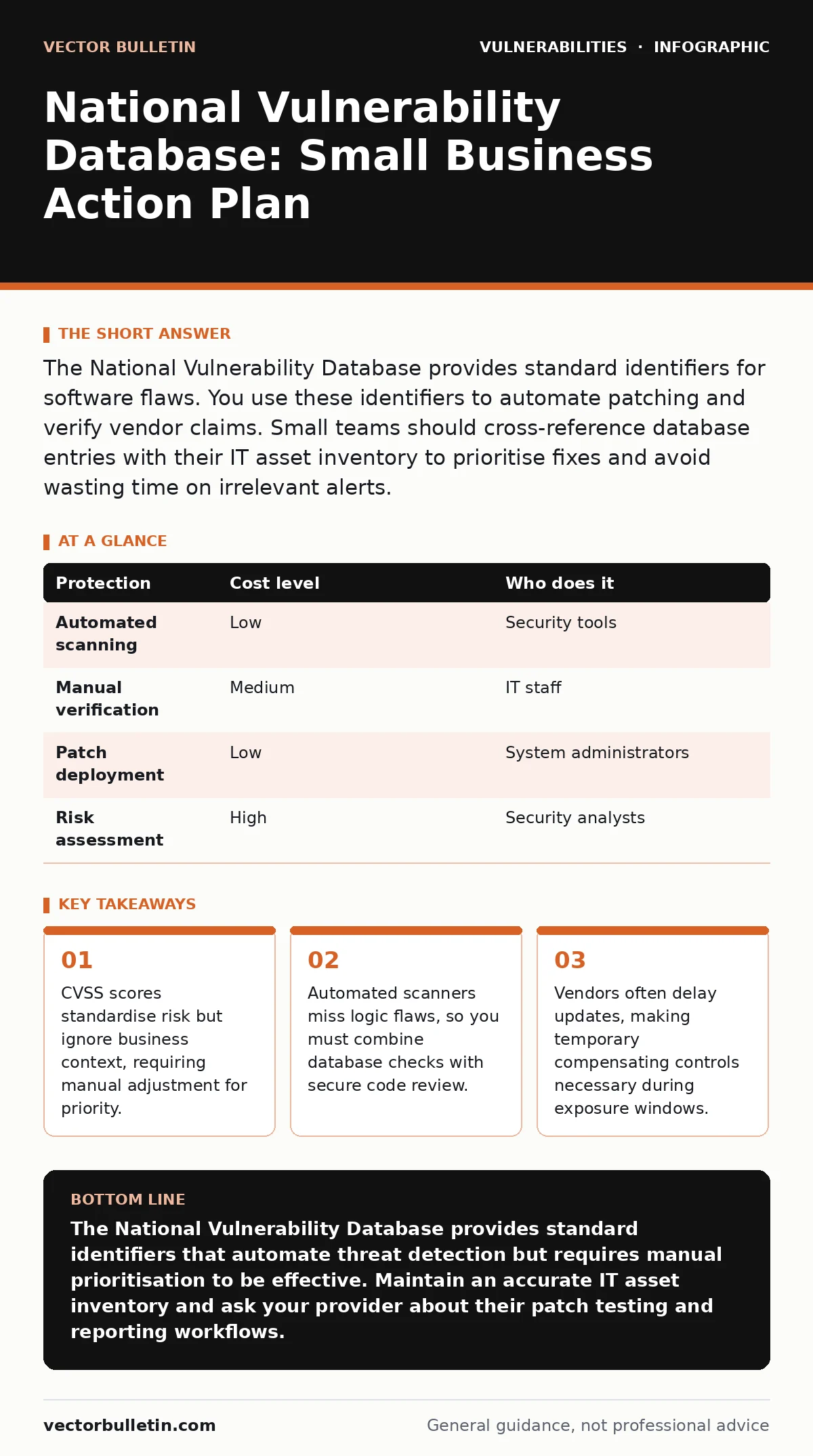
The National Vulnerability Database provides standard identifiers for software flaws. You use these identifiers to automate patching and verify vendor claims. Small teams should cross-reference database entries with their IT asset inventory to prioritise fixes and avoid wasting time on irrelevant alerts.
Understanding the National Vulnerability Database Structure
The National Vulnerability Database serves as the primary repository for publicly disclosed security flaws in software and hardware. It assigns a unique Common Vulnerabilities and Exposures (CVE) identifier to each entry. This identifier allows different security tools to speak the same language. When a scanner detects a flaw, it reports the CVE ID rather than a vague description. This standardisation removes ambiguity from vulnerability management workflows.
You do not interact with the database directly for daily operations. Instead, your security tools query it to update their knowledge bases. The database aggregates data from various sources, ensuring a single point of truth for flaw existence. It does not assess risk for your specific environment. It only confirms that a flaw exists and provides technical details about its nature.
Interpreting Severity Ratings for Small Teams
Each entry includes a Common Vulnerability Scoring System (CVSS) score. This score rates severity from 0.0 to 10.0 based on exploitability and impact. A score of 9.0 or higher indicates a critical flaw. Many teams treat these scores as absolute directives for patching order. This approach fails because CVSS ignores your specific context. A critical flaw in an offline server is less urgent than a medium flaw in a public-facing login page.
You must adjust priorities based on exposure. A flaw in a component that only internal staff access requires less urgency than one in a customer portal. Consider the concept of insecure direct object references (IDOR) when evaluating application flaws. These logic errors often receive lower CVSS scores because they require authentication, yet they can expose sensitive data easily. Your team should review severity ratings alongside your actual attack surface.
Integrating Database Data with Asset Tracking
Vulnerability management fails without a clear map of what you own. The National Vulnerability Database lists flaws in software versions. If you do not know which versions run on your systems, the data is useless. You must maintain an accurate IT asset inventory that records software titles, versions, and locations. This inventory allows you to filter database alerts down to only the flaws affecting your environment.
Without this mapping, you face alert fatigue. Your tools report hundreds of vulnerabilities, most of which are irrelevant. You waste time investigating flaws in software you have already removed. Regularly audit your inventory to ensure it matches reality. Cloud environments change rapidly, making manual tracking difficult. Use automated discovery tools to keep your inventory current. This step reduces noise and focuses your efforts on genuine risks.
| Protection | Cost level | Who does it |
|---|---|---|
| Automated scanning | Low | Security tools |
| Manual verification | Medium | IT staff |
| Patch deployment | Low | System administrators |
| Risk assessment | High | Security analysts |
Prioritising Fixes Based on Business Impact
Not all flaws require immediate patching. Some vulnerabilities are theoretical and lack known exploits. The database often includes details on whether an exploit exists in the wild. Use this information to delay non-critical patches until a convenient maintenance window. However, do not delay patches for flaws in internet-facing services. Attackers automate their scans, and they target known high-severity issues quickly.
You must balance security with operational stability. Applying every patch immediately can break legacy applications. Test patches in a staging environment before deploying them to production. This practice prevents downtime caused by incompatible updates. For small teams, the cost of downtime often exceeds the cost of a delayed patch. Prioritise fixes that protect revenue-generating systems and customer data first.
What to Ask Your IT Provider
Your IT provider manages the technical implementation of vulnerability management. You need to verify that their processes align with best practices. Do not assume that standard monitoring covers all risks. Ask specific questions to ensure they are using the National Vulnerability Database effectively.
- How do you map CVE identifiers to our specific asset inventory?
- What is your process for testing patches before deployment?
- Do you provide regular reports on unpatched critical vulnerabilities?
- How do you handle zero-day flaws before database entries appear?
- Can you demonstrate your workflow for cross-site scripting (XSS) mitigation?
These questions reveal whether your provider reacts to alerts or proactively manages risk. A good provider will explain how they filter noise and prioritise actions. They should also discuss how they handle flaws that require code changes rather than simple patches. This might involve a secure code review for custom applications.
See also: Penetration Testing: Benefits, Limits, and When to Skip It · Secure Code Review Checklist: Static Analysis and Logic Flaws
Limitations of Public Database Reliance
The National Vulnerability Database relies on public disclosures. Many flaws remain unknown until they are exploited. These zero-day vulnerabilities do not appear in the database until after the fact. Relying solely on database entries leaves you blind to novel attacks. You need additional layers of defence, such as intrusion detection systems and strict access controls.
Vendors may also delay reporting flaws to protect their reputation. This delay creates a window of exposure where attackers know the flaw but the database does not. Monitor security advisories from vendors directly. These notices often precede database entries and provide early warning. Combine database data with threat intelligence feeds for a fuller picture.
Implementing a Sustainable Process
Vulnerability management is a continuous cycle, not a one-time task. Establish a routine for scanning, reviewing, and patching. Automate the scanning process to ensure consistent coverage. Review results weekly to address new findings promptly. Patch critical flaws within agreed timeframes, such as 48 hours for internet-facing systems.
Document your decisions for each flaw. Record why you deferred a patch or applied a compensating control. This documentation supports audits and helps track progress over time. Regularly update your IT asset inventory to reflect changes. Remove decommissioned systems from your scope to reduce noise. A disciplined process ensures that the National Vulnerability Database serves as a tool for protection, not a source of anxiety.
Key takeaways
- CVSS scores standardise risk but ignore business context, requiring manual adjustment for priority.
- Automated scanners miss logic flaws, so you must combine database checks with secure code review.
- Vendors often delay updates, making temporary compensating controls necessary during exposure windows.
The National Vulnerability Database provides standard identifiers that automate threat detection but requires manual prioritisation to be effective. Maintain an accurate IT asset inventory and ask your provider about their patch testing and reporting workflows.
Frequently asked questions
How often should I scan for vulnerabilities?
Run automated scans weekly for internet-facing systems and monthly for internal networks. Increase frequency during active threat campaigns or after major configuration changes.
What if a vendor stops supporting my software?
Isolate unsupported systems from the network and restrict access. Consider replacing the software or applying application-level controls to mitigate known risks.
Do I need penetration testing if I use the database?
Yes. The database lists known flaws, but penetration testing identifies configuration errors and logic flaws that scanners miss. Combine both methods for thorough coverage.
How do I handle false positives in scan results?
Verify alerts by checking the software version manually. Update your asset inventory to reflect the correct version, then suppress the alert in your scanning tool to reduce noise.
How this guide was produced: written by the Vector Bulletin editorial team with AI assistance, checked against the public references listed below, and reviewed when the facts change. See our editorial policy or report an error.