
Why is asset inventory important in cyber security? The hidden cost of blind spots
An incomplete asset inventory causes security teams to waste hours investigating alerts on decommissioned servers that no longer exist in production.
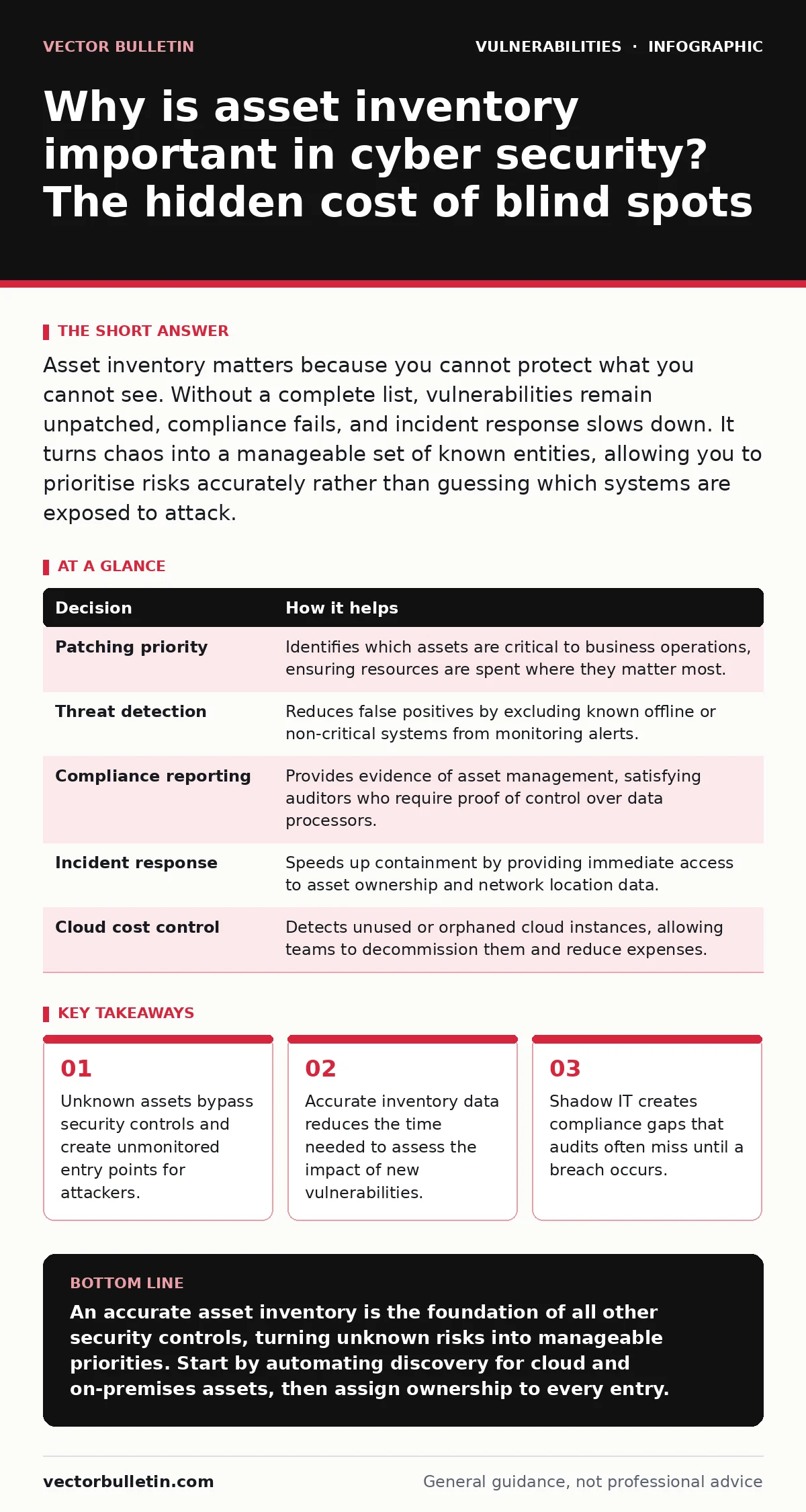
Asset inventory matters because you cannot protect what you cannot see. Without a complete list, vulnerabilities remain unpatched, compliance fails, and incident response slows down. It turns chaos into a manageable set of known entities, allowing you to prioritise risks accurately rather than guessing which systems are exposed to attack.
Why is asset inventory important in cyber security?
Asset inventory is the single most important control in any security programme because it defines the boundary of your responsibility. You cannot apply patches, configure firewalls, or monitor traffic for a device that does not appear in your records. Many teams assume their network scan tools provide this list, but scanners only see what is online and reachable. They miss decommissioned laptops, offline servers, and cloud instances created by developers without IT approval. This gap between reality and records is where most breaches begin.
The primary reason inventory matters is risk prioritisation. When a new vulnerability emerges, you need to know immediately which systems are affected. Without an accurate list, you must assume every system is vulnerable. This forces you to patch everything, regardless of risk, or to ignore the threat entirely. Both choices carry high costs. A complete inventory allows you to filter out irrelevant systems and focus resources on the assets that actually face the internet or hold sensitive data.
The cost of blind spots
Imagine two teams responding to a critical vulnerability. Team A has a real-time inventory. They query their database, find 12 affected servers, and patch them within hours. Team B has no inventory. They broadcast an alert to all staff, hoping the right people see it. Three weeks later, they discover a forgotten test server was compromised. Team B spent weeks in panic mode while Team A returned to normal operations.
The difference is not effort; it is visibility. Team B’s failure was not technical; it was administrative. They lacked a source of truth. This leads to a phenomenon known as "alert fatigue," where security analysts ignore warnings because too many are false positives or irrelevant. An accurate inventory reduces noise by ensuring alerts only trigger for known, monitored assets.
What goes wrong without it
Without an inventory, you face three specific failures. First, you leave shadow IT unprotected. Developers often spin up cloud resources for testing and forget to delete them. These instances lack security controls and become easy targets. Second, you waste time on decommissioned assets. Old servers may still respond to pings but hold no data. Security tools flag them as vulnerable, causing unnecessary panic. Third, you fail compliance audits. Regulations require you to demonstrate control over all data-processing systems. If you cannot list them, you cannot prove you protect them.
These failures compound over time. Each new hire adds devices. Each project adds cloud instances. Without a process to track them, the gap grows. Eventually, the security team operates in the dark, reacting to breaches instead of preventing them. This reactive posture is expensive and stressful. It also damages trust with management, who see security as a cost centre rather than a risk reducer.
Decision | How it helps
| Decision | How it helps |
|---|---|
| Patching priority | Identifies which assets are critical to business operations, ensuring resources are spent where they matter most. |
| Threat detection | Reduces false positives by excluding known offline or non-critical systems from monitoring alerts. |
| Compliance reporting | Provides evidence of asset management, satisfying auditors who require proof of control over data processors. |
| Incident response | Speeds up containment by providing immediate access to asset ownership and network location data. |
| Cloud cost control | Detects unused or orphaned cloud instances, allowing teams to decommission them and reduce expenses. |
Shadow IT and the cloud
Shadow IT is the biggest threat to inventory accuracy. This term refers to technology systems, devices, and software used without the explicit approval of the IT department. Employees use personal devices for work, subscribe to SaaS tools, or create cloud accounts. These assets exist outside the corporate network perimeter. They do not receive security updates. They do not connect to central logging systems.
Cloud environments make this worse. In a traditional data centre, you can physically walk around and see every server. In the cloud, you can create hundreds of instances with a few clicks. If your inventory process does not include cloud APIs, you are blind to these assets. Attackers know this. They target cloud instances that are misconfigured or forgotten. An effective inventory must integrate with cloud providers to detect new resources automatically.
Integrating vulnerability data
An inventory is useless if it does not connect to vulnerability data. You need to know not just what you have, but what is wrong with it. This requires mapping your asset list to the National Vulnerability Database. This database lists known security flaws in software and hardware. By cross-referencing your inventory with this data, you can see which of your systems are vulnerable to specific exploits.
This integration allows for automated risk scoring. Instead of manually checking each asset, your tools can flag high-risk combinations. For example, a public-facing server running outdated software is a higher risk than an internal printer. This context helps you prioritise remediation. It also helps you understand the real-world impact of vulnerabilities like cross-site scripting (XSS) or insecure direct object references (IDOR) in your web applications.
What to do with that knowledge
Having an inventory is only the first step. You must use it to drive action. Start by assigning ownership to every asset. This ensures someone is responsible for its security. Next, classify assets by sensitivity. Not all data is equal. Protecting a public website requires different controls than protecting a database of customer records. Use this classification to tailor your security measures.
Regularly verify your inventory. Assets change. People leave. Systems are decommissioned. Schedule quarterly reviews to remove stale entries. Use automated discovery tools to find new assets, but validate them manually. This combination of automation and human oversight ensures accuracy. Finally, use the inventory to test your incident response plans. Simulate a breach on a specific asset and see how quickly your team can identify and contain it.
Beyond the basics
An inventory supports other security practices. It is the foundation for secure code review, as it tells you which applications need testing. It informs your vulnerability disclosure policies, helping you decide which bugs to accept and fix. It also helps you evaluate the effectiveness of web application firewalls by showing which applications are behind them. Without an inventory, these controls are applied blindly. You may protect the wrong applications or leave critical ones exposed.
The goal is not perfection. It is continuous improvement. New assets will always appear. The key is to reduce the gap between creation and detection. Aim for hours, not days. This speed allows you to stay ahead of attackers who exploit the window of invisibility.
Key takeaways
- Unknown assets bypass security controls and create unmonitored entry points for attackers.
- Accurate inventory data reduces the time needed to assess the impact of new vulnerabilities.
- Shadow IT creates compliance gaps that audits often miss until a breach occurs.
An accurate asset inventory is the foundation of all other security controls, turning unknown risks into manageable priorities. Start by automating discovery for cloud and on-premises assets, then assign ownership to every entry.
Frequently asked questions
How often should I update my asset inventory?
You should update your inventory in real-time where possible. For manual processes, weekly updates are the minimum to catch new deployments and remove decommissioned systems.
What is the difference between an asset inventory and a CMDB?
A CMDB (Configuration Management Database) includes relationships between assets, such as which server supports which application. An asset inventory is a simpler list of devices and software. Start with an inventory before building a CMDB.
Can automated tools replace manual inventory checks?
Automated tools are essential for speed and scale, but they can miss context. Manual checks verify ownership and business criticality, which tools cannot determine. Use both approaches together.
How do I handle shadow IT in my inventory?
Use network traffic analysis and cloud API queries to detect unauthorised assets. Engage with the users who created them to understand their purpose, then bring them under management or decommission them securely.
How this guide was produced: written by the Vector Bulletin editorial team with AI assistance, checked against the public references listed below, and reviewed when the facts change. See our editorial policy or report an error.