
Early Warning Signs of Cross-Site Scripting in Web Apps
Script execution errors and subtle UI shifts often precede data loss, revealing cross-site scripting flaws before external scanners detect them.
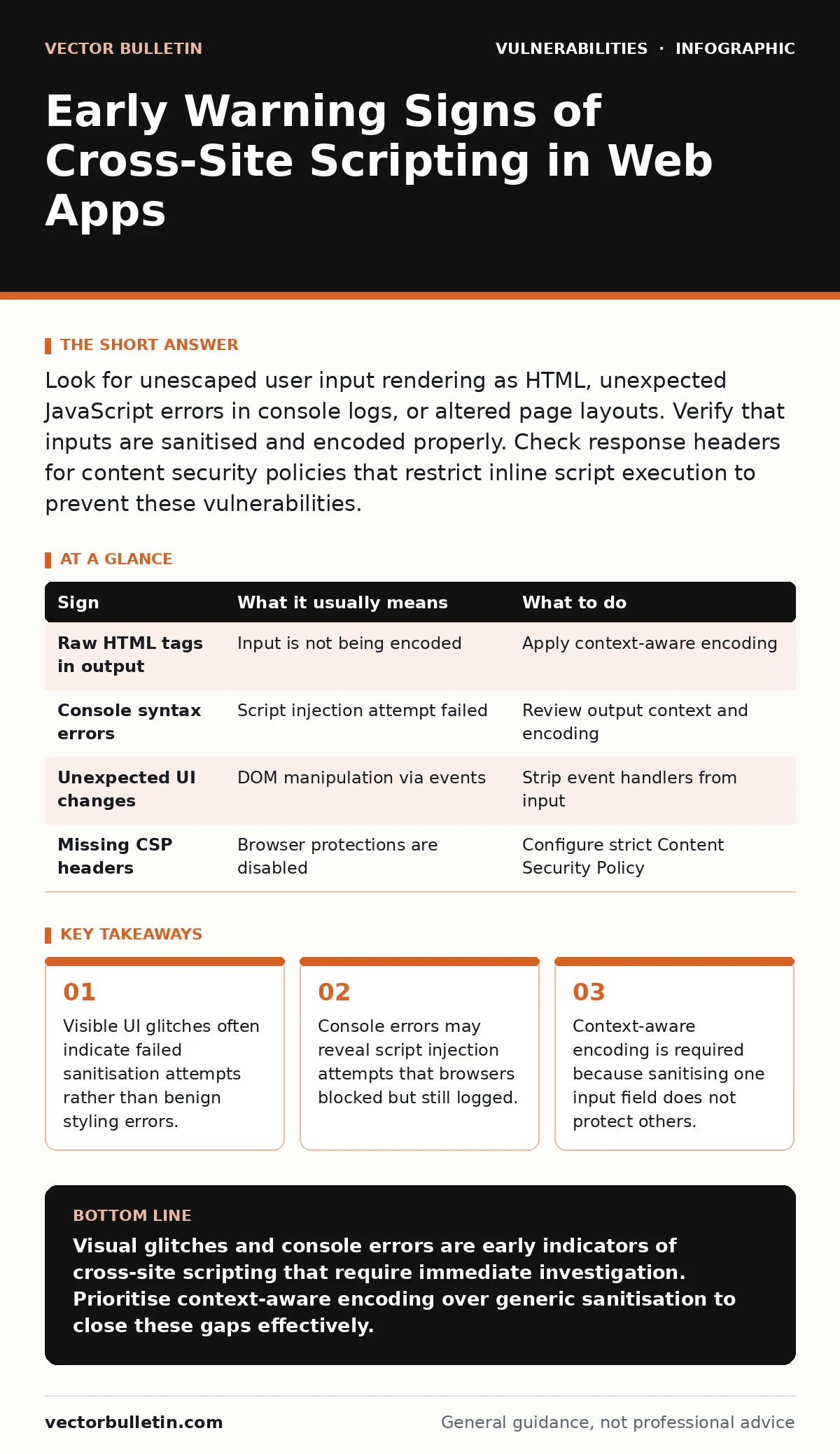
Look for unescaped user input rendering as HTML, unexpected JavaScript errors in console logs, or altered page layouts. Verify that inputs are sanitised and encoded properly. Check response headers for content security policies that restrict inline script execution to prevent these vulnerabilities.
Recognising Immediate Visual Anomalies
The most obvious sign of cross-site scripting (XSS) is content that does not belong. You might see raw HTML tags or JavaScript code displayed directly on the page instead of being rendered as intended. This happens when the application fails to encode special characters like angle brackets.
Suppose a user enters a comment containing <script>alert(1)</script>. If the application outputs this text without processing it, the browser may execute the code. You will see an alert box pop up or notice the page layout breaking unexpectedly.
These visual cues are immediate but rare in production. Modern browsers often block obvious inline scripts via Content Security Policy (CSP). However, the failure to encode remains a vulnerability even if the script does not execute visibly.
Subtle Interface Manipulations
More dangerous signs are those that do not crash the page. An attacker might inject a small script that alters the colour of a button or moves a form field. These changes are designed to look like minor styling bugs rather than security breaches.
Imagine a login form where the "Submit" button text changes to "Continue" via injected JavaScript. The functionality remains the same, but the context is subtly altered. This technique, known as DOM clobbering, can trick users into interacting with malicious elements.
You should monitor for any dynamic changes to the Document Object Model that were not triggered by standard user interactions. If a page element changes position or style without a corresponding CSS update, investigate the source code for injected scripts.
Browser Console Error Patterns
The browser developer console is a primary source of early warnings. Look for errors related to "Uncaught ReferenceError" or "SyntaxError" that appear immediately after page load. These often indicate that a script tried to execute but failed due to malformed injection.
Even if the script fails, the attempt reveals a path for injection. The error message will usually point to the line of code where the injection occurred. This is valuable forensic data that automated scanners might miss.
Hidden Event Handler Injections
Not all XSS payloads use <script> tags. Attackers often use HTML event attributes like onerror, onload, or onclick. These handlers execute JavaScript when a specific event occurs. A broken image icon with an onerror handler is a common vector.
Suppose an image source is set to a non-existent URL, triggering the onerror event. The handler can then execute arbitrary code. This bypasses simple filters that only look for script tags.
Check for unexpected attributes on HTML elements, especially those handling media or links. If an input field allows HTML output, ensure that event handlers are stripped or encoded. Standard sanitisation libraries often miss these edge cases if not configured correctly.
Response Header Misconfigurations
The server’s response headers play a critical role in mitigating XSS. The absence of a strict Content Security Policy allows inline scripts to run. Similarly, missing X-Content-Type-Options headers can lead to MIME type sniffing.
Imagine a server serving a JSON response with an HTML content type. The browser might interpret the data as HTML, executing any embedded scripts. This is a configuration error that facilitates XSS even if the code itself is clean.
Review your web server configurations to ensure secure headers are present. A web application firewalls can help enforce these headers, but they do not fix the underlying application flaw. Always verify headers manually during testing.
See also: Insecure Direct Object References (IDOR): Fixing Broken Access Control
When Standard Advice Fails
Common advice suggests sanitising all user input. This is insufficient because sanitisation depends on context. Input used in a URL requires different encoding than input used in HTML attributes.
Consider a search query used in the URL fragment. If this query is reflected back in the page title, it needs HTML encoding. If it is used in a JavaScript variable, it needs JavaScript encoding. Using a single sanitisation function for all contexts creates gaps.
Operational Response Steps
When you detect a potential XSS vulnerability, immediate action is required. First, isolate the affected input field to prevent further exploitation. Disable the feature if necessary to stop active attacks.
Next, review the code handling that input. Identify where the data is taken in and where it is output. Ensure that encoding is applied at the point of output, not just at input. This defence-in-depth approach catches errors in logic.
Finally, update your vulnerability severity ratings to reflect the actual risk. High-severity ratings ensure that patches are prioritised. Document the findings and share them with development teams to improve secure code review processes.
| Sign | What it usually means | What to do |
|---|---|---|
| Raw HTML tags in output | Input is not being encoded | Apply context-aware encoding |
| Console syntax errors | Script injection attempt failed | Review output context and encoding |
| Unexpected UI changes | DOM manipulation via events | Strip event handlers from input |
| Missing CSP headers | Browser protections are disabled | Configure strict Content Security Policy |
Key takeaways
- Visible UI glitches often indicate failed sanitisation attempts rather than benign styling errors.
- Console errors may reveal script injection attempts that browsers blocked but still logged.
- Context-aware encoding is required because sanitising one input field does not protect others.
Visual glitches and console errors are early indicators of cross-site scripting that require immediate investigation. Prioritise context-aware encoding over generic sanitisation to close these gaps effectively.
Frequently asked questions
How do I distinguish between a styling bug and XSS?
Check the source code. If the HTML structure contains user-submitted tags or attributes that were not present in the template, it is likely XSS. Styling bugs usually involve CSS classes or inline styles, not structural HTML changes.
Does HTTPS prevent cross-site scripting?
No. HTTPS encrypts data in transit but does not validate or encode content. XSS occurs when the application processes and outputs malicious data. Encryption does not stop the browser from executing scripts rendered by the server.
Should I use a Content Security Policy as a fix?
CSP is a mitigation, not a fix. It restricts where scripts can load from, reducing the impact of an attack. It does not remove the vulnerability. You must still encode output to prevent script injection in the first place.
Can server-side validation prevent XSS?
Server-side validation helps but is not sufficient. It ensures data integrity but does not handle output encoding. XSS often occurs when data is reflected back to the client. Output encoding is the primary defence against reflected and stored XSS.
How this guide was produced: written by the Vector Bulletin editorial team with AI assistance, checked against the public references listed below, and reviewed when the facts change. See our editorial policy or report an error.