
HTTP vs HTTPS: How to Choose the Right Protocol for Your Data
Using HTTP for simple requests can reduce server load, but mixing protocols exposes session tokens to interception by network-level adversaries.
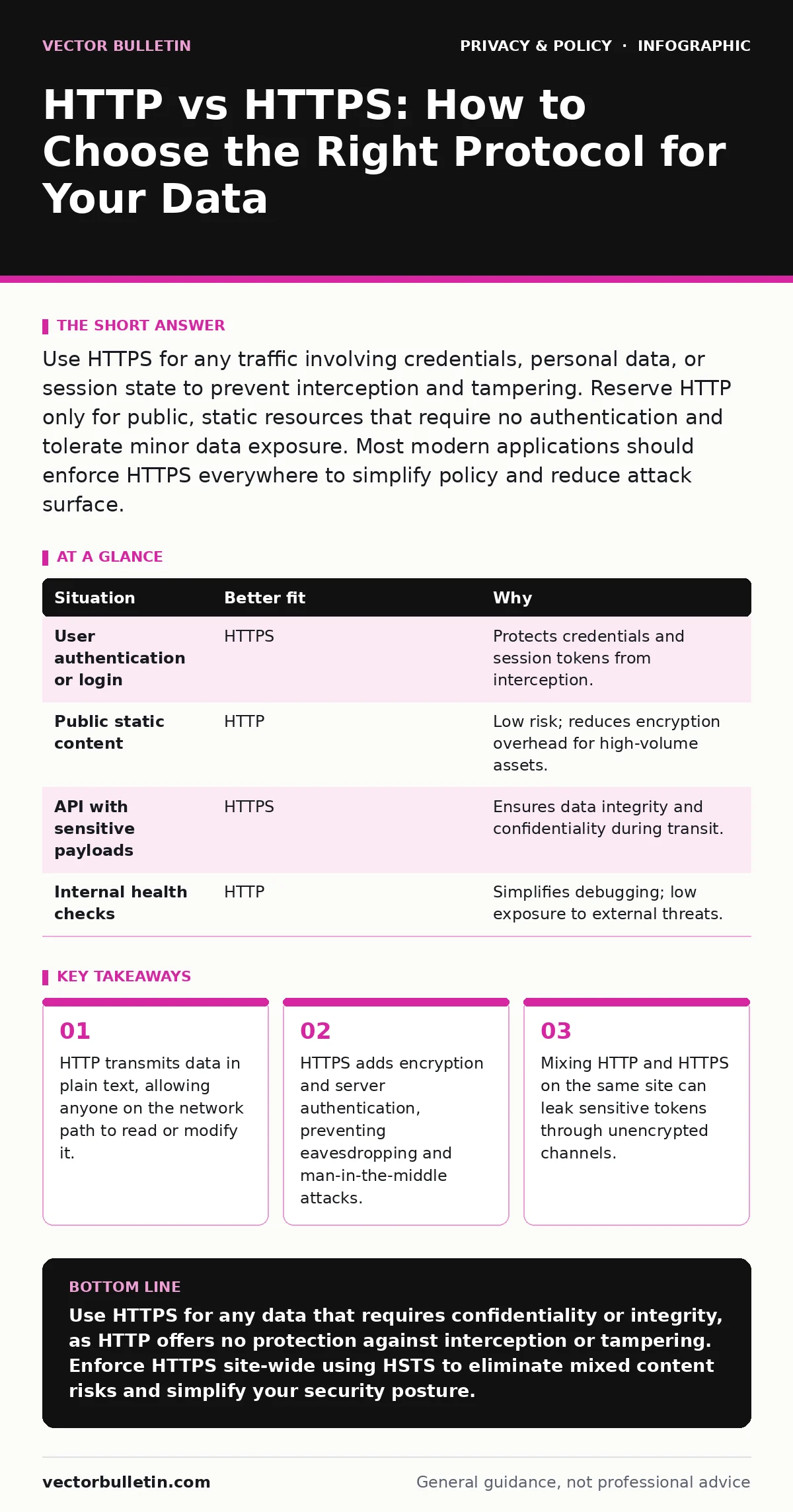
Use HTTPS for any traffic involving credentials, personal data, or session state to prevent interception and tampering. Reserve HTTP only for public, static resources that require no authentication and tolerate minor data exposure. Most modern applications should enforce HTTPS everywhere to simplify policy and reduce attack surface.
Does the data contain secrets or identifiers?
The primary function of HTTPS (Hypertext Transfer Protocol Secure) is confidentiality. It wraps your data in TLS (Transport Layer Security) encryption before it leaves the browser. If the payload contains passwords, session cookies, or personal details, you must use HTTPS. HTTP sends these items as readable text. An attacker sitting on the same Wi-Fi network can capture this traffic with basic tools.
Suppose you build a public blog with no login feature. The content is already public, so confidentiality is less critical. However, if readers can comment, their IP addresses and text are sent in cleartext over HTTP. This exposes them to trivial interception. Even non-sensitive data can reveal behavioural patterns when aggregated.
Is the connection stateful or persistent?
Many applications rely on session tokens to remember who a user is. These tokens often reside in browser cookies. If you serve a page over HTTP, the cookie containing the session ID travels in the clear. An attacker can steal this token and impersonate the user without needing the actual password. This is known as session hijacking.
HTTPS prevents this by encrypting the entire HTTP header, including cookies. It ensures that the session token remains opaque to intermediaries. For any service that maintains state between requests, HTTPS is the only viable option. Stateless APIs that use short-lived, single-use tokens might tolerate HTTP if the tokens themselves are encrypted, but this adds complexity.
Mixing protocols creates a dangerous edge case. If your login page uses HTTPS but the dashboard loads assets via HTTP, the browser may downgrade the connection or expose the token to script injection. This is why consistent protocol usage matters more than individual page security.
How do you handle mixed content risks?
A common mistake is serving the main page over HTTPS while loading images, scripts, or stylesheets over HTTP. This is called mixed content. Modern browsers block active mixed content (like JavaScript) but may allow passive content (like images). This inconsistency breaks functionality and creates a false sense of security.
The browser cannot verify the integrity of HTTP assets. An attacker can replace an HTTP image with a malicious script if they control the DNS or network path. This undermines the entire security model of the HTTPS page. You must ensure all resources load over the same secure protocol.
Consider the implementation effort. Migrating to HTTPS requires obtaining a certificate and updating all internal links. The upfront cost is low, but the long-term maintenance is negligible with automated tools. The risk of mixed content errors, however, can persist for years if not strictly enforced.
| Situation | Better fit | Why |
|---|---|---|
| User authentication or login | HTTPS | Protects credentials and session tokens from interception. |
| Public static content | HTTP | Low risk; reduces encryption overhead for high-volume assets. |
| API with sensitive payloads | HTTPS | Ensures data integrity and confidentiality during transit. |
| Internal health checks | HTTP | Simplifies debugging; low exposure to external threats. |
When should you use both protocols?
There are few legitimate reasons to run HTTP and HTTPS simultaneously on the same domain. One exception is redirecting all HTTP traffic to HTTPS. You keep the HTTP listener open solely to catch users who type the insecure URL and forward them to the secure version. This improves user experience and security coverage.
Another case is serving non-sensitive static assets from a separate subdomain over HTTP. This can offload encryption work from the main application server. However, this adds complexity to your infrastructure. You must ensure that no sensitive data leaks into the HTTP subdomain via cookies or headers.
For most applications, enforcing HTTPS everywhere is the superior strategy. It eliminates the risk of accidental HTTP requests. It simplifies firewall rules and monitoring. If you need to reduce server load, consider HTTP/2 or HTTP/3 optimisations rather than reverting to unencrypted HTTP.
What are the hidden costs of HTTP?
The obvious cost of HTTP is the loss of privacy. The hidden cost is the loss of integrity. Attackers can modify HTTP responses in transit. They can inject ads, malware, or alter financial figures. This is harder to detect than simple eavesdropping because the user sees a valid-looking page.
HTTPS provides integrity checks. If a byte is changed during transmission, the connection fails. This is critical for software updates, financial transactions, and legal documents. Relying on HTTP means you cannot prove that the data received by the user is the same as the data sent by the server.
See also: Early Warning Signs of Cross-Site Scripting in Web Apps
How does this relate to broader privacy?
Protocol choice is only one layer of privacy. You must also consider how data is stored and processed. For instance, using email aliases can protect your primary address from being scraped from public HTTP forms. Similarly, end-to-end encryption ensures that even the server cannot read your messages, regardless of the transport protocol.
If you are concerned about ISP tracking, HTTPS hides the specific pages you visit, but not the domain. To further obscure your activity, you might look into methods for opting out of data brokers. These measures work alongside HTTPS to create a deeper defence-in-depth strategy.
Key takeaways
- HTTP transmits data in plain text, allowing anyone on the network path to read or modify it.
- HTTPS adds encryption and server authentication, preventing eavesdropping and man-in-the-middle attacks.
- Mixing HTTP and HTTPS on the same site can leak sensitive tokens through unencrypted channels.
Use HTTPS for any data that requires confidentiality or integrity, as HTTP offers no protection against interception or tampering. Enforce HTTPS site-wide using HSTS to eliminate mixed content risks and simplify your security posture.
Frequently asked questions
Does HTTPS hide my IP address?
No, HTTPS encrypts the content of your request but not your IP address. Your ISP and the server can still see your location.
Can I use HTTPS for local development?
Yes, you can generate self-signed certificates for local use. This helps test secure features without production infrastructure.
Does HTTPS slow down my website?
The initial handshake adds latency, but TLS 1.3 and session resumption minimise this impact. Modern CPUs handle encryption efficiently.
Is HTTP safe for internal APIs?
Only if the network is strictly isolated and trusted. Internal networks are increasingly targeted by lateral movement attacks.
How this guide was produced: written by the Vector Bulletin editorial team with AI assistance, checked against the public references listed below, and reviewed when the facts change. See our editorial policy or report an error.