How Email Aliases Work: The Mechanics Behind Address Masking
Email aliases route messages to a single inbox by rewriting headers, offering convenience but exposing your primary identity to determined adversaries.
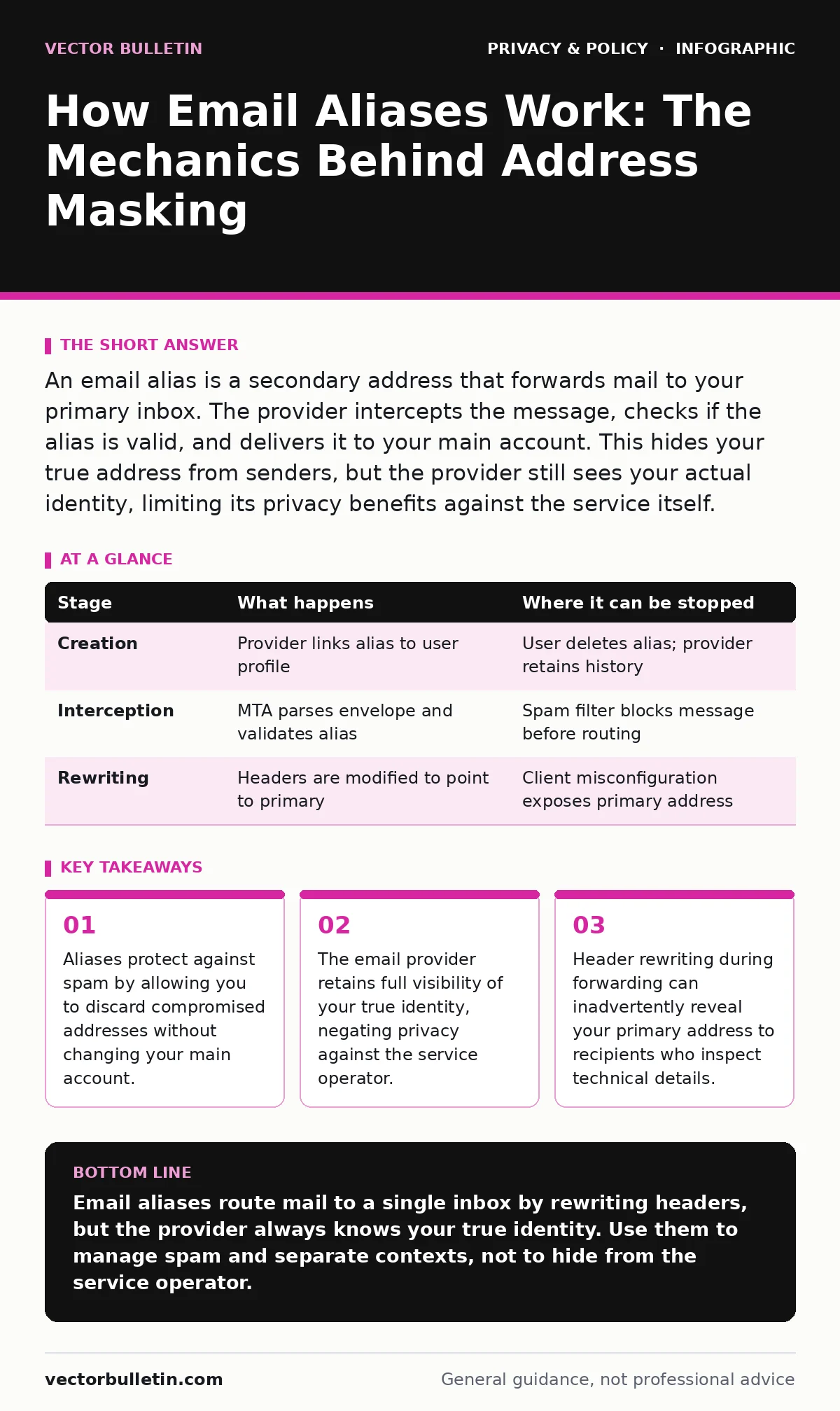
An email alias is a secondary address that forwards mail to your primary inbox. The provider intercepts the message, checks if the alias is valid, and delivers it to your main account. This hides your true address from senders, but the provider still sees your actual identity, limiting its privacy benefits against the service itself.
The Concept of Address Masking
An email alias functions as a proxy for your primary email address. You create a secondary address, such as a random string or a specific label, and direct all incoming mail to your main inbox. This mechanism separates your public-facing identity from your private account.
The primary benefit is control. If an alias begins receiving spam, you can disable it. The noise stops immediately, while your main account remains untouched. This approach reduces the friction of managing multiple full accounts.
However, this convenience carries a hidden cost. The alias does not obscure your identity from the email provider. The provider knows that the alias belongs to you. They map the secondary address to your primary account internally. This mapping is the foundation of the service, but it also defines its privacy boundary.
Stage 1: Alias Creation and Validation
The process begins when you configure a new alias. You might generate a random string of characters or use a structured format supported by your provider. The system records this new address in its database. It links the alias to your user profile.
This link is persistent. Even if you delete the alias later, historical data may retain the connection. The validation step ensures the alias is unique within the provider’s domain. It also checks for forbidden characters or patterns that could break the system.
This association is internal. The public directory does not list the alias as belonging to you. However, the provider’s internal logs do. This distinction is vital for understanding the scope of protection.
Stage 2: Message Interception and Routing
When a sender emails your alias, the message does not go directly to your inbox. It first hits the provider’s mail transfer agent. This agent parses the envelope recipient field. It recognises the alias as a valid entry in its routing table.
The system then triggers a rewrite. It replaces the alias with your primary address in the internal headers. The message is now destined for your main account. The original recipient field in the email header may remain unchanged, depending on the provider’s implementation.
This step is where the mechanics of forwarding occur. The provider acts as an intermediary. It does not merely pass the packet along. It actively modifies the destination metadata. This modification is necessary for the mail to land in your correct folder.
Stage 3: Header Rewriting and Delivery
The final stage involves delivering the message to your inbox. The provider attaches the rewritten headers to the email. Your client receives the message. It appears to come from the sender, addressed to your primary account.
Some providers strip the alias from the visible headers. Others leave it in the "Delivered-To" or "X-Original-To" fields. You can inspect these fields in your email client. If the alias is present, a recipient who receives a reply from you might see your primary address if you reply-all or forward without care.
This leakage is a common oversight. The alias protects you from the initial sender. It does not automatically protect you from your own actions. You must configure your client to hide the primary address when replying. Otherwise, the mask slips.
Limits of Alias-Based Privacy
Aliases offer a layer of obfuscation, not true anonymity. They are effective against casual data harvesting. They are less effective against determined adversaries. An attacker who can correlate timing or content might link an alias back to you.
The provider’s access is the primary limit. Since the provider performs the routing, it sees all traffic. It can analyse patterns. It can sell aggregated data. It can respond to legal requests. The alias provides no shield against the service operator.
For stronger privacy, consider end-to-end encryption. This ensures only you and the recipient can read the content. Aliases do not encrypt data. They only manage addresses. Combining both approaches offers better security. You might also review privacy audits to see how providers handle your data.
Managing Alias Hygiene
Good hygiene requires discipline. You should use different aliases for different contexts. A separate alias for banking differs from one for social media. This separation limits the blast radius of a leak.
If an alias is compromised, disable it immediately. Do not reuse the string. Create a new one. This breaks the link for future spammers. Regularly audit your active aliases. Delete those you no longer use.
Consider privacy by design principles when setting up your email. Assume that any data you send is visible to intermediaries. Use aliases to manage convenience, not to guarantee secrecy.
Technical Edge Cases
Some services validate email addresses by sending a confirmation link. If you use an alias, the link must reach your primary inbox. If the provider blocks the alias temporarily, the validation fails. This can disrupt account creation.
Another edge case involves reply-to headers. Some email clients automatically set the reply-to address to the primary account. If you reply to a message sent to an alias, the sender sees your primary address. This defeats the purpose of the alias.
Check your client settings. Ensure the reply-to field matches the alias. This requires manual configuration. It is not automatic. Without this step, your primary address is exposed with every reply.
| Stage | What happens | Where it can be stopped |
|---|---|---|
| Creation | Provider links alias to user profile | User deletes alias; provider retains history |
| Interception | MTA parses envelope and validates alias | Spam filter blocks message before routing |
| Rewriting | Headers are modified to point to primary | Client misconfiguration exposes primary address |
Strategic Considerations for Teams
For organisations, aliases streamline communication. Teams can use generic addresses like "[email protected]". These alias to individual inboxes. This allows staff to rotate without changing the public address.
However, this creates a shared identity. It is difficult to attribute actions to a specific individual. This can complicate accountability. It also aids attackers who want to evade detection. They can target the generic address without knowing the specific employee.
To mitigate this, implement strict access controls. Monitor alias usage. Combine aliases with workplace monitoring tools to ensure compliance. But remember, monitoring reduces privacy for employees. Balance is necessary.
You should also consider file metadata when forwarding emails. Metadata can reveal internal paths or usernames. Strip this data before sharing. Aliases do not clean metadata. They only change the address.
Beyond Basic Aliasing
Aliases are a tool, not a solution. They manage noise and provide a layer of separation. They do not prevent tracking. ISP tracking can still identify you based on IP address and timing. Opting out of data brokers is a separate process.
For sensitive communications, use dedicated accounts. Do not rely on aliases for high-risk activities. Aliases are best for low-stakes, high-volume interactions. They reduce friction. They do not eliminate risk.
Review your children's online privacy risks if managing accounts for minors. Aliases can help separate their data from yours. But you must ensure the provider complies with relevant regulations. The alias itself does not grant legal protection.
Key takeaways
- Aliases protect against spam by allowing you to discard compromised addresses without changing your main account.
- The email provider retains full visibility of your true identity, negating privacy against the service operator.
- Header rewriting during forwarding can inadvertently reveal your primary address to recipients who inspect technical details.
Email aliases route mail to a single inbox by rewriting headers, but the provider always knows your true identity. Use them to manage spam and separate contexts, not to hide from the service operator.
Frequently asked questions
Can I use an alias for two-factor authentication?
No, authentication services require a stable, primary address. Aliases may be disabled or changed, locking you out of your account. Use your main address for security-critical functions.
Does an alias hide my IP address?
No, an alias only changes the email address. Your IP address is visible to the sender and the provider during transmission. Use a VPN or proxy to mask your IP, not an alias.
What happens if I delete an alias?
New messages to that address will bounce. Existing messages in your inbox remain. The provider may retain the mapping in historical logs, so past associations are not erased.
Can a sender see my primary address if I use an alias?
Only if your email client is misconfigured. If the reply-to field points to your primary address, or if you forward the email without stripping headers, your true address may be exposed.
How this guide was produced: written by the Vector Bulletin editorial team with AI assistance, checked against the public references listed below, and reviewed when the facts change. See our editorial policy or report an error.