Remote Access Trojan Myths: What Operators Actually Know
Remote access trojans rarely steal data immediately; they persist silently to map your environment for a future, high-value strike.
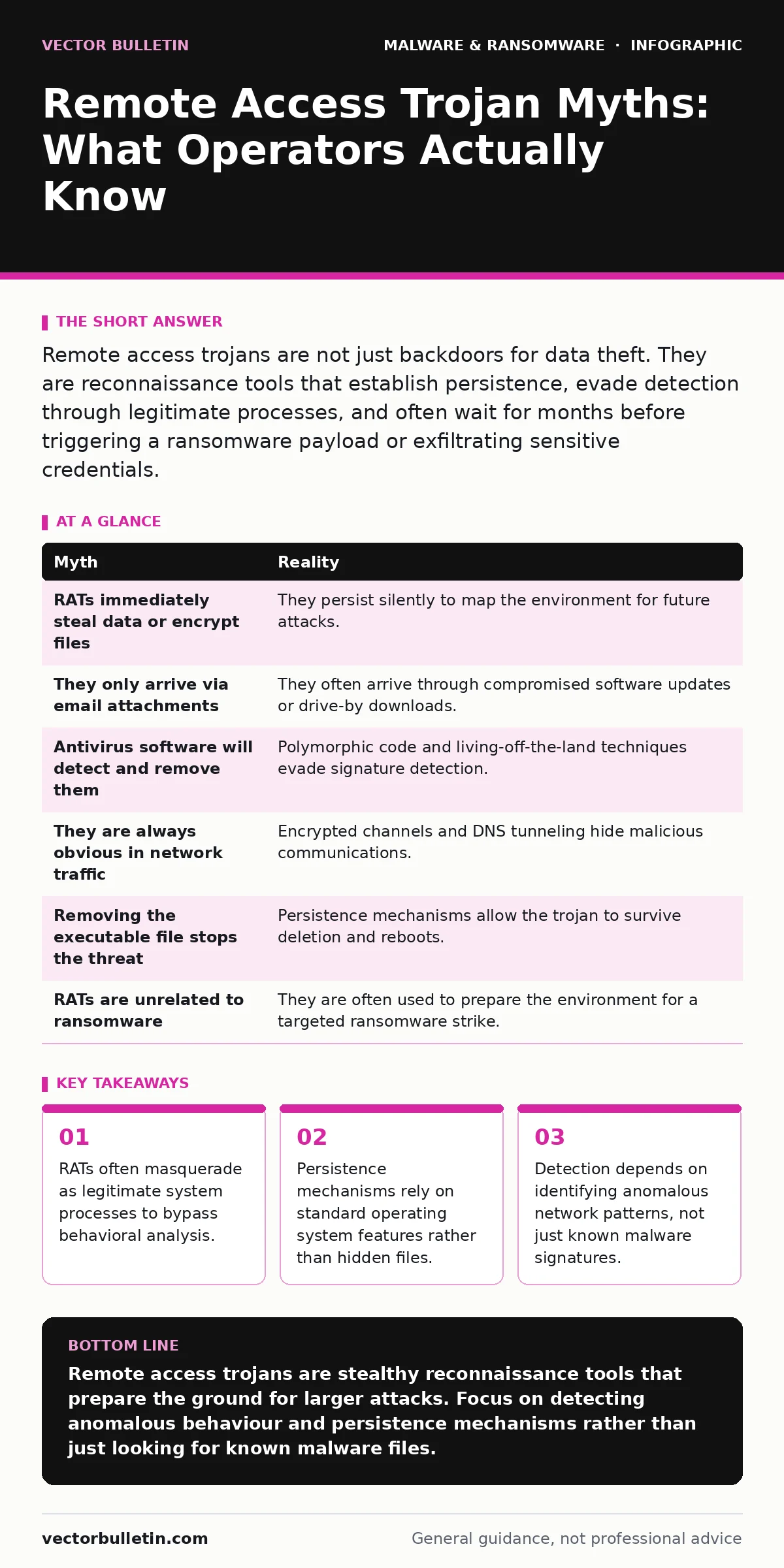
Remote access trojans are not just backdoors for data theft. They are reconnaissance tools that establish persistence, evade detection through legitimate processes, and often wait for months before triggering a ransomware payload or exfiltrating sensitive credentials.
Myth: RATs Immediately Steal Data or Encrypt Files
Reality: Most remote access trojans do not exfiltrate data or encrypt files upon installation. They establish a foothold and remain dormant while mapping the network. This delay allows the operator to identify high-value targets and test defensive measures without triggering alarms.
Immediate action would alert security teams to the compromise. By waiting, the attacker gathers intelligence on user privileges, network topology, and backup schedules. This patience is a calculated risk to ensure the final payload succeeds. The initial infection is merely the key to the door, not the theft itself.
Myth: They Only Arrive via Email Attachments
Reality: While email remains a common vector, remote access trojans frequently arrive through compromised software updates, malicious browser extensions, or drive-by downloads. Supply chain attacks are particularly effective because they bypass email security controls entirely.
Imagine downloading a legitimate productivity tool from a compromised mirror site. The installer appears signed and trusted, yet it contains the trojan payload. This method exploits the trust users place in known vendors. It also circumvents the protections described in our guide on email attachment scanning, which focuses on inbound mail rather than outbound or third-party downloads.
Myth: Antivirus Software Will Detect and Remove Them
Reality: Modern remote access trojans use polymorphic code and obfuscation to evade signature-based detection. They often modify their binary structure with each infection, rendering static signatures useless. Behavioural analysis helps, but it requires careful tuning to avoid false positives.
Many operators use legitimate system utilities to perform malicious tasks, a technique known as living off the land. This means the trojan code itself might never touch the disk in a detectable way. Instead, it runs in memory and uses standard commands to maintain access. This approach mirrors some tactics seen in Android malware, where legitimate app permissions are abused for malicious gain.
Myth: They Are Always Obvious in Network Traffic
Reality: Remote access trojans often use encrypted channels or mimic legitimate traffic to hide their communications. They may use standard HTTPS ports or tunnel their data through DNS queries. This makes simple port-based filtering ineffective against sophisticated threats.
The traffic looks like normal web browsing or cloud service usage. Without decrypting and inspecting the payload, security tools cannot distinguish between a user visiting a website and a trojan sending exfiltrated data. This is why end-to-end encryption, while protecting privacy, can also shield malicious communications from inspection. Operators may also use fast flux DNS to rapidly change the IP addresses of their command and control servers, further complicating tracking.
Myth: Removing the Executable File Stops the Threat
Reality: Deleting the initial executable file rarely removes a remote access trojan if it has established persistence. Persistence mechanisms allow the malware to survive reboots and deletion by integrating itself into the operating system. These mechanisms often exploit legitimate system features.
Common persistence methods include registry run keys, scheduled tasks, or service installations. The trojan might also inject its code into legitimate processes, making it invisible to file scans. Simply deleting the initial download leaves these hidden mechanisms active. The system remains compromised until these deeper integrations are identified and removed. This requires a thorough analysis, similar to the methods detailed in our guide on malware analysis, to understand the full scope of the infection.
See also: Immutable Backups: Answers to 9 Operational Questions · Email Attachment Scanning Checklist for Secure Gateways
Myth: Remote Access Trojans Are Unrelated to Ransomware
Reality: Remote access trojans are frequently the precursor to ransomware attacks. Operators use the trojan to deploy ransomware selectively, targeting critical systems after ensuring backups are compromised. This two-stage approach increases the likelihood of a successful extortion attempt.
The trojan allows the attacker to disable security software, delete backups, and spread laterally within the network. By the time the ransomware is deployed, the victim has limited options for recovery. This strategy is reflected in the ransom notes that appear, which often claim that backups have been deleted or encrypted. Understanding this connection is vital for incident response, as detecting the trojan early can prevent the ransomware stage entirely.
| Myth | Reality |
|---|---|
| RATs immediately steal data or encrypt files | They persist silently to map the environment for future attacks. |
| They only arrive via email attachments | They often arrive through compromised software updates or drive-by downloads. |
| Antivirus software will detect and remove them | Polymorphic code and living-off-the-land techniques evade signature detection. |
| They are always obvious in network traffic | Encrypted channels and DNS tunneling hide malicious communications. |
| Removing the executable file stops the threat | Persistence mechanisms allow the trojan to survive deletion and reboots. |
| RATs are unrelated to ransomware | They are often used to prepare the environment for a targeted ransomware strike. |
Key takeaways
- RATs often masquerade as legitimate system processes to bypass behavioral analysis.
- Persistence mechanisms rely on standard operating system features rather than hidden files.
- Detection depends on identifying anomalous network patterns, not just known malware signatures.
Remote access trojans are stealthy reconnaissance tools that prepare the ground for larger attacks. Focus on detecting anomalous behaviour and persistence mechanisms rather than just looking for known malware files.
Frequently asked questions
How do I know if my system has a remote access trojan?
Look for unusual network connections, unexpected scheduled tasks, or legitimate processes behaving abnormally. High CPU usage or memory leaks can also indicate hidden activity.
Can a firewall stop a remote access trojan?
A firewall can block known malicious IPs, but trojans often use encrypted traffic or legitimate ports. A firewall alone is insufficient without deep packet inspection or behavioural analysis.
What is the first step in removing a remote access trojan?
Isolate the infected system from the network to prevent lateral movement. Then, analyse the system for persistence mechanisms before attempting removal.
Do mobile devices get remote access trojans?
Yes, mobile devices can be infected, often through malicious apps or exploits. The tactics may differ, but the goal of persistent access remains the same.
How this guide was produced: written by the Vector Bulletin editorial team with AI assistance, checked against the public references listed below, and reviewed when the facts change. See our editorial policy or report an error.