
Email Attachment Scanning Checklist for Secure Gateways
Static signature scanning misses logic bombs that activate only after specific user interactions or time delays, requiring behavioural analysis.
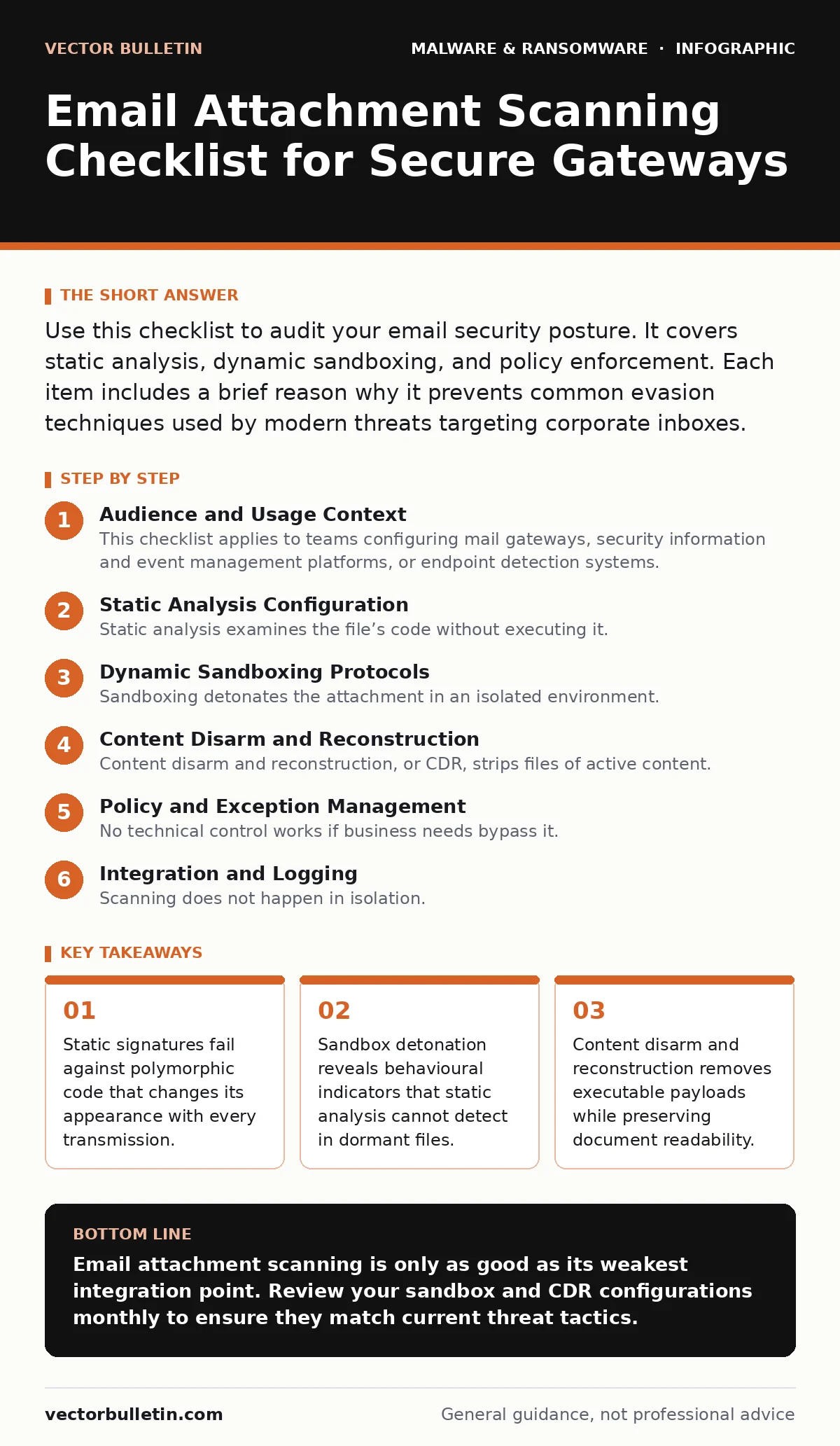
Use this checklist to audit your email security posture. It covers static analysis, dynamic sandboxing, and policy enforcement. Each item includes a brief reason why it prevents common evasion techniques used by modern threats targeting corporate inboxes.
Audience and Usage Context
This checklist applies to teams configuring mail gateways, security information and event management platforms, or endpoint detection systems. You use it to verify that your defence layers inspect attachments before they reach the user’s mailbox. It is not a substitute for user training, but it reduces the volume of threats that reach the desktop.
Static Analysis Configuration
Static analysis examines the file’s code without executing it. It looks for known bad patterns, malformed headers, and suspicious structures. This is your first line of defence.
- Enable signature updates from multiple threat feeds: Single sources have blind spots; diverse feeds catch more variants.
- Inspect file headers for mismatched extensions: A file named report.pdf might actually be an executable masquerading as a document.
- Block executable file types by default: Users rarely need .exe, .bat, or .ps1 files via email; blocking them removes a major attack vector.
- Verify digital signatures on Office documents: Unsigned macros are a common delivery mechanism for remote access trojans.
- Set maximum file size limits: Large files can exhaust gateway resources or hide malicious payloads in padding data.
Dynamic Sandboxing Protocols
Sandboxing detonates the attachment in an isolated environment. It observes what the file does, not just what it contains. This catches zero-day threats that have no known signature.
- Configure sandbox detonation for all unknown files: Known-good files can be fast-tracked, but anything new must be watched.
- Set timeout thresholds for analysis: Long-running processes may indicate resource exhaustion attacks rather than malware.
- Enable network monitoring within the sandbox: Malware often calls out to command-and-control servers; seeing this traffic is proof of malicious intent.
- Rotate sandbox environments regularly: Attackers can fingerprint static sandbox environments and tailor malware to appear benign.
- Log all behavioural events for review: Even if a file is cleared, keeping logs helps forensic teams trace lateral movement later.
Content Disarm and Reconstruction
Content disarm and reconstruction, or CDR, strips files of active content. It rebuilds the document from safe components. This is more effective than simple scanning because it removes the attack surface entirely.
- Strip macros and scripts from Office files: Most legitimate documents do not need macros; removing them prevents execution.
- Remove embedded objects and OLE links: These can point to remote resources that download secondary payloads.
- Rebuild PDFs from text and images: This removes JavaScript and form fields that can exploit reader vulnerabilities.
- Convert rich text format to plain text: RTF files often contain complex structures that hide malicious code.
- Validate reconstructed files for integrity: Ensure the stripping process did not corrupt the document in a way that triggers client-side exploits.
Policy and Exception Management
No technical control works if business needs bypass it. You must balance security with usability. Exceptions create holes that attackers exploit.
- Review exception lists monthly: Temporary allowances often become permanent holes in your defence.
- Require justification for any blocked file allowance: Knowing why a file was allowed helps audit trail compliance.
- Monitor for false positive trends: High false positive rates lead to alert fatigue and ignored warnings.
- Align scanning policies with data classification rules: Highly sensitive data may require stricter inspection than public communications.
- Test policies with benign suspicious files: Regular testing ensures your rules catch the right things without breaking business workflows.
See also: Ransom Notes: Six Misreadings That Cost You Time
Integration and Logging
Scanning does not happen in isolation. It must feed into your broader security ecosystem. Without integration, you have data but no context.
- Forward alerts to your SIEM platform: Centralised logging allows correlation with other security events.
- Enable API integration with endpoint protection: If a file passes the gateway, the endpoint must still monitor its behaviour.
- Configure retention periods for quarantined items: You need historical data for investigations, but storage costs rise with volume.
- Audit scanner health and performance: A lagging gateway might drop packets or delay delivery, impacting productivity.
- Verify TLS inspection for encrypted attachments: Encrypted files can bypass scanning unless decrypted at the gateway first.
Handling Evasion Techniques
Attackers actively try to bypass these controls. They use obfuscation, packing, and timing attacks. Your configuration must account for this cat-and-mouse game.
- Detect and block packed executables: Packing compresses and encrypts code to hide signatures; unpacking reveals the true payload.
- Monitor for fileless execution techniques: Some malware lives only in memory, leaving no file to scan.
- Check for living-off-the-land binaries: Attackers use legitimate system tools to execute malicious commands.
- Inspect for clipboard hijackers: Some malware monitors the clipboard to steal credentials or cryptocurrency addresses.
- Watch for slow-loading payloads: Attacks that delay execution can outlast sandbox timeouts.
Review and Continuous Improvement
Security is a process, not a product. Your checklist should evolve as threats do. Regular review ensures your controls remain effective.
- Benchmark against industry frameworks: Standards provide a baseline for what is considered adequate protection.
- Participate in threat intelligence sharing: Knowing what others are seeing helps you tune your own filters.
- Update configurations after major software releases: New features in document formats often introduce new vulnerabilities.
- Conduct red team exercises: Simulated attacks reveal gaps that automated tools miss.
- Document changes to scanning rules: Version control for security policies prevents accidental weakening of defences.
Key takeaways
- Static signatures fail against polymorphic code that changes its appearance with every transmission.
- Sandbox detonation reveals behavioural indicators that static analysis cannot detect in dormant files.
- Content disarm and reconstruction removes executable payloads while preserving document readability.
Email attachment scanning is only as good as its weakest integration point. Review your sandbox and CDR configurations monthly to ensure they match current threat tactics.
Frequently asked questions
Does scanning encrypted emails compromise privacy?
Scanning requires decryption at the gateway, which allows the provider to view content. This necessitates strict legal agreements and access controls to prevent misuse.
What is the difference between CDR and traditional scanning?
Traditional scanning looks for known bad patterns. CDR removes all active content and rebuilds the file, ensuring no executable code remains, regardless of whether it is known or unknown.
How this guide was produced: written by the Vector Bulletin editorial team with AI assistance, checked against the public references listed below, and reviewed when the facts change. See our editorial policy or report an error.