Difference Between Computer Viruses Worms and Trojans
Worms replicate without human action, making them the fastest threat to spread across a network, while viruses and trojans rely on user deception or attachment to survive.
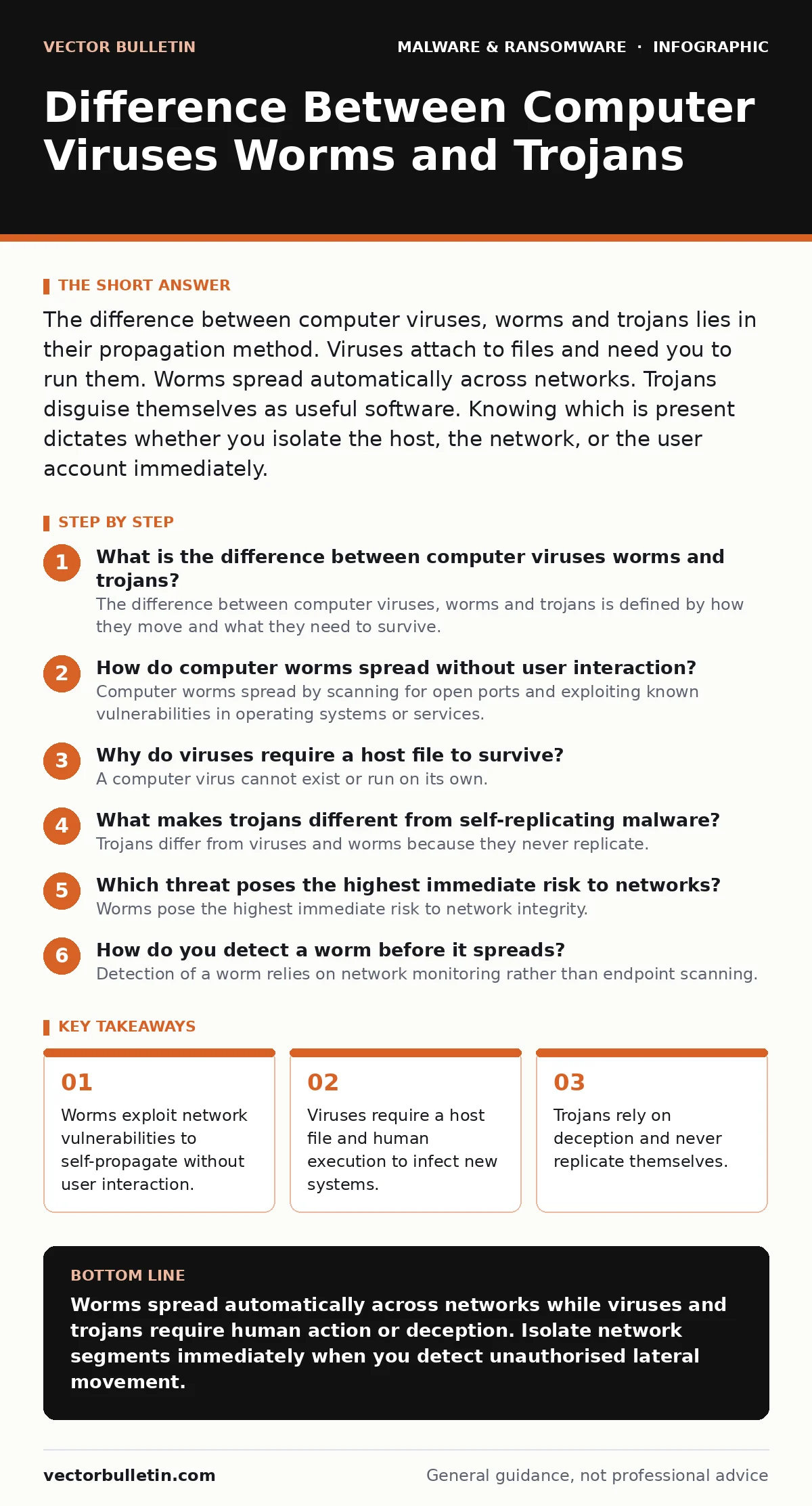
The difference between computer viruses, worms and trojans lies in their propagation method. Viruses attach to files and need you to run them. Worms spread automatically across networks. Trojans disguise themselves as useful software. Knowing which is present dictates whether you isolate the host, the network, or the user account immediately.
What is the difference between computer viruses worms and trojans?
The difference between computer viruses, worms and trojans is defined by how they move and what they need to survive. A virus requires a host file and human action. A worm moves independently across networks. A trojan relies on deception and never copies itself. Understanding these mechanics allows you to apply the correct containment strategy. Misidentifying the threat leads to wasted effort and prolonged exposure. Each type presents a distinct operational risk profile that demands a specific response.
How do computer worms spread without user interaction?
Computer worms spread by scanning for open ports and exploiting known vulnerabilities in operating systems or services. They do not attach themselves to existing files. Instead, they execute independently and replicate across the network automatically. This autonomy makes them significantly faster than other malware types. A worm can traverse an entire internal network before any user notices unusual activity. The lack of a required human trigger means traditional antivirus scans of individual files often miss the initial infection vector. Network segmentation is the primary defence against this behaviour.
Why do viruses require a host file to survive?
A computer virus cannot exist or run on its own. It must insert its code into a legitimate executable file or document. When you open that file, the virus activates. This dependency on a host means viruses are limited by the files you share and run. They spread through removable media, email attachments, or peer-to-peer downloads. The infection chain breaks if the host file is never executed. This creates a clear forensic trail. You can often identify the source by tracing the infected file back to its origin.
What makes trojans different from self-replicating malware?
Trojans differ from viruses and worms because they never replicate. They rely entirely on social engineering to gain entry. A trojan disguises itself as legitimate software, such as a game update or a productivity tool. Once inside, it opens a backdoor for attackers. It does not spread to other machines automatically. The damage comes from the access it provides, not from its ability to multiply. This makes trojans particularly dangerous in targeted attacks. Defending against them requires verifying software sources, not just scanning for signatures. See our guide on remote access trojans for deeper technical details.
Which threat poses the highest immediate risk to networks?
Worms pose the highest immediate risk to network integrity. Their ability to self-propagate allows exponential growth within minutes. A single vulnerable endpoint can become the seed for a network-wide outbreak. Viruses spread linearly, depending on each user's actions. Trojans remain static until an attacker manually moves laterally. The speed of worm propagation often outpaces manual incident response. Automated detection and isolation are required to stop the spread. Delaying containment allows the worm to reach critical infrastructure before security teams react.
| Threat Type | Replication Method | User Interaction Required | Primary Defence |
|---|---|---|---|
| Virus | Attaches to host file | Yes (execution) | File integrity monitoring |
| Worm | Network exploitation | No | Network segmentation |
| Trojan | Social engineering | Yes (installation) | Application allowlisting |
See also: Smart Home Security Mistakes That Invite Intrusion and How to Fix Them · Open Port Management: Benefits, Limits and Decision Criteria
How do you detect a worm before it spreads?
Detection of a worm relies on network monitoring rather than endpoint scanning. Worms generate significant lateral traffic as they probe for new targets. Look for repeated connection attempts to closed ports or unusual broadcast messages. Endpoint detection and response tools may show multiple processes spawning simultaneously. The key indicator is speed. A sudden spike in network activity from a single host suggests automated replication. Isolate the host immediately to break the chain. Do not wait for a full malware analysis to confirm the threat. See static malware analysis techniques for post-incident review.
What containment steps stop each type of malware?
Containment strategies must match the propagation method. For worms, isolate the affected network segment physically or logically. Cut off the path of replication. For viruses, remove the infected host from the network and quarantine the host files. Prevent further sharing of the contaminated data. For trojans, reset credentials and revoke access tokens. The threat is the backdoor, not the file itself. Closing the door stops the attacker. Do not rely on deletion alone. Attackers often have persistence mechanisms that survive file removal. Verify the system is clean before reconnecting.
Why do traditional antivirus solutions miss these threats?
Traditional antivirus solutions rely on signature matching. They compare file hashes against a known database. Zero-day worms and custom trojans lack known signatures. They appear as new, unknown code. Behavioural analysis is more effective but generates false positives. A legitimate application updating itself may look like a worm. Balancing sensitivity and accuracy is difficult. Over-sensitive rules disrupt operations. Under-sensitive rules allow threats to pass. Supplement signature-based scanning with network anomaly detection. This layered approach covers the gaps in single-method protection.
How does this relate to other malware categories?
Understanding these core distinctions helps categorise advanced threats. Ransomware often uses worm-like techniques to encrypt files across a network. It may begin as a trojan delivered via email. The delivery mechanism and the payload are separate concerns. Clipboard hijackers operate like trojans, stealing data without replicating. See ransom notes for guidance on negotiation and recovery. See email attachment scanning for preventive measures. See Android malware for mobile-specific variants. The underlying principles of propagation and deception remain consistent across platforms.
Key takeaways
- Worms exploit network vulnerabilities to self-propagate without user interaction.
- Viruses require a host file and human execution to infect new systems.
- Trojans rely on deception and never replicate themselves.
Worms spread automatically across networks while viruses and trojans require human action or deception. Isolate network segments immediately when you detect unauthorised lateral movement.
Frequently asked questions
Can a computer virus turn into a worm?
No. A virus remains dependent on a host file. A worm is designed for independent network propagation. They are distinct architectures. A single piece of malware can exhibit traits of both, but the classification depends on its primary replication method.
Do trojans replicate like viruses?
No. Trojans never replicate themselves. They rely on the user to install them on each new machine. They may download additional payloads, but the trojan itself does not copy to other systems.
How do I know if my network has a worm?
Look for rapid, unexplained network traffic spikes. Check for multiple hosts showing similar infection signs within a short timeframe. Worms spread quickly and leave a trail of lateral movement logs.
Is antivirus enough to stop worms?
Antivirus alone is insufficient. Worms exploit network vulnerabilities before they write files to disk. You need network segmentation and patch management to stop the propagation vector.
How this guide was produced: written by the Vector Bulletin editorial team with AI assistance, checked against the public references listed below, and reviewed when the facts change. See our editorial policy or report an error.