Smart Home Security Mistakes That Invite Intrusion and How to Fix Them
Most smart home breaches occur not through sophisticated exploits, but via default configurations that leave internal services exposed to the public internet without authentication.
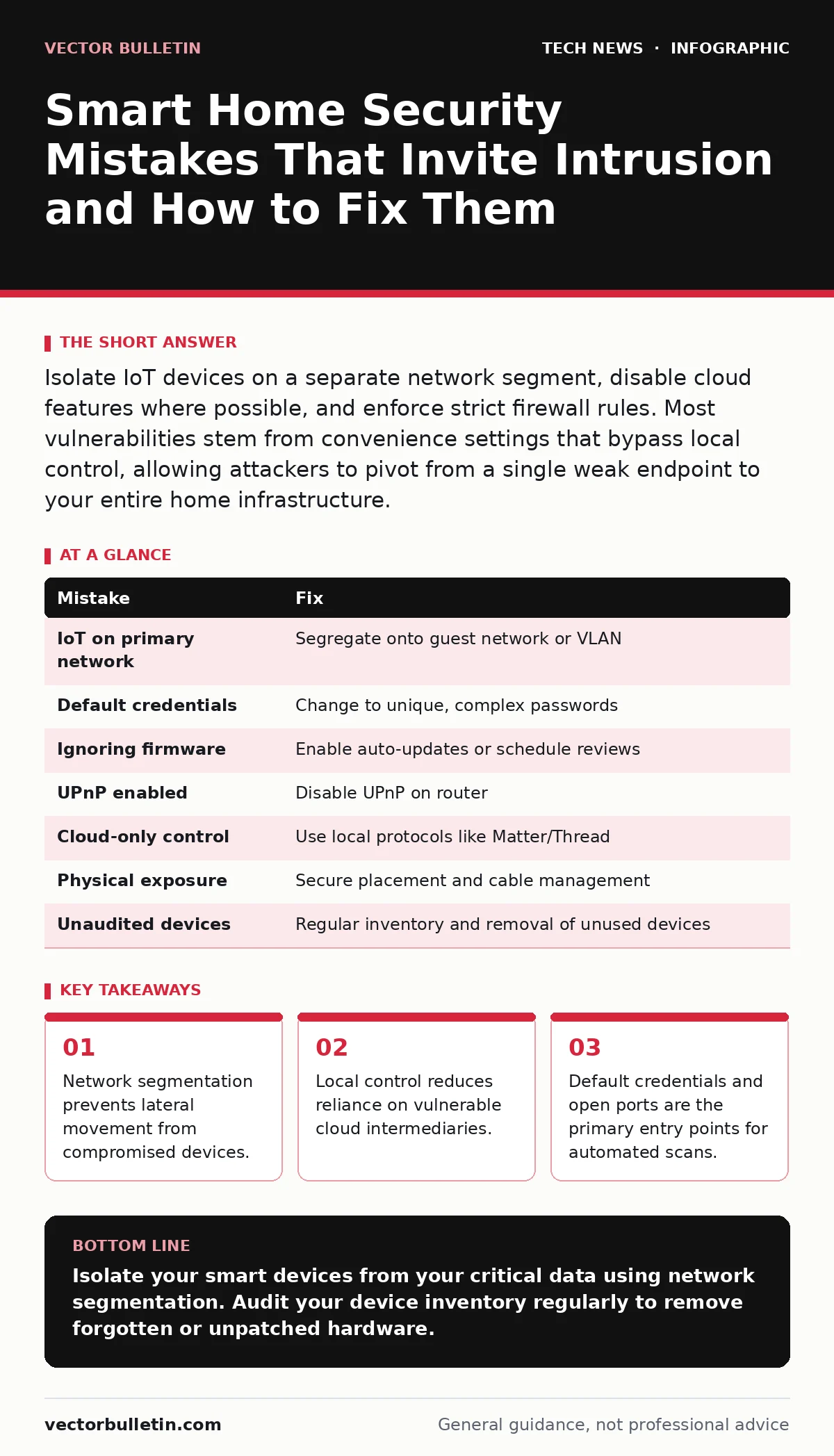
Isolate IoT devices on a separate network segment, disable cloud features where possible, and enforce strict firewall rules. Most vulnerabilities stem from convenience settings that bypass local control, allowing attackers to pivot from a single weak endpoint to your entire home infrastructure.
Mistake 1: Placing IoT Devices on the Primary Network
You connect your smart thermostat, doorbell, and camera to the same Wi-Fi network as your laptop and phone. This convenience creates a flat network topology where every device can communicate with every other device. If a low-security device is compromised, it sits in the same broadcast domain as your sensitive data.
Why it hurts:
An attacker who exploits a vulnerability in a cheap smart bulb does not need to break into your laptop directly. They can use the bulb as a pivot point to scan and attack other devices on the same subnet. This lateral movement bypasses perimeter defences because the traffic appears to originate from a trusted internal source. The consequence is total network compromise from a single weak endpoint.
The fix:
Create a dedicated guest network or a VLAN (Virtual Local Area Network) for all Internet of Things devices. Your router should enforce strict isolation between this segment and your primary network. Traffic from the IoT segment should be allowed only to the internet and necessary local services, never to your workstations. For deeper understanding of network layers, refer to the OSI model guide to understand how segmentation restricts broadcast traffic.
Mistake 2: Leaving Default Credentials and Admin Panels Open
Many devices ship with hardcoded usernames and passwords, or they require you to set a password during initial setup. Users often leave these defaults unchanged or choose weak combinations. Some devices expose their administrative web interfaces directly to the internet via port forwarding.
Why it hurts:
Automated bots scan the internet continuously for open administrative ports and known default credentials. If your device responds to these probes, an attacker gains immediate control. They can change settings, disable security features, or install malware. This is not a targeted attack; it is a volume-based operation that exploits laziness. The result is a device acting as a botnet node or a surveillance tool for malicious actors.
The fix:
Change every default credential immediately upon installation. Use a unique, complex password for each device, managed by a password manager. Disable remote management features unless absolutely necessary. If you must access a device remotely, use a secure tunnel rather than exposing the port directly. See our API key security guide for principles on managing unique access tokens instead of shared static passwords.
Mistake 3: Ignoring Firmware Updates
Manufacturers release firmware updates to patch known vulnerabilities. These updates are often optional and require manual triggering or a specific app interface. Users frequently ignore these notifications, viewing them as interruptions rather than security necessities.
Why it hurts:
Each unpatched vulnerability remains an open door. Attackers publish details of these flaws in public databases shortly after they are discovered. A device running outdated firmware remains vulnerable indefinitely, even if the manufacturer has provided a fix. Over time, the attack surface grows as more exploits become available for the specific version you are running.
The fix:
Enable automatic updates where the option exists. For devices that require manual updates, schedule a quarterly review of all smart home hardware. Check the manufacturer’s website or app for pending patches. If a device has not received an update in over a year, consider it end-of-life and replace it. Security is a process of continuous maintenance, not a one-time setup.
Mistake 4: Exposing Services via Universal Plug and Play
Universal Plug and Play (UPnP) allows devices to automatically configure network settings, such as port forwarding, without user intervention. This feature is often enabled by default on home routers to facilitate gaming consoles and media servers. It allows devices to open ports on your firewall dynamically.
Why it hurts:
UPnP is inherently unauthenticated in many implementations. A malicious device on your network can instruct the router to open a port to any external IP address. Attackers use this to create direct pathways into your local network, bypassing your firewall rules entirely. This undermines the purpose of having a firewall, as the perimeter is effectively managed by potentially compromised internal devices.
The fix:
Disable UPnP on your router unless you have a specific, trusted use case that requires it. If you must use it, restrict it to specific trusted devices only. Regularly audit your router’s port forwarding table to identify any unexpected open ports. For more on managing these exposures, consult the open port management guide.
Mistake 5: Relying on Cloud-Based Control Alone
Most smart home ecosystems rely on cloud servers to relay commands between your phone and your devices. This architecture introduces a third party into your local control loop. If the cloud service is compromised or goes offline, you lose control of your home.
Why it hurts:
Cloud services are high-value targets for attackers. A breach in the provider’s infrastructure can expose millions of users. Furthermore, cloud dependencies mean your security is tied to the provider’s practices. If the provider weakens their authentication or suffers a data leak, your devices become vulnerable regardless of your local settings. This also introduces latency and reliability issues.
The fix:
Prioritize devices that support local control protocols like Matter or Thread. These standards allow devices to communicate directly within your home network without requiring an internet connection for basic functions. Where cloud control is unavoidable, ensure two-factor authentication is enabled on the associated account. Review our edge computing security guide for insights on keeping processing closer to the data source.
See also: Firewall Rules: Concrete Benefits and Hidden Limitations
Mistake 6: Neglecting Physical Security of Devices
Smart devices are physical objects with antennas, buttons, and ports. Users often place them in accessible locations or ignore physical tampering risks. A device sitting on a low shelf or near a window is vulnerable to physical interaction.
Why it hurts:
Physical access often trumps digital security. An attacker with physical access can reset the device to factory settings, bypassing your credentials. They can also tap into data cables or use near-field communication to intercept signals. Some devices have physical buttons that can trigger actions or disable security features. This renders network segmentation and strong passwords ineffective.
The fix:
Place sensitive devices in secure, hard-to-reach locations. Cover cameras when not in use. Use cable locks for devices that connect via Ethernet. Regularly inspect devices for signs of tampering. Physical security is the first line of defence; if an attacker can touch your device, they can likely control it.
Mistake 7: Failing to Audit Connected Devices
Over time, you accumulate devices. Old devices are forgotten but remain connected. Guests connect temporary devices that are never removed. This clutter creates an unknown attack surface.
Why it hurts:
You cannot secure what you cannot see. Forgotten devices may run outdated software or have known vulnerabilities. They remain active participants in your network, consuming bandwidth and posing risks. An attacker can exploit a forgotten device to gain a foothold, using it to monitor network traffic or launch attacks against newer, better-secured devices.
The fix:
Conduct a regular inventory of all connected devices. Disconnect and remove devices that are no longer in use. Change the Wi-Fi password periodically to force re-authentication of all devices, identifying any unknown or forgotten connections. Maintain a list of authorized devices and compare it against your router’s client list.
| Mistake | Fix |
|---|---|
| IoT on primary network | Segregate onto guest network or VLAN |
| Default credentials | Change to unique, complex passwords |
| Ignoring firmware | Enable auto-updates or schedule reviews |
| UPnP enabled | Disable UPnP on router |
| Cloud-only control | Use local protocols like Matter/Thread |
| Physical exposure | Secure placement and cable management |
| Unaudited devices | Regular inventory and removal of unused devices |
Key takeaways
- Network segmentation prevents lateral movement from compromised devices.
- Local control reduces reliance on vulnerable cloud intermediaries.
- Default credentials and open ports are the primary entry points for automated scans.
Isolate your smart devices from your critical data using network segmentation. Audit your device inventory regularly to remove forgotten or unpatched hardware.
Frequently asked questions
Can a smart TV hack my computer?
If both are on the same network and the TV has a vulnerability, an attacker could use the TV to scan and attack your computer. Segmentation prevents this.
Do I need a separate router for smart devices?
No, most modern routers support guest networks or VLANs that provide sufficient isolation without extra hardware.
Is Matter protocol secure?
Matter uses standard encryption and authentication, making it more secure than proprietary protocols. However, it still requires proper device management and local network security.
How often should I update firmware?
Enable automatic updates where possible. If manual, check for updates every three months or whenever a critical vulnerability is reported.
How this guide was produced: written by the Vector Bulletin editorial team with AI assistance, checked against the public references listed below, and reviewed when the facts change. See our editorial policy or report an error.