
Secure API Keys: Implementation Steps for Internal Systems
Treating API keys as static passwords creates a hidden attack surface that persists long after the key is rotated.
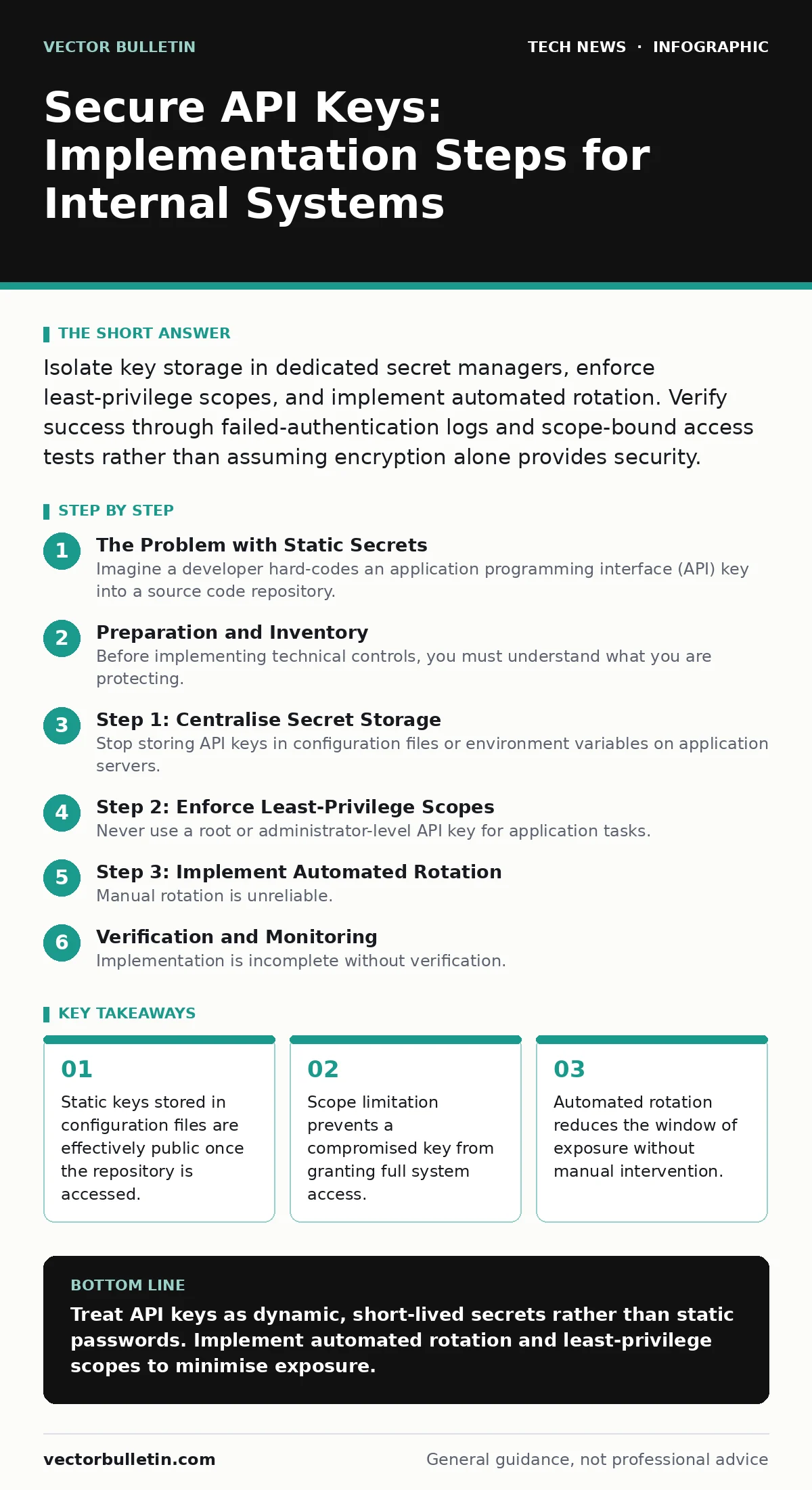
Isolate key storage in dedicated secret managers, enforce least-privilege scopes, and implement automated rotation. Verify success through failed-authentication logs and scope-bound access tests rather than assuming encryption alone provides security.
The Problem with Static Secrets
Imagine a developer hard-codes an application programming interface (API) key into a source code repository. The key grants access to a payment processing service. Months later, the repository is archived but remains accessible to former employees. The key is still valid. An attacker discovers the archived code and uses the key to process fraudulent transactions. This scenario highlights a fundamental flaw in traditional secret management.
API keys are credentials that allow software applications to authenticate with services. Unlike human passwords, they are rarely changed manually. They persist in logs, configuration files, and version control history. This persistence creates a long-tail risk. The key remains functional until an administrator explicitly revokes it, which often happens only after a breach is detected.
You must treat API keys as dynamic resources, not static identifiers. The goal is to minimise the lifetime of any single key and restrict the actions it can perform. This approach limits the damage if a key is exposed.
Preparation and Inventory
Before implementing technical controls, you must understand what you are protecting. Many organisations lack a complete inventory of their API keys. Keys exist in development, staging, and production environments. They may be used by legacy applications that no longer have owners.
Conduct an audit of all external service integrations. Identify every key in use and the service it accesses. Determine the sensitivity of the data protected by each key. A key accessing public weather data requires less protection than one accessing customer financial records.
Document the ownership of each key. If no owner can be identified, treat the key as high risk and plan for immediate replacement. Unowned keys are often forgotten, meaning they are never rotated or scoped correctly.
Step 1: Centralise Secret Storage
Stop storing API keys in configuration files or environment variables on application servers. These locations are vulnerable to disk access attacks and insider threats. Instead, move all secrets to a dedicated secret management system. These systems provide encrypted storage, access logging, and programmatic retrieval.
When an application needs a key, it requests it from the secret manager at runtime. The key never touches the application’s disk or source code. This separation ensures that compromising the application server does not automatically compromise the secrets.
Verify this step by attempting to read the application’s configuration files. You should find no plaintext keys. Check the secret manager’s audit logs to confirm that the application is retrieving credentials successfully.
Step 2: Enforce Least-Privilege Scopes
Never use a root or administrator-level API key for application tasks. Most services allow you to create keys with specific permissions. For example, a key might only be allowed to read data, not write or delete it. This principle is known as least privilege.
Create a separate key for each application or service. If one key is compromised, the attacker cannot pivot to other services. Scope the key to the minimum permissions required for the application to function.
Test this by attempting an action outside the key’s scope using the key in a sandbox environment. The service should reject the request with a permission error. If the request succeeds, the scope is too broad.
Step 3: Implement Automated Rotation
Manual rotation is unreliable. Humans forget to update keys, and keys often remain valid for years. Configure your secret manager to rotate keys automatically. The frequency depends on the sensitivity of the data. High-risk keys should rotate more frequently.
The rotation process must be seamless. The application should detect the key change and request the new key without downtime. This requires the application to be designed to handle transient authentication errors during rotation.
Verify automation by triggering a manual rotation and observing the application’s behaviour. The application should continue to function without manual intervention. Check the secret manager’s logs to confirm the old key was invalidated immediately.
Verification and Monitoring
Implementation is incomplete without verification. You need to confirm that your controls are working as intended. Set up monitoring for authentication failures. A spike in failed attempts may indicate a compromised key or a misconfigured application.
Monitor for unusual access patterns. If a key that usually accesses data from London suddenly accesses data from another region, flag it for review. Geolocation anomalies are a strong indicator of misuse.
Regularly review the access logs for each key. Look for keys that have not been used in a long time. Inactive keys are often forgotten and represent unnecessary risk. Disable or delete them.
Upkeep and Review
Security is not a one-time project. It requires continuous upkeep. Schedule regular reviews of your API key inventory. Quarterly reviews are a good baseline for most organisations. More frequent reviews may be necessary for high-risk environments.
During each review, check for changes in service requirements. An application may need additional permissions, or it may have been decommissioned. Update the keys accordingly. Ensure that the secret manager’s configuration is up to date.
Train your development team on secure coding practices. They should understand how to retrieve secrets programmatically and why hard-coding keys is dangerous. This cultural shift is as important as the technical controls.
Consider how your API security interacts with other areas of your infrastructure. For instance, proper firewall rules can limit which systems can communicate with your secret manager, adding an extra layer of protection. Similarly, understanding the OSI model helps in identifying where authentication failures occur in the communication stack.
Handling Compromise
Despite best efforts, keys may be compromised. Have an incident response plan ready. The first step is to revoke the compromised key immediately. This stops further unauthorised access.
Investigate the breach to determine how the key was exposed. Was it in a public repository? Was it logged in a debug file? Use this information to improve your controls.
Generate a new key with the same scope and update the affected applications. Monitor the new key closely for the first few days. This period is critical for detecting any lingering threats.
Key takeaways
- Static keys stored in configuration files are effectively public once the repository is accessed.
- Scope limitation prevents a compromised key from granting full system access.
- Automated rotation reduces the window of exposure without manual intervention.
Treat API keys as dynamic, short-lived secrets rather than static passwords. Implement automated rotation and least-privilege scopes to minimise exposure.
Frequently asked questions
How often should API keys be rotated?
Rotation frequency depends on risk. High-risk keys should rotate frequently, such as daily or weekly. Low-risk keys may rotate monthly or quarterly. Automation is key to frequent rotation.
Can I use environment variables for API keys?
Environment variables are better than hard-coding but still vulnerable. If an attacker gains access to the process, they can read the environment. Use a dedicated secret manager for stronger protection.
What happens if I lose my API key?
You should not lose your key. It should be stored securely in a secret manager. If you lose access to the manager, follow your organisation’s recovery procedures. Never store the only copy on a personal device.
Do I need different keys for development and production?
Yes. Development keys should have limited scope and access to non-production data. Production keys should be strictly controlled and monitored. Mixing them increases the risk of accidental data exposure.
How this guide was produced: written by the Vector Bulletin editorial team with AI assistance, checked against the public references listed below, and reviewed when the facts change. See our editorial policy or report an error.