Password Policies Examples That Reduce Password Fatigue
Complex rotation rules increase credential reuse, while length requirements and breach monitoring offer superior protection against modern cracking tools.
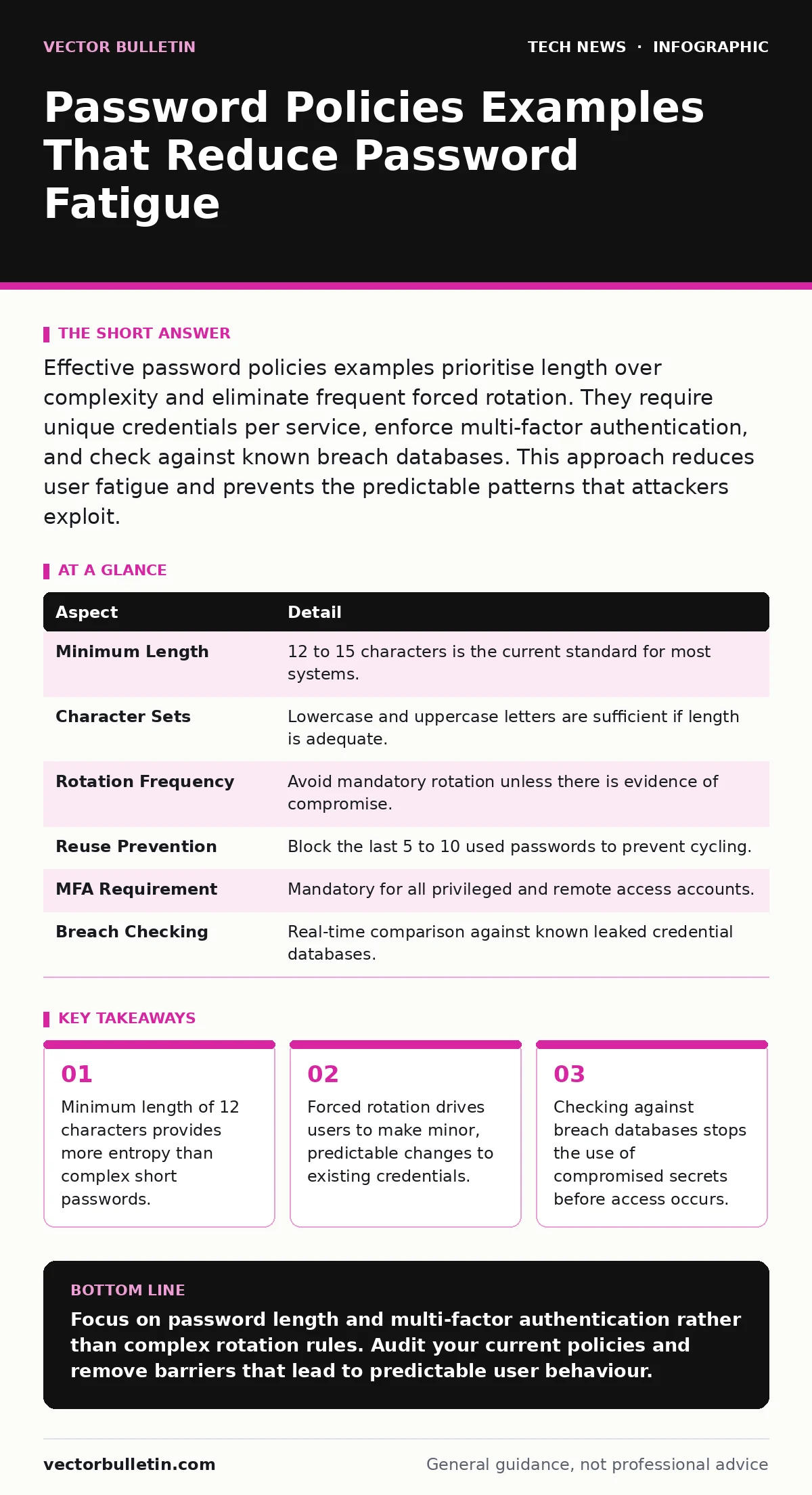
Effective password policies examples prioritise length over complexity and eliminate frequent forced rotation. They require unique credentials per service, enforce multi-factor authentication, and check against known breach databases. This approach reduces user fatigue and prevents the predictable patterns that attackers exploit.
The Lock and Key Analogy
Imagine a physical lock on your front door. If you change the key every week, you will eventually lose track of which key opens which door. You might start using similar keys for different locks to remember them. An attacker who finds one key can now open several doors. Password policies function as the rules for how you create and manage these digital keys. They determine the strength of the lock and how often you must change the key.
Most organisations treat password policies as a compliance checkbox. This view ignores the human element of security. Users are not random number generators. They are pattern-seeking creatures who optimise for convenience. When a policy demands complexity without understanding human behaviour, it creates predictable outcomes. The goal is to align security requirements with realistic user capabilities.
At a glance
| Aspect | Detail |
|---|---|
| Minimum Length | 12 to 15 characters is the current standard for most systems. |
| Character Sets | Lowercase and uppercase letters are sufficient if length is adequate. |
| Rotation Frequency | Avoid mandatory rotation unless there is evidence of compromise. |
| Reuse Prevention | Block the last 5 to 10 used passwords to prevent cycling. |
| MFA Requirement | Mandatory for all privileged and remote access accounts. |
| Breach Checking | Real-time comparison against known leaked credential databases. |
How Password Policies Work
A password policy is a set of rules enforced by an identity management system. These rules dictate what a password must contain, how long it must be, and how long it can remain active. The system checks every new password against these constraints before accepting it. If the password fails the check, the user must try again.
The mechanism relies on entropy. Entropy is a measure of randomness or unpredictability. A long password with low entropy is easier to guess than a short password with high entropy. However, humans struggle to create high-entropy strings. We default to dictionary words, dates, and sequences. Policies attempt to force entropy by requiring symbols and numbers. This often leads to predictable substitutions, such as replacing 'a' with '@'. Attackers know these patterns and build them into their cracking dictionaries.
Who It Affects
These policies impact every user with an account. The burden falls heaviest on users who manage many systems. A developer, for instance, may need access to version control, cloud infrastructure, internal wikis, and email. Each system may have slightly different policy requirements. This fragmentation leads to password fatigue. Users begin to reuse passwords or write them down in insecure locations.
Administrators are also affected. They must configure and maintain the policies. They must respond to lockouts and reset requests. Poorly designed policies increase support ticket volumes. This drains operational resources. The security team spends time managing access rather than monitoring threats. The balance between security and usability determines the overall effectiveness of the organisation's defence.
Password Policies Examples
People typing password policies examples often look for specific rules to copy. The following examples represent current best practices for different risk levels.
Low risk internal tools:
- Minimum 8 characters.
- No complexity requirements.
- Multi-factor authentication enabled.
- No forced rotation.
Standard user accounts:
- Minimum 12 characters.
- Must not contain the username or real name.
- Checked against a breach database.
- Multi-factor authentication required.
Privileged or administrative accounts:
- Minimum 15 characters.
- Passphrase style encouraged.
- Mandatory hardware-based multi-factor authentication.
- No password reuse for 10 attempts.
- Immediate lockout after 5 failed attempts.
These examples show a shift away from complexity. Length is the primary driver of security. A 15-character phrase using only lowercase letters has more entropy than an 8-character password with symbols. Attackers use brute-force methods that try billions of combinations per second. Length increases the time required to crack the password beyond practical limits.
See also: Cloud Attack Surface: What You Are Missing · How to Prevent Account Takeover Fraud: Priority Controls
What People Usually Get Wrong
The most common error is enforcing frequent password rotation. This practice assumes that passwords are static vulnerabilities. In reality, passwords are often compromised through phishing or data breaches, not long-term cracking. Forcing a change every few months gives attackers a narrow window, but it also encourages users to make trivial changes. These changes are often guessable.
Another mistake is requiring special characters and numbers. This rule adds minimal entropy while significantly increasing cognitive load. Users respond by appending a symbol to a dictionary word. "Password1!" is a common result. This pattern is well-known to attackers. They prioritise these variations in their cracking attempts. Removing the complexity requirement allows users to create longer, more memorable passphrases.
A third error is ignoring multi-factor authentication. A strong password is useless if the attacker has bypassed the password step entirely. Multi-factor authentication adds a second layer of verification. This layer is typically something the user has, such as a phone or hardware token. Even if the password is stolen, the attacker cannot access the account without the second factor.
Related Security Measures
Password policies do not exist in isolation. They work alongside other security controls to reduce risk. For instance, API key security often involves similar principles of rotation and scope limitation. API keys are machine-readable credentials that grant access to services. They should never be treated like human passwords.
Remote desktop security requires additional scrutiny. Remote access provides a direct entry point into the network. Passwords for these accounts must be exceptionally strong and protected by multi-factor authentication. Open port management also plays a role. Unnecessary ports increase the attack surface. Reducing the number of exposed services limits the opportunities for attackers to exploit weak credentials.
Digital signatures provide a way to verify the integrity of data. While not directly related to password creation, they ensure that the policies themselves have not been tampered with. Edge computing security introduces new challenges for credential management. Devices at the edge may have limited connectivity, making real-time policy enforcement difficult. Pre-authenticated tokens or local secure enclaves may be necessary.
Practical Implementation Steps
Implementing a better password policy requires planning. Start by auditing current policies. Identify where rotation is enforced and where complexity rules are too strict. Engage with users to understand their pain points. Listen to complaints about lockouts and forgotten passwords.
Next, update the policy to focus on length and uniqueness. Disable forced rotation for standard accounts. Implement breach checking. This involves comparing new passwords against a database of known compromised credentials. This stops users from using passwords that have already been leaked.
Finally, enforce multi-factor authentication. Make it mandatory for all accounts. Provide users with easy-to-use methods, such as authenticator apps or hardware tokens. Communicate the changes clearly. Explain why the policy is changing. Emphasise that the goal is to reduce their workload while improving security.
Key takeaways
- Minimum length of 12 characters provides more entropy than complex short passwords.
- Forced rotation drives users to make minor, predictable changes to existing credentials.
- Checking against breach databases stops the use of compromised secrets before access occurs.
Focus on password length and multi-factor authentication rather than complex rotation rules. Audit your current policies and remove barriers that lead to predictable user behaviour.
Frequently asked questions
Should I force password changes every 90 days?
No. Forced rotation encourages predictable changes and increases support costs. Only change passwords if there is evidence of compromise.
How long should a password be?
A minimum of 12 characters is recommended for most users. Privileged accounts should use 15 characters or more.
Are passphrases better than passwords?
Yes. Passphrases are easier to remember and longer, providing higher entropy. They are more resistant to brute-force attacks.
What if a user forgets their password?
Provide a secure self-service reset process that uses multi-factor authentication. Avoid security questions that can be researched.
How this guide was produced: written by the Vector Bulletin editorial team with AI assistance, checked against the public references listed below, and reviewed when the facts change. See our editorial policy or report an error.