
How to Prevent Account Takeover Fraud: Priority Controls
Passwords fail because they are static secrets that travel over networks, while device binding creates a persistent state that attackers cannot easily replicate.
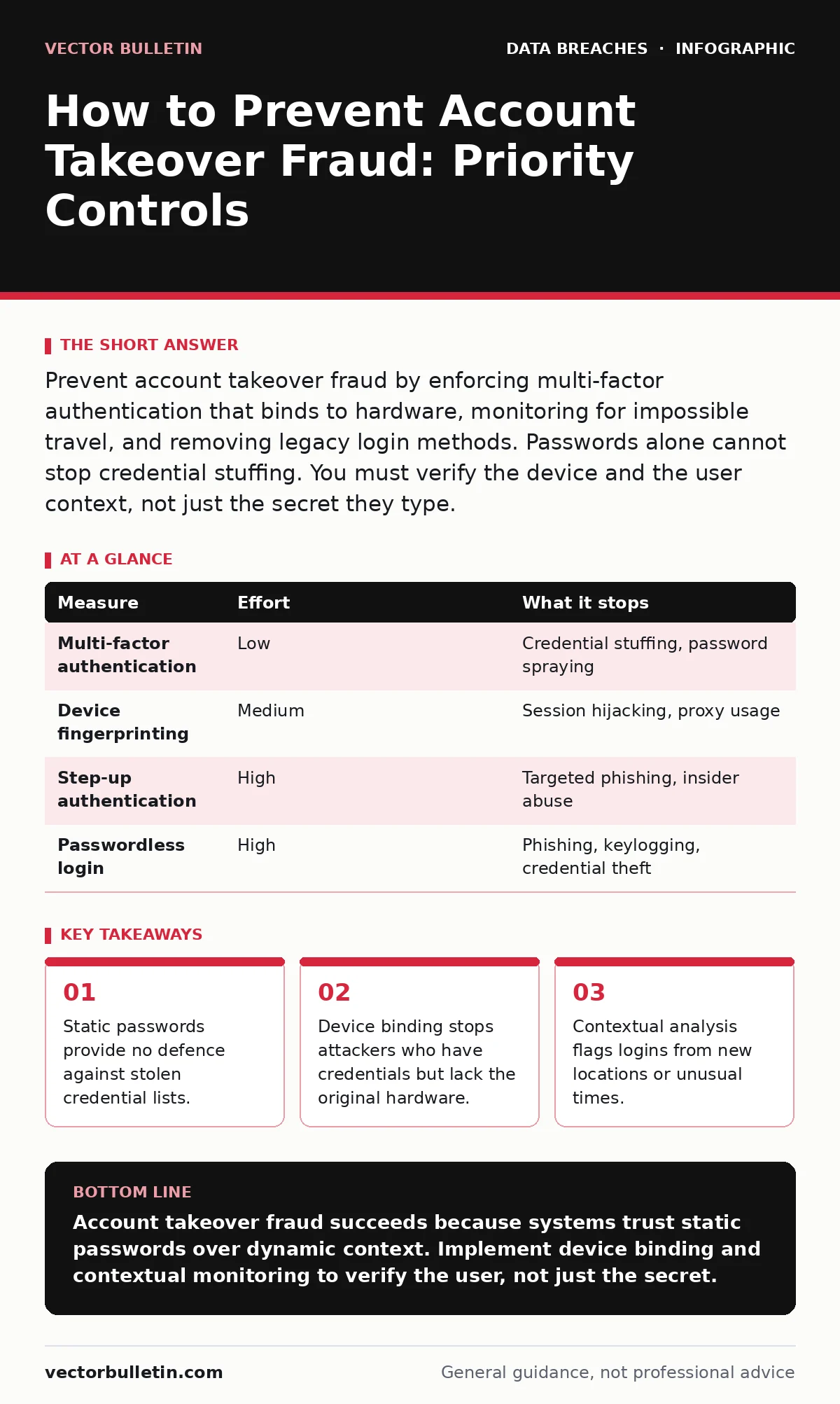
Prevent account takeover fraud by enforcing multi-factor authentication that binds to hardware, monitoring for impossible travel, and removing legacy login methods. Passwords alone cannot stop credential stuffing. You must verify the device and the user context, not just the secret they type.
Why Passwords Fail to Stop Account Takeover Fraud
Passwords are static secrets that do not change between uses. When an attacker obtains a password through a data breach elsewhere, they can reuse it immediately on your platform. This is credential stuffing. The password works perfectly because it is correct. The system accepts it because it matches the stored hash. The problem is that the password proves nothing about the human behind the keyboard. It proves only that someone knows the secret. You cannot prevent account takeover fraud by asking users to create more complex passwords.
Complexity increases friction without adding security against automated attacks. Attackers do not guess passwords. They submit millions of known valid pairs until one works. The mechanism of failure is the reliance on a single factor that can be copied. You need a second factor that is tied to something the attacker cannot easily steal or replicate. This shift from secret-based to possession-based verification is the foundation of modern defence.
The Hierarchy of Prevention Measures
Not all controls remove equal amounts of risk. Some measures are easy to implement but offer minimal protection. Others require significant engineering effort but stop the most dangerous attacks. You must rank your efforts by the threat they mitigate. Credential stuffing is the most common vector. Phishing is the second. Insider threats are rare but damaging. Your controls should address the volume of automated attacks first.
Then you layer in detection for sophisticated manual attacks. This approach ensures you stop the majority of incidents with manageable effort. It also prevents alert fatigue from low-value noise. Security operations teams waste time investigating false positives when the baseline is weak. A strong baseline reduces the noise floor. It allows your analysts to focus on genuine anomalies. You must understand what each control actually stops before you implement it.
| Measure | Effort | What it stops |
|---|---|---|
| Multi-factor authentication | Low | Credential stuffing, password spraying |
| Device fingerprinting | Medium | Session hijacking, proxy usage |
| Step-up authentication | High | Targeted phishing, insider abuse |
| Passwordless login | High | Phishing, keylogging, credential theft |
Quick Wins That Reduce Immediate Risk
You can reduce your exposure to account takeover fraud within days, not months. The first step is to enforce multi-factor authentication for all user accounts. Do not rely on SMS-based codes. Attackers can intercept SMS messages through SIM swapping. Use an authenticator application or a hardware security key. These methods bind the code to a specific device. The attacker needs physical access to that device to complete the login.
This single change stops the majority of automated attacks. It raises the cost for attackers significantly. They must now compromise the device, not just the password. You should also disable legacy protocols. Telnet and FTP transmit credentials in plain text. Replace them with SSH and SFTP. These protocols encrypt the entire session. An attacker on the network cannot read the credentials even if they capture the traffic. This is a low-cost fix with a high return on investment.
Detecting Anomalies in User Behaviour
Prevention is not just about blocking bad logins. It is also about spotting strange patterns before damage occurs. You must monitor for impossible travel. If a user logs in from London and then from New York five minutes later, the system should flag this. Humans cannot travel that fast. This is a clear sign of account takeover fraud. You should also look for rapid sequential logins. If an account fails to log in ten times in a minute, it is likely a bot.
Block the IP address temporarily. This is rate limiting. It slows down attackers without affecting genuine users. You must also monitor for changes in sensitive settings. If a user changes their email address or payment method, require re-authentication. This is step-up authentication. It ensures the person making the change is the legitimate owner. These checks add friction only when necessary. They keep the user experience smooth for normal activity.
The Hidden Cost of Over-Authentication
Security controls have a trade-off. Every additional check adds friction for the user. If you require multi-factor authentication for every single action, users will become frustrated. They may create simpler passwords to compensate. They may reuse passwords across sites. This increases your risk overall. You must find the balance between security and usability. Contextual authentication solves this problem. It applies strict checks only when the risk is high. A login from a known device and location requires only a password.
A login from a new device requires multi-factor authentication. This approach reduces friction for the majority of users. It also focuses your security resources on the most suspicious activity. You must define what constitutes high risk. Is it a new country? A new browser? A new time of day? Define these thresholds clearly. Test them with a small group of users before rolling them out widely. Monitor the impact on user satisfaction. Adjust the thresholds as needed.
See also: Implement Mobile Device Management: A Step-by-Step Rollout Guide · How Compliance Audits Actually Work: The Mechanics of Verification
What Does Not Work on Its Own
Many organisations rely on measures that are necessary but insufficient. Password complexity rules are one example. Requiring special characters and numbers does not stop credential stuffing. The attacker already has the correct password. They do not need to guess it. Another example is CAPTCHA. While it stops some bots, sophisticated attackers use human farms or AI to bypass them. CAPTCHAs also degrade the user experience. They slow down legitimate users.
You should not rely on CAPTCHA as a primary defence. It is a friction tool, not a security control. Similarly, email confirmations are weak. If an attacker has taken over the account, they can also access the email. Changing the password via email link is risky. You must verify the user through a separate channel. This is why device binding is so effective. It does not rely on secrets that can be stolen. It relies on possession of a specific piece of hardware.
Building a Resilient Authentication Architecture
You must design your authentication system to be resilient. This means it can withstand attacks and recover quickly. Use a centralised identity provider. This allows you to enforce consistent policies across all applications. It also simplifies auditing and monitoring. You can see all login attempts in one place. This makes it easier to spot anomalies. You should also implement session management. Limit the duration of sessions. Force re-authentication for sensitive actions.
Invalidate sessions when a user logs out from another device. This prevents session hijacking. Attackers who steal a session token cannot use it indefinitely. You must also consider your digital footprint. Excessive data exposure can help attackers target specific users. Minimise the data you store and share. Use data masking where appropriate. This reduces the value of your data if it is compromised. Refer to our guide on your digital footprint for more details on minimising exposure.
Checklist for Today's Action
You do not need to overhaul your entire system today. Start with these three actions. They provide immediate risk reduction with minimal effort. Execute them in this order. First, enforce multi-factor authentication for all privileged accounts. These accounts have the most access. They are the highest value targets for attackers. Second, disable all legacy authentication protocols. Remove Telnet, FTP, and HTTP.
Replace them with encrypted alternatives. Third, review your login monitoring alerts. Ensure you are capturing impossible travel and rapid failure events. Tune the thresholds to reduce false positives. These steps will stop the majority of automated attacks. They will also give you better visibility into your authentication landscape. You can then build on this foundation with more advanced controls.
- Enforce multi-factor authentication for all privileged accounts.
- Disable legacy authentication protocols like Telnet and FTP.
- Review and tune login monitoring alerts for impossible travel.
Key takeaways
- Static passwords provide no defence against stolen credential lists.
- Device binding stops attackers who have credentials but lack the original hardware.
- Contextual analysis flags logins from new locations or unusual times.
Account takeover fraud succeeds because systems trust static passwords over dynamic context. Implement device binding and contextual monitoring to verify the user, not just the secret.
Frequently asked questions
Does multi-factor authentication stop all account takeover fraud?
No. Multi-factor authentication stops credential stuffing and many phishing attacks. It does not stop attacks where the attacker has physical access to the user's device or session tokens.
How long should I keep user session tokens active?
Session tokens should have a short lifespan. Invalidate them after a period of inactivity or when the user logs out from another device. This limits the window for session hijacking.
Is biometric authentication safer than passwords?
Biometrics are tied to the user's body, which is hard to steal remotely. However, they cannot be changed if compromised. They are best used as part of a multi-factor strategy, not as a single factor.
What is the difference between authentication and authorisation?
Authentication verifies who the user is. Authorisation determines what the user can do. You must authenticate the user before you can authorise their actions. Both are critical for security.
How this guide was produced: written by the Vector Bulletin editorial team with AI assistance, checked against the public references listed below, and reviewed when the facts change. See our editorial policy or report an error.