
Backup Data Exposure: 7 Mistakes That Leave Your Archives Open
Unencrypted backups often contain more sensitive data than live systems, yet they receive fewer security controls and less frequent monitoring.
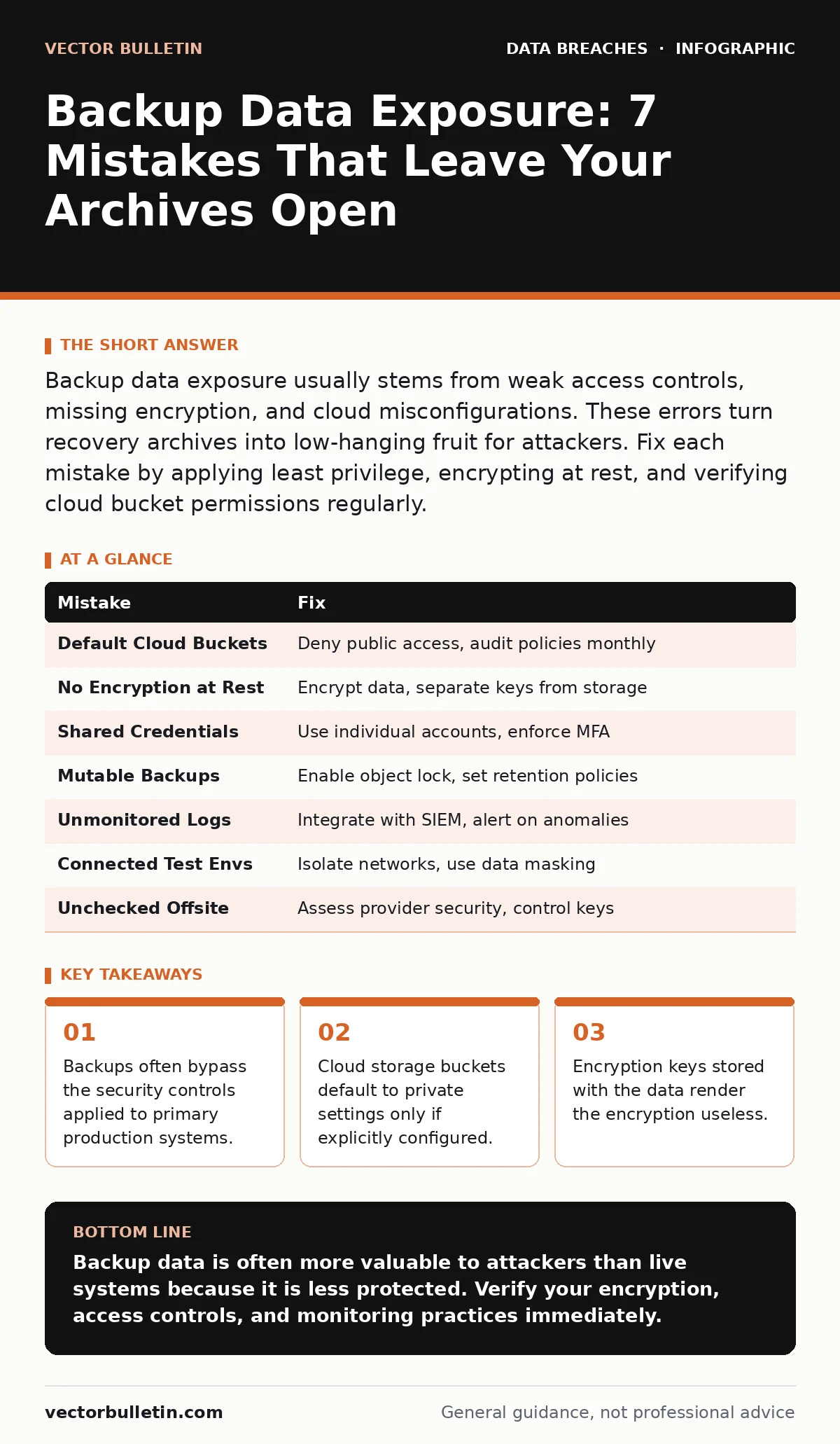
Backup data exposure usually stems from weak access controls, missing encryption, and cloud misconfigurations. These errors turn recovery archives into low-hanging fruit for attackers. Fix each mistake by applying least privilege, encrypting at rest, and verifying cloud bucket permissions regularly.
Mistake 1: Storing Backups in Default Cloud Buckets
Cloud storage services provide massive capacity but often default to open access if configuration is incomplete. You assume a bucket is private because you created it within a private account. The platform does not enforce this assumption. Attackers scan the public internet for exposed storage containers. They find buckets that list objects publicly. They download terabytes of data without triggering alerts.
Why it hurts: The consequence is immediate data loss. Backup archives typically contain historical records, including older versions of personally identifiable information. This data may have been deleted from live systems but remains in the backup. Exposure here bypasses the need to breach the primary network. The attacker gains direct access to the raw data store.
The fix: Configure storage buckets to deny all public access by default. Enable block public access settings at the account level. This prevents any object from being listed publicly. Audit bucket policies monthly to ensure no new exceptions have been added. Use the 3-2-1 backup rule to keep copies offline, reducing the attack surface of any single cloud provider.
Mistake 2: Skipping Encryption at Rest
Many organisations encrypt data in transit but neglect encryption at rest. You assume the physical security of the data centre protects the backup media. This assumption fails if media is stolen or if cloud infrastructure is compromised. Unencrypted backup files are readable by anyone who obtains the file. The data inside is as exposed as if it were printed on paper.
Why it hurts: The consequence is total data compromise upon physical or logical theft. If an attacker gains access to the storage volume, they can read every file. There is no barrier to entry. This exposure often triggers breach notification laws, requiring costly disclosure to regulators and affected individuals. The financial and reputational damage is severe and immediate.
The fix: Encrypt all backup data using strong, standard algorithms. Ensure the encryption is applied before the data leaves the source system. Use hardware security modules or cloud key management services to store keys. Never store the decryption keys in the same location as the encrypted data. This separation ensures that stealing the backup does not grant access to the contents.
Mistake 3: Sharing Administrative Credentials
Backup software requires high-level permissions to read and write data. Administrators often create a single service account with full access. They share these credentials among multiple staff members or store them in plain text files. This practice eliminates accountability. You cannot determine who accessed the backup system or when.
Why it hurts: The consequence is untraceable access and credential theft. If an attacker compromises one staff member’s machine, they gain full access to the backup repository. They can exfiltrate data or delete backups to cover their tracks. The shared nature of the account makes it impossible to revoke access for a single user without disrupting the entire backup process.
The fix: Implement role-based access control for backup systems. Create individual service accounts for each administrator. Use multi-factor authentication for all administrative access. Rotate credentials regularly and audit logs for unusual access patterns. This approach limits the blast radius of a compromised credential.
Mistake 4: Ignoring Immutable Storage Options
Traditional backups allow administrators to modify or delete files. This flexibility is useful for management but dangerous during a ransomware attack. Attackers target backups to prevent recovery. They delete or encrypt backup files just after compromising the primary system. If the backup allows deletion, the attacker succeeds in destroying your recovery capability.
Why it hurts: The consequence is a complete loss of data recoverability. You are forced to pay a ransom or rebuild from scratch. Immutable storage prevents any changes to files for a set period. Without this protection, your backups are no more secure than your live systems. The attacker gains leverage over your entire data estate.
The fix: Enable object lock or immutable storage features on your backup destination. Set retention policies that prevent deletion or modification for a minimum period. This ensures that even an administrator with full privileges cannot alter the backups. This measure is critical for protecting against ransomware and insider threats.
Mistake 5: Failing to Monitor Backup Logs
Backup systems generate extensive logs detailing every read and write operation. Many organisations collect these logs but do not analyse them. You assume that if the backup job completes, the data is safe. This passive approach misses subtle indicators of compromise. An attacker may slowly exfiltrate data over weeks, generating noise that blends with normal activity.
Why it hurts: The consequence is delayed detection. By the time you notice missing data, the attacker has likely already sold it. Monitoring backup logs reveals abnormal access patterns, such as large downloads at unusual hours. Ignoring these signals allows the breach to persist unnoticed. The longer the delay, the greater the damage.
The fix: Integrate backup logs into your security information and event management system. Set alerts for unusual access patterns, such as bulk downloads or access from new IP addresses. Review logs weekly to identify trends. This proactive monitoring helps you detect exfiltration attempts before they result in significant data loss.
See also: SaaS Data Exposure: Risks and Protection for Small Businesses · How Compliance Audits Actually Work: The Mechanics of Verification
Mistake 6: Leaving Test Environments Connected
Organisations often restore backups to test environments for validation. These environments are frequently less secure than production. They may lack network segmentation or strict access controls. You assume the test data is isolated. Attackers move laterally from the test environment to the backup source. They exploit the trust relationship between the two systems.
Why it hurts: The consequence is lateral movement and data theft. The test environment becomes a beachhead for attacking the backup infrastructure. Attackers can access the original backup files or inject malicious code into the restore process. This pathway bypasses the security controls protecting the production network. The exposure is often overlooked in security audits.
The fix: Isolate test environments from the backup source using strict network segmentation. Ensure that test systems cannot initiate connections to the backup repository. Use data masking to remove sensitive information from backups used in testing. This reduces the value of the data in the test environment and limits the impact of a breach.
Mistake 7: Neglecting Offsite Backup Security
Offsite backups are often stored in remote data centres or cloud regions. You assume the provider’s security is sufficient. You do not verify the physical or logical security of the offsite location. This lack of oversight leaves a gap in your defence. If the provider suffers a breach, your data is exposed. You have no visibility into the security posture of the offsite facility.
Why it hurts: The consequence is third-party risk. A breach at the provider’s facility exposes your data. You may not be notified until the damage is done. The lack of control over the offsite environment means you cannot enforce your own security standards. This dependency creates a single point of failure in your backup strategy.
The fix: Conduct regular security assessments of your offsite backup provider. Review their compliance certifications and security policies. Ensure that data is encrypted before it leaves your premises. Maintain a copy of the encryption keys independently. This approach ensures that you retain control over your data, regardless of the provider’s security status.
| Mistake | Fix |
|---|---|
| Default Cloud Buckets | Deny public access, audit policies monthly |
| No Encryption at Rest | Encrypt data, separate keys from storage |
| Shared Credentials | Use individual accounts, enforce MFA |
| Mutable Backups | Enable object lock, set retention policies |
| Unmonitored Logs | Integrate with SIEM, alert on anomalies |
| Connected Test Envs | Isolate networks, use data masking |
| Unchecked Offsite | Assess provider security, control keys |
Key takeaways
- Backups often bypass the security controls applied to primary production systems.
- Cloud storage buckets default to private settings only if explicitly configured.
- Encryption keys stored with the data render the encryption useless.
Backup data is often more valuable to attackers than live systems because it is less protected. Verify your encryption, access controls, and monitoring practices immediately.
Frequently asked questions
Do I need to encrypt backups if they are stored offline?
Yes, offline media can be stolen or lost. Encryption ensures the data remains unreadable without the key.
How often should I audit backup access logs?
Review logs weekly for anomalies and conduct a full audit monthly. Automated alerts should trigger immediate investigation.
Can I use the same encryption keys for production and backups?
You can, but separating keys adds a layer of security. If production keys are compromised, backup data remains safe.
What is the 3-2-1 backup rule?
Keep 3 copies of data, on 2 different media types, with 1 copy offsite. This strategy ensures redundancy and protection against site-specific disasters.
How this guide was produced: written by the Vector Bulletin editorial team with AI assistance, checked against the public references listed below, and reviewed when the facts change. See our editorial policy or report an error.