
Why Public Code Repositories Leak Secrets and How to Stop It
Developers routinely upload private credentials to public code hosting platforms, creating an immediate and automated attack surface that requires no hacking skill to exploit.
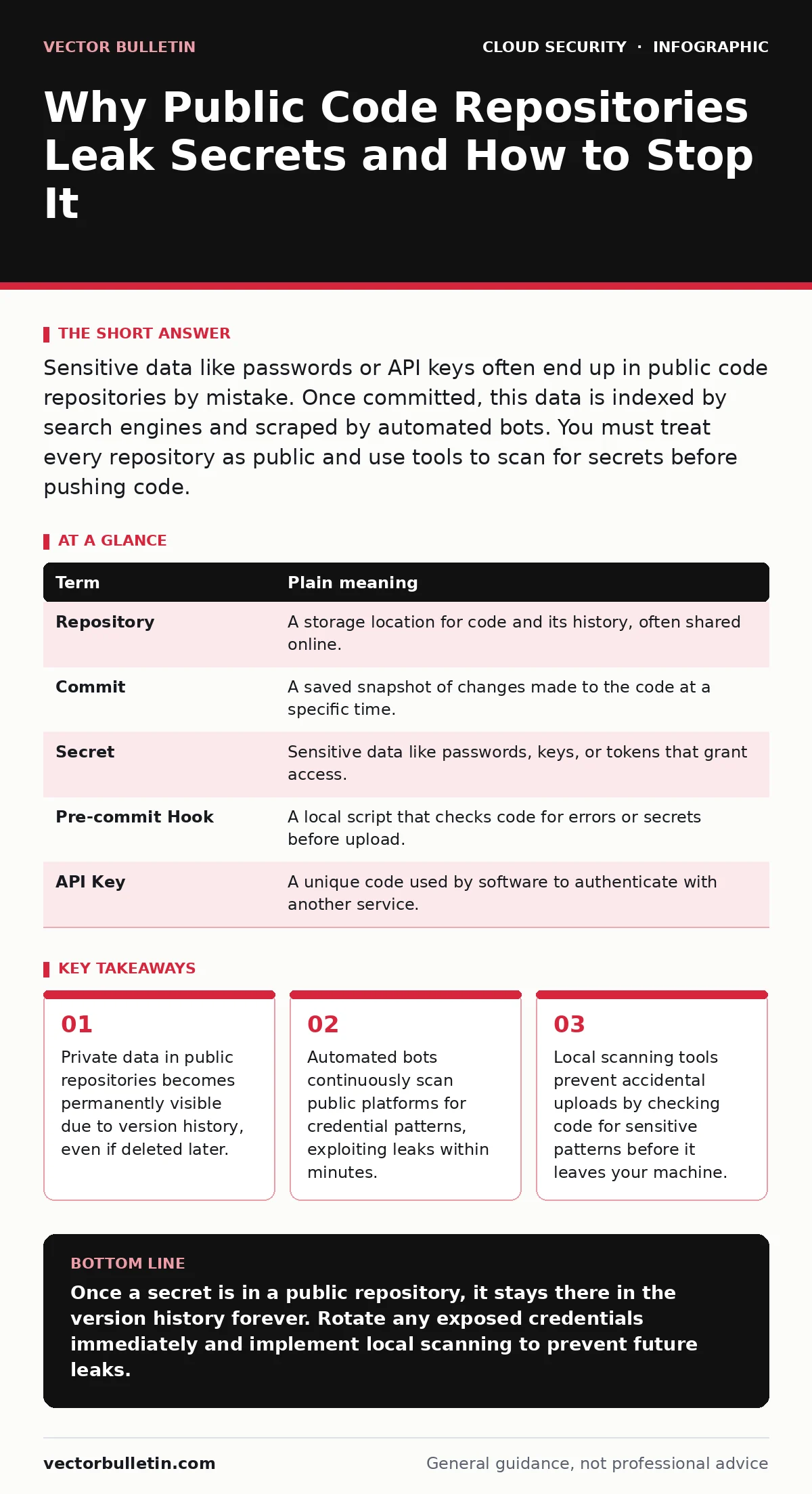
Sensitive data like passwords or API keys often end up in public code repositories by mistake. Once committed, this data is indexed by search engines and scraped by automated bots. You must treat every repository as public and use tools to scan for secrets before pushing code.
The Open Filing Cabinet Analogy
Imagine you have a home office with a filing cabinet. Most files are confidential, but you have a habit of leaving a specific drawer unlocked. You assume only your family can see inside. One day, you hire a cleaner who copies every document from that drawer and posts them online. The damage is done before you even realise the drawer was left open.
In software development, public code repositories act as that unlocked drawer. Developers store source code there for collaboration. Occasionally, they accidentally include sensitive information, such as database passwords or encryption keys. These items are not meant for public consumption, yet they become part of the permanent record.
How Secrets Slip Into Public View
Developers often work on personal computers before moving code to a shared environment. During this phase, they might use configuration files to store credentials for local testing. These files contain plain-text secrets that make the application work on the developer’s machine.
If the developer forgets to exclude these files from the upload process, they travel with the code. Once the code is pushed to a public platform, it is immediately visible to anyone with an internet connection. The platform does not distinguish between harmless code and sensitive data. It simply displays what was submitted.
The Persistence of Version History
Many users believe that deleting a file removes it from the repository. This assumption is incorrect for version control systems. These systems track every change made to the code over time. Deleting a file creates a new version where the file is absent, but the previous versions remain accessible.
You can view the entire history of a repository, including files that were deleted years ago. This means that once a secret is committed, it is effectively permanent. Threat actors use scripts to dig through version histories to find old credentials that are still valid.
Automated Threat Actors
You do not need to worry about a single hacker manually searching for your secrets. There are automated systems that continuously scan public code hosting platforms. These bots look for specific patterns that resemble passwords, API keys, or private tokens.
When a bot finds a match, it can attempt to use the credential immediately. This happens faster than most teams can detect and respond. The threat is not just human curiosity; it is an industrial-scale harvesting operation. This relates closely to the risks discussed in leaked cloud access keys, where stolen keys grant immediate access to infrastructure.
Impact on Ordinary Users
If you are not a developer, you might wonder why this matters. Many software services rely on open-source components. If a maintainer of a popular library accidentally exposes a secret, your organisation could be affected. The secret might allow attackers to access internal systems or manipulate data.
Furthermore, employees often create personal projects or scripts that interact with corporate services. If these scripts are uploaded to a public repository, they can bridge the gap between public code and private infrastructure. This is a common vector in shadow IT scenarios, where unapproved tools create unexpected exposure.
See also: Cloud Network Segmentation: 6 Misunderstandings That Leave Gaps
Preventing Accidental Exposure
You can prevent these leaks by treating all code as if it will become public. This mindset changes how you handle configuration files. Never store secrets in files that are checked into version control. Instead, use environment variables or dedicated secret management tools.
You should also install pre-commit hooks on your local machine. These are small scripts that run before you upload any code. They scan for patterns that look like secrets and block the upload if they find a match. This adds a safety net to your daily workflow.
Essential Terminology
| Term | Plain meaning |
|---|---|
| Repository | A storage location for code and its history, often shared online. |
| Commit | A saved snapshot of changes made to the code at a specific time. |
| Secret | Sensitive data like passwords, keys, or tokens that grant access. |
| Pre-commit Hook | A local script that checks code for errors or secrets before upload. |
| API Key | A unique code used by software to authenticate with another service. |
Immediate Safety Steps
- Install a local secret scanning tool on your development machine. This tool should run automatically every time you attempt to save changes to the repository.
- Review your current public repositories for any configuration files. Check the version history to ensure no secrets were uploaded in the past. Rotate any credentials you find immediately.
- Educate your team on the difference between code and configuration. Ensure that all sensitive data is stored in a secure vault, not in text files within the project folder.
These habits reduce the risk of accidental exposure. They do not eliminate all threats, but they stop the most common errors. For broader context on managing these risks, consider reading about cloud security architecture and SaaS data exposure. Understanding these areas helps you see how code leaks fit into the wider cloud attack surface.
Key takeaways
- Private data in public repositories becomes permanently visible due to version history, even if deleted later.
- Automated bots continuously scan public platforms for credential patterns, exploiting leaks within minutes.
- Local scanning tools prevent accidental uploads by checking code for sensitive patterns before it leaves your machine.
Once a secret is in a public repository, it stays there in the version history forever. Rotate any exposed credentials immediately and implement local scanning to prevent future leaks.
Frequently asked questions
Can I delete a secret from a public repository?
You can remove the file from the current version, but it remains in the history. You must rotate the credential to invalidate it.
Do private repositories have the same risk?
Private repositories are not indexed by public search engines, but insiders or compromised accounts can still expose the data. Treat them with similar caution.
How do I know if my code has been leaked?
Use automated monitoring services that scan public platforms for your organisation’s identifiers. You can also search for your project name on major code hosting sites.
What is the difference between a key and a token?
Both are strings used for authentication. Keys often grant long-term access to services, while tokens are usually short-lived and user-specific.
How this guide was produced: written by the Vector Bulletin editorial team with AI assistance, checked against the public references listed below, and reviewed when the facts change. See our editorial policy or report an error.