
Leaked Cloud Access Keys Explained: What They Are and How to Secure Them
Cloud access keys function like permanent physical keys that never expire, allowing anyone who finds them to control your digital assets indefinitely without a second question.
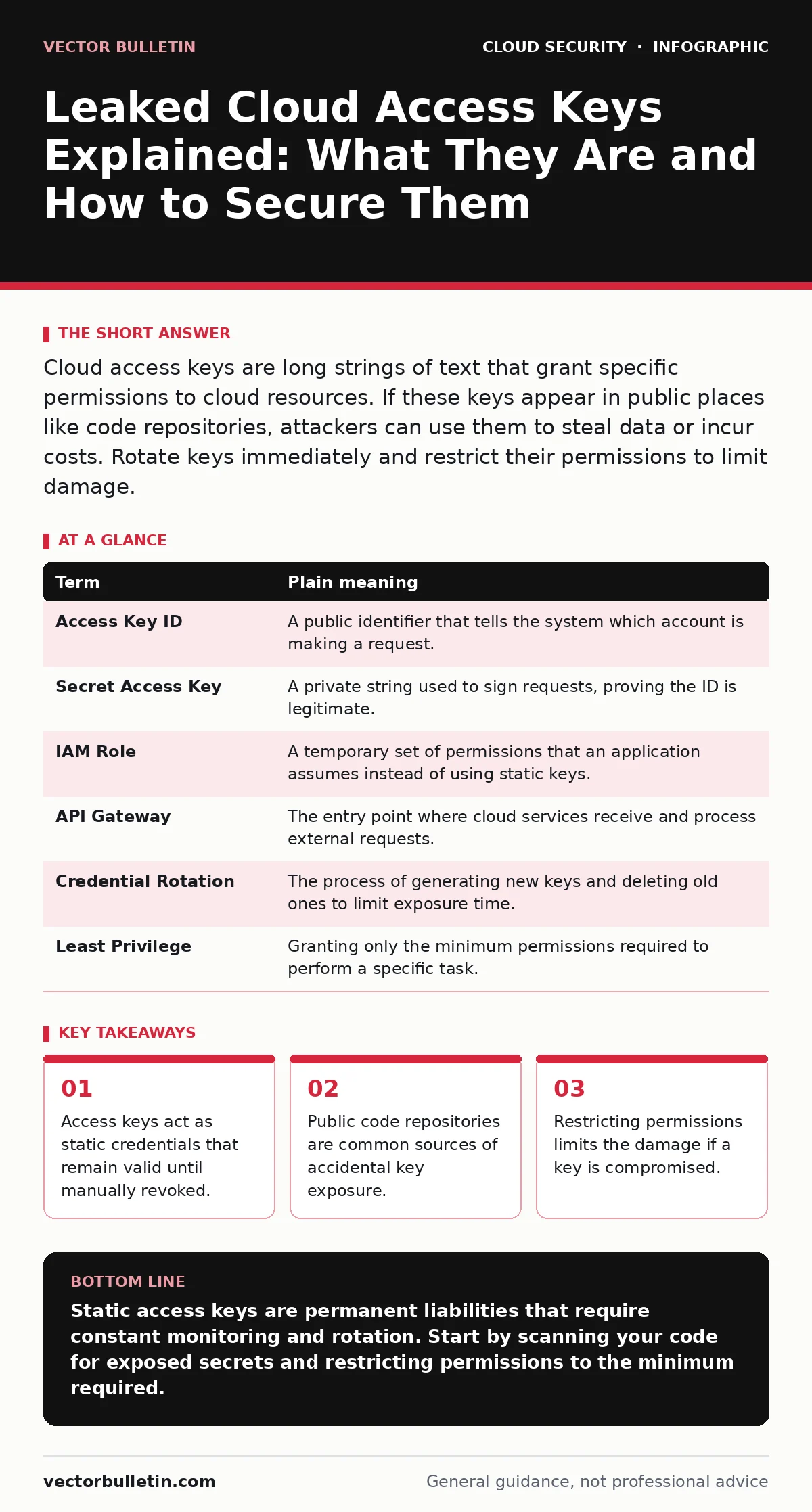
Cloud access keys are long strings of text that grant specific permissions to cloud resources. If these keys appear in public places like code repositories, attackers can use them to steal data or incur costs. Rotate keys immediately and restrict their permissions to limit damage.
The Digital House Key Analogy
Imagine you rent a secure storage unit. The provider gives you a plastic key. You can copy it, leave it in your car, or hand it to a friend. Unlike a combination lock that resets, this plastic key works forever until you return it. If a thief finds your spare key, they can open the unit anytime. They do not need to break the door. They simply turn the key. Cloud access keys work exactly like this plastic key. They are static credentials that grant entry to your cloud environment.
What Are Cloud Access Keys?
In cloud computing, you need a way to prove your identity to access services. Access keys are pairs of alphanumeric strings: an access key ID and a secret access key. Together, they authenticate your requests. The ID tells the cloud provider who you are. The secret key proves you are who you say you are. These keys are often used by software applications to access cloud resources automatically. They are distinct from the username and password you use to log into a web console. They are designed for machine-to-machine communication.
| Term | Plain meaning |
|---|---|
| Access Key ID | A public identifier that tells the system which account is making a request. |
| Secret Access Key | A private string used to sign requests, proving the ID is legitimate. |
| IAM Role | A temporary set of permissions that an application assumes instead of using static keys. |
| API Gateway | The entry point where cloud services receive and process external requests. |
| Credential Rotation | The process of generating new keys and deleting old ones to limit exposure time. |
| Least Privilege | Granting only the minimum permissions required to perform a specific task. |
Where Keys Leak
Keys are often embedded in configuration files or scripts. Developers may commit these files to version control systems. If these systems are public, the keys are visible to anyone on the internet. Imagine leaving the storage unit key taped to the front door. It is not hidden. It is just overlooked. This is a common cause of public code repository leaks. Developers forget that their code is shared. They treat the repository like a private notebook. It is not. It is a public square.
The Hidden Cost of Convenience
Static keys are convenient because they do not expire. You set them once and forget them. This convenience creates a hidden cost. If the key is stolen, it remains valid indefinitely. An attacker can use it quietly for months. They might store stolen data or run expensive computations. By the time you notice the bill, the damage is done. This is why understanding cloud security architecture matters. You must design systems that do not rely on permanent secrets. Temporary credentials are safer. They expire automatically. They reduce the window of opportunity for attackers.
What This Means for You
If you manage cloud resources, you likely have keys. If you do not manage them, you might still be affected. A leak can lead to data loss or financial theft. It can also disrupt services. Attackers might delete data or lock you out. This is part of the broader cloud attack surface. Every key is a potential entry point. The more keys you have, the larger the target. You must assume every key will eventually leak. Design your systems with that assumption. Use identity sprawl controls to track who holds which keys.
Simple Safety Habits
You can reduce risk with simple habits. First, never hardcode keys in your applications. Use environment variables or secret management tools. Second, rotate keys regularly. Change them before they leak. Third, restrict permissions. Each key should only do what it needs to do. If a key for reading data can also delete data, it is too powerful. Limiting permissions limits the damage. This connects to SaaS data exposure risks. If a key is leaked, the attacker can only do what the key allows. Narrow permissions mean narrow damage.
Immediate Steps to Take
You should audit your current keys. Look for keys that are old or unused. Delete them. Then, implement a process for cloud disaster recovery. If a leak occurs, you need a plan to revoke access and restore data. Do not wait for an incident. Prepare now. Check your code repositories for secrets. Use automated tools to scan for leaks. This is not a one-time task. It is an ongoing habit. Security is not a product. It is a process.
- Scan your repositories for exposed keys.
- Rotate any keys that are older than six months.
- Review permissions and remove unnecessary access.
Key takeaways
- Access keys act as static credentials that remain valid until manually revoked.
- Public code repositories are common sources of accidental key exposure.
- Restricting permissions limits the damage if a key is compromised.
Static access keys are permanent liabilities that require constant monitoring and rotation. Start by scanning your code for exposed secrets and restricting permissions to the minimum required.
Frequently asked questions
Can I reuse an old access key if I change the secret?
No. You should treat the entire key pair as compromised. Generate a new pair and delete the old one completely. Reusing IDs can confuse logging and tracking systems.
Do access keys expire automatically?
Most cloud providers do not auto-expire static access keys. They remain valid until you manually delete them. You must implement your own rotation schedule.
How do I find leaked keys in my code?
Use automated scanning tools that search for patterns resembling keys. Integrate these tools into your development pipeline to catch leaks before they are committed to public repositories.
Is using IAM roles better than access keys?
Yes. IAM roles provide temporary credentials that expire automatically. They eliminate the need to manage static secrets and reduce the risk of long-term exposure.
How this guide was produced: written by the Vector Bulletin editorial team with AI assistance, checked against the public references listed below, and reviewed when the facts change. See our editorial policy or report an error.