
Identity Sprawl: Risks and Protection for Small Businesses
Unmanaged service accounts accumulate permissions over time, creating attack paths that outlast the employees who created them.
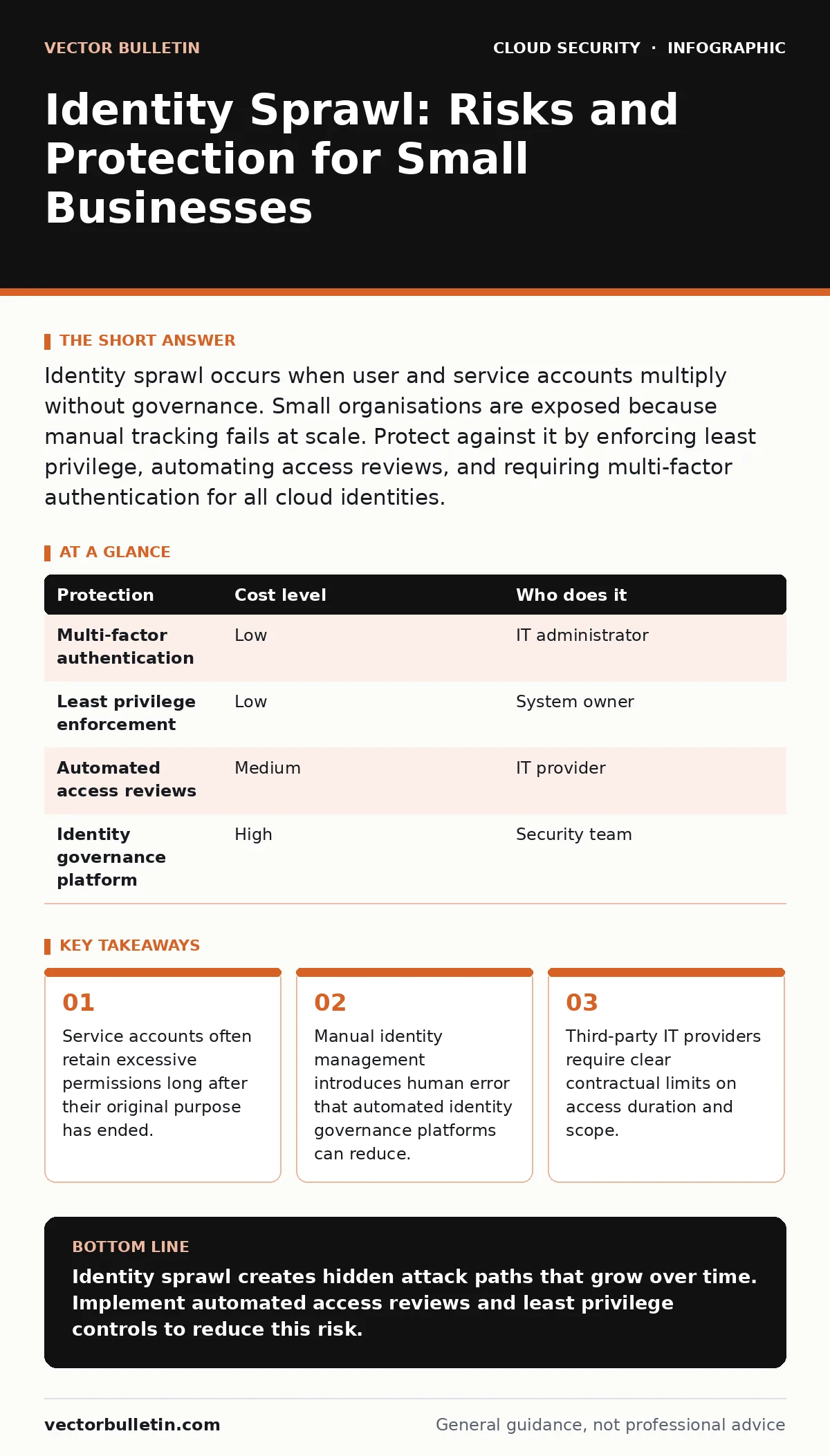
Identity sprawl occurs when user and service accounts multiply without governance. Small organisations are exposed because manual tracking fails at scale. Protect against it by enforcing least privilege, automating access reviews, and requiring multi-factor authentication for all cloud identities.
The Mechanics of Sprawl
Identity sprawl is the uncontrolled growth of user and service accounts across digital systems. It is not merely a hygiene issue. It is a structural vulnerability that expands your attack surface with every new hire, software subscription, or automated script. Small organisations are particularly exposed because they often lack dedicated identity management staff. They rely on manual processes that do not scale.
Each cloud service maintains its own directory of identities. When you use multiple services, you create silos of access. A user may have admin rights in one system and read-only access in another. Tracking these discrepancies manually is difficult. The result is a fragmented view of who can do what.
Why Small Organisations Are Exposed
Small teams often treat identity management as an administrative task rather than a security control. This mindset leads to permission creep. Users are granted broad access to avoid friction. Over time, these permissions accumulate. Employees move roles, but their access rights remain unchanged.
The reliance on shared credentials exacerbates the problem. Teams may share a single account for a monitoring tool. This prevents audit trails from identifying individual actions. It also means that when one person leaves, the shared account remains active. The organisation loses visibility into who is using it.
The Hidden Cost of Service Accounts
Service accounts are identities used by applications or scripts to interact with systems. They are often overlooked in security reviews. Developers create them with high privileges to ensure functionality. These accounts rarely have passwords that expire. They rarely use multi-factor authentication.
A service account created for a backup script may retain full database access for years. If an attacker compromises the application using that account, they gain immediate access to the database. This is a common path in cloud breach scenarios. The attacker does not need to steal a human user’s password. They only need to exploit the application’s identity.
Low-Cost Protections
You can reduce identity sprawl without expensive software. Start by enforcing multi-factor authentication for all human users. This adds a layer of verification that protects against stolen passwords. Configure it to require a second factor for all cloud console access.
Implement the principle of least privilege. Grant users only the permissions they need to perform their current tasks. Review these permissions quarterly. Remove access for employees who have changed roles or left the company. Automate this review process if possible.
| Protection | Cost level | Who does it |
|---|---|---|
| Multi-factor authentication | Low | IT administrator |
| Least privilege enforcement | Low | System owner |
| Automated access reviews | Medium | IT provider |
| Identity governance platform | High | Security team |
What to Ask an IT Provider
If you outsource identity management, you must define clear expectations. Ask your provider how they handle permission reviews. Do they have a documented process for removing access when employees leave? Request details on their incident response plan for identity compromises.
Ask about their use of privileged access management. This is a system that grants temporary, elevated access to critical resources. It logs all actions performed with those privileges. Ensure your provider uses this for their own access to your systems. This limits the damage if their credentials are compromised.
- How do you track and review user permissions on a regular basis?
- What is your process for deprovisioning accounts when employees leave?
- Do you use privileged access management for your own administrative tasks?
- How do you monitor for anomalous login activity across our cloud environments?
See also: Cloud Network Segmentation: 6 Misunderstandings That Leave Gaps
Integrating Related Controls
Identity sprawl intersects with other cloud security challenges. Unmanaged identities can lead to shadow IT, where employees use unsanctioned applications. These applications may store sensitive data outside your control. Reviewing your cloud attack surface helps identify these unsanctioned services.
Leaked cloud access keys are another risk. If a developer commits an access key to a public code repository, attackers can use it to impersonate a service account. Regularly scan your repositories for exposed credentials. This is a distinct but related control to identity governance.
Monitoring and Continuous Improvement
Identity management is not a one-time task. It requires continuous monitoring. Look for anomalies in login patterns. Unusual login times or locations may indicate compromised accounts. Set up alerts for privilege escalation events. These are instances where a user gains higher access than usual.
Regularly audit your service accounts. Identify any that have not been used in the last ninety days. Disable or remove them. This reduces the number of potential entry points for attackers. Document your identity management policies. Ensure they are reviewed and updated annually.
The Role of Architecture
Your cloud security architecture should support identity governance. Design your systems to enforce least privilege by default. Use role-based access control to manage permissions. This approach scales better than individual user assignments. It also simplifies audits.
Consider the implications of SaaS data exposure. If an identity is compromised, the attacker may access data stored in third-party applications. Ensure that data sharing agreements include security requirements. This limits the impact of a compromised identity.
Key takeaways
- Service accounts often retain excessive permissions long after their original purpose has ended.
- Manual identity management introduces human error that automated identity governance platforms can reduce.
- Third-party IT providers require clear contractual limits on access duration and scope.
Identity sprawl creates hidden attack paths that grow over time. Implement automated access reviews and least privilege controls to reduce this risk.
Frequently asked questions
How do I identify stale accounts in my cloud environment?
Review login activity logs. Identify accounts that have not been used for an extended period. Disable these accounts after verification.
Is multi-factor authentication enough to prevent identity compromise?
No. It protects against stolen passwords but does not address excessive permissions or shared accounts. Combine it with least privilege and access reviews.
How often should I review user permissions?
Quarterly reviews are recommended. Increase frequency for high-privilege accounts or sensitive data environments.
What is the difference between user and service accounts?
User accounts are for human interaction.
How this guide was produced: written by the Vector Bulletin editorial team with AI assistance, checked against the public references listed below, and reviewed when the facts change. See our editorial policy or report an error.