
Privileged Access Management: Answers to Your Hardest Questions
Privileged access management often fails because teams secure the login but ignore the session, leaving lateral movement open even when credentials are rotated daily.
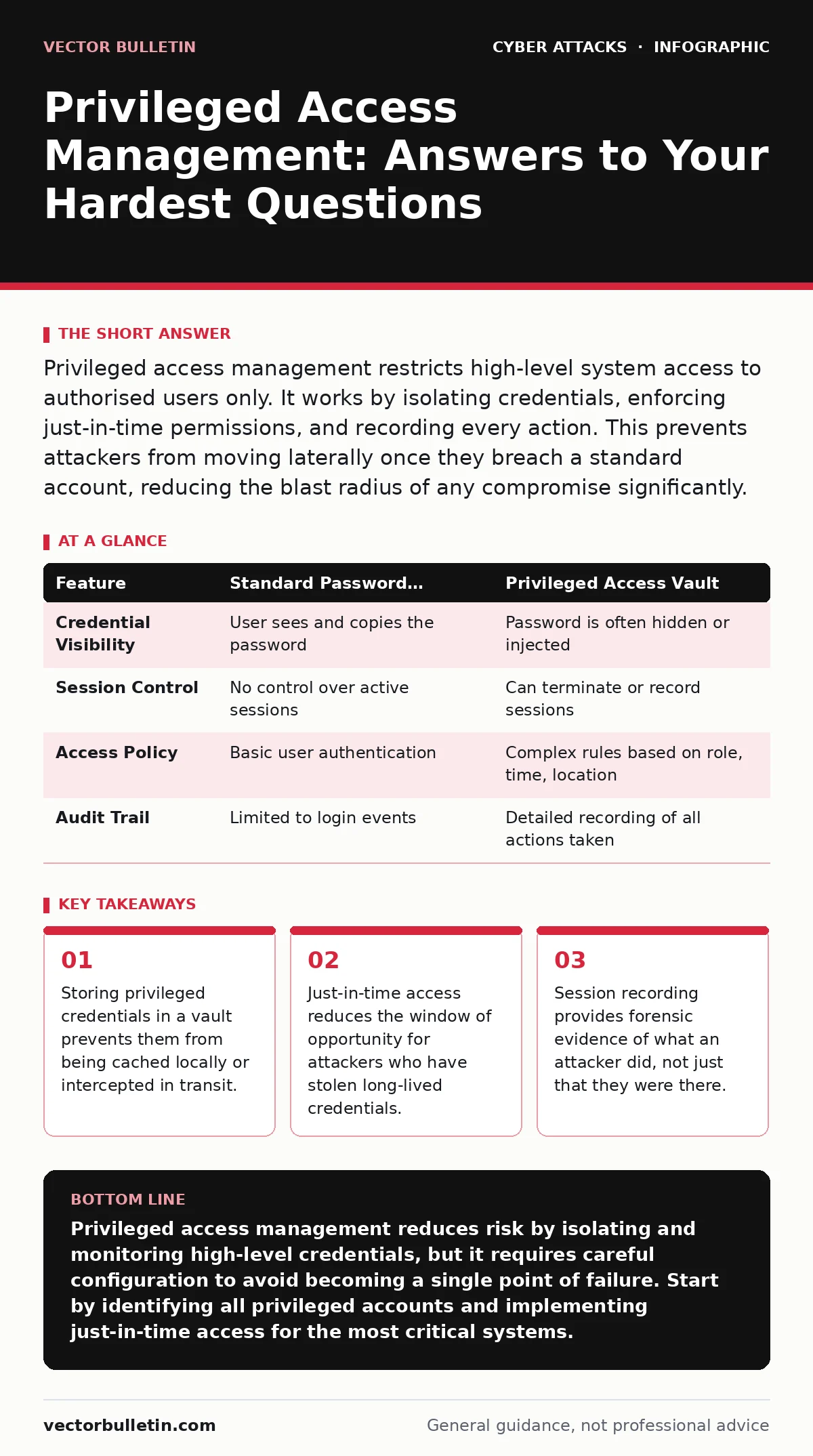
Privileged access management restricts high-level system access to authorised users only. It works by isolating credentials, enforcing just-in-time permissions, and recording every action. This prevents attackers from moving laterally once they breach a standard account, reducing the blast radius of any compromise significantly.
What exactly constitutes a privileged account?
A privileged account is any identity that has more permissions than a standard user requires for their daily tasks. This includes local administrators on workstations, domain admins in Active Directory, and root accounts on Linux servers. It also covers service accounts used by applications to connect to databases or other systems. You must treat any account that can modify system configuration or access sensitive data as privileged.
Why is password rotation insufficient on its own?
Changing passwords regularly does not stop an attacker who already has access to the session. If an adversary compromises a machine while a privileged user is logged in, they can execute commands directly. Rotating the password later does not terminate the active session or undo the damage. This is why session management and monitoring are required alongside credential rotation.
How does a vault differ from a password manager?
A password manager stores credentials for users to copy and paste, often keeping them accessible for long periods. A privileged access management vault stores credentials and checks them out to users for a specific, short duration. The vault often injects the credentials directly into the session, so the user never sees the password. This prevents the credential from being cached in memory or logged by keyloggers.
| Feature | Standard Password Manager | Privileged Access Vault |
|---|---|---|
| Credential Visibility | User sees and copies the password | Password is often hidden or injected |
| Session Control | No control over active sessions | Can terminate or record sessions |
| Access Policy | Basic user authentication | Complex rules based on role, time, location |
| Audit Trail | Limited to login events | Detailed recording of all actions taken |
What is just-in-time access and why use it?
Just-in-time access grants elevated privileges only when they are needed and for a limited time. Instead of having permanent admin rights, a user requests access for a specific task. The system approves the request and removes the privileges once the time limit expires or the task is complete. This minimises the number of active privileged accounts at any given moment, making it harder for attackers to find a useful target.
How do you manage service accounts securely?
Service accounts are non-human identities used by applications to perform automated tasks. These accounts often have high privileges and rarely change passwords, making them attractive targets. You should store service account credentials in a vault and use automated scripts to rotate them frequently. Avoid using service accounts for interactive logins, as this complicates auditing and increases the risk of misuse.
See also: Lateral Movement Response: Containment, Recovery and Prevention Steps · The Attack Lifecycle: Answers to Eight Common Questions
Can privileged access management stop lateral movement?
Privileged access management limits lateral movement by ensuring that compromised credentials cannot be used indefinitely. If an attacker steals a standard user credential, they cannot escalate privileges without going through the PAM approval process. Even if they obtain a privileged credential, the short lifespan and session recording make it difficult to move unseen. However, PAM does not prevent the initial compromise of the standard account.
What happens if the PAM system itself is compromised?
If the PAM system is breached, attackers may gain access to all stored privileged credentials. This is a single point of failure that requires its own security controls. You must isolate the PAM infrastructure from the general network and restrict access to it strictly. Regularly audit the PAM system for unusual activity and ensure its own administrators have separate, highly secured accounts.
How do you audit privileged access effectively?
Auditing involves reviewing logs of who accessed what, when, and what actions they performed. You should look for patterns such as access at unusual times or from unexpected locations. Automated alerts can flag these anomalies in real time, allowing you to investigate before significant damage occurs. Retain these logs for a sufficient period to support forensic investigations after a breach.
Does PAM replace the need for least privilege?
Privileged access management enforces least privilege by restricting high-level access to only those who need it, when they need it. However, PAM is a control mechanism, not a policy. You still need to define clearly which roles require which privileges. Without a clear least privilege policy, PAM becomes a bottleneck rather than a security control. Regularly review and adjust privileges to ensure they align with current job functions.
Key takeaways
- Storing privileged credentials in a vault prevents them from being cached locally or intercepted in transit.
- Just-in-time access reduces the window of opportunity for attackers who have stolen long-lived credentials.
- Session recording provides forensic evidence of what an attacker did, not just that they were there.
Privileged access management reduces risk by isolating and monitoring high-level credentials, but it requires careful configuration to avoid becoming a single point of failure. Start by identifying all privileged accounts and implementing just-in-time access for the most critical systems.
Frequently asked questions
How long should privileged passwords be kept?
Privileged passwords should be rotated frequently, often automatically by the PAM system, to minimise the window of opportunity for attackers who may have stolen them.
Can PAM be used for cloud environments?
Yes, PAM solutions can manage access to cloud platforms by integrating with identity providers and enforcing policies for cloud-specific roles and permissions.
What is the biggest mistake organisations make with PAM?
The biggest mistake is implementing PAM without auditing existing privileged accounts, leading to shadow IT and unmanaged access paths that bypass security controls.
Does PAM help with compliance requirements?
PAM helps meet compliance requirements by providing detailed audit trails and enforcing access controls, which are often mandated by regulations like GDPR or HIPAA.
How this guide was produced: written by the Vector Bulletin editorial team with AI assistance, checked against the public references listed below, and reviewed when the facts change. See our editorial policy or report an error.