
Edge Computing Security Mistakes and Practical Fixes
Identify seven common configuration errors in distributed networks and apply specific technical controls to reduce the attack surface of remote endpoints.
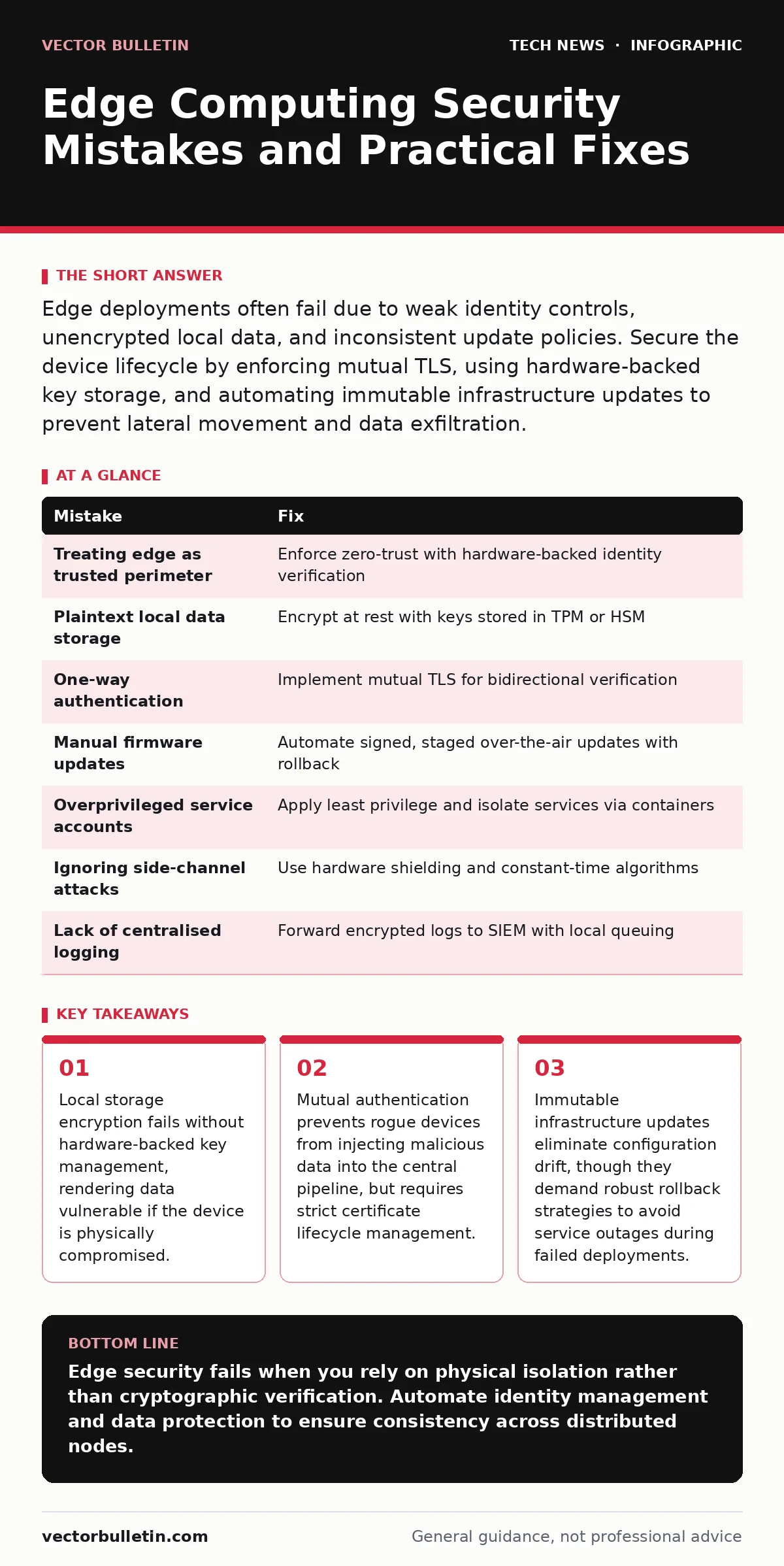
Edge deployments often fail due to weak identity controls, unencrypted local data, and inconsistent update policies. Secure the device lifecycle by enforcing mutual TLS, using hardware-backed key storage, and automating immutable infrastructure updates to prevent lateral movement and data exfiltration.
Mistake 1: Treating the Edge as a Trusted Perimeter
Many organisations assume that because an edge device is physically located within a controlled facility, it is safe from external threats. This assumption ignores the reality that supply chain compromises, insider threats, and physical theft occur regardless of location. When you treat the edge as trusted, you bypass critical verification steps that would otherwise catch tampered firmware or malicious configuration changes.
Why it hurts:
An attacker who gains physical access or intercepts the device during shipping can install rootkits or modify bootloaders. Once the device connects to the network, it acts as a trusted entry point, allowing the attacker to bypass perimeter defences. The central system accepts data from the compromised device without question, leading to poisoned datasets or lateral movement into the core infrastructure.
The fix:
Implement zero-trust principles at the device level. Every edge node must authenticate its identity before establishing any connection. Use hardware-backed identities, such as those stored in a Trusted Platform Module (TPM), to ensure the device is who it claims to be. Verify the integrity of the software stack during boot using measured boot processes, which compare cryptographic hashes of loaded components against known-good values.
Mistake 2: Storing Sensitive Data in Plaintext Locally
Edge devices often cache data to maintain functionality during network outages or to reduce bandwidth usage. A common error is storing this cached data, including credentials or personally identifiable information, in plaintext on the local file system. Developers often do this for performance reasons, avoiding the overhead of encryption and decryption cycles.
Why it hurts:
If an attacker gains physical access to the device, they can extract the storage medium and read the data directly. There is no network layer to exploit; the theft is silent and immediate. This exposes sensitive information without triggering network-based intrusion detection systems, as no data leaves the device during the theft.
The fix:
Encrypt all data at rest using strong, standardised algorithms. The encryption keys must never be stored on the same device as the data. Instead, use a hardware security module or a TPM to store keys securely. This ensures that even if the storage medium is removed, the data remains unreadable without the specific hardware key. Implement automatic data wiping mechanisms that trigger if the device detects tampering or multiple failed access attempts.
Mistake 3: Using One-Way Authentication for Device Communication
Network protocols often default to server-side authentication, where the device verifies the central server’s identity but the server does not verify the device. This one-way trust model is insufficient for edge environments where the number of endpoints is large and dynamic.
Why it hurts:
An attacker can spoof a legitimate device by mimicking its network address or certificate. The central server accepts data from the spoofed device, assuming it is genuine. This allows for data injection attacks, where false sensor readings or commands are processed as valid, leading to incorrect automated decisions or operational disruptions.
The fix:
Enforce mutual authentication, often referred to as mutual TLS. Both the edge device and the central server must present valid certificates to each other. This ensures that only authorised devices can connect and that devices only connect to authorised servers. Manage certificates with a short lifespan and automate their rotation to minimise the window of opportunity for stolen credentials.
Mistake 4: Manual Firmware Updates on Distributed Nodes
Managing software updates for hundreds or thousands of edge devices manually is impractical and error-prone. Administrators often delay updates to avoid downtime or use inconsistent procedures across different sites. This leads to a fragmented security posture where some devices run outdated, vulnerable software.
Why it hurts:
Vulnerabilities in edge operating systems or applications are widely published once discovered. Delayed updates leave devices exposed to known exploits. Manual processes also introduce human error, such as applying the wrong version or skipping critical security patches. This inconsistency makes it difficult to maintain a uniform security baseline across the entire edge network.
The fix:
Automate the update process using over-the-air update mechanisms. Implement a staged rollout strategy, updating a small subset of devices first to verify stability before wider deployment. Use cryptographic signatures to verify the authenticity and integrity of update packages. Ensure that the update process includes a rollback mechanism to revert to a previous stable version if the new update causes issues.
Mistake 5: Overprivileged Local Service Accounts
Edge devices often run multiple services, such as data collection, processing, and communication modules. A frequent mistake is running these services with elevated privileges or shared accounts to simplify configuration. This violates the principle of least privilege, granting more access than necessary.
Why it hurts:
If an attacker compromises one service, they inherit the privileges of that service. With elevated rights, they can access sensitive files, modify system configurations, or install persistent malware. Shared accounts make it difficult to trace actions to specific services or users, hindering incident response and forensic analysis.
The fix:
Assign unique, minimally privileged accounts to each service. Configure access controls so that each service can only read, write, or execute the specific files and resources it requires. Use containerisation or sandboxing to isolate services from each other and from the host operating system. This containment limits the blast radius of a compromise, preventing lateral movement within the device.
See also: Cloud Network Segmentation: 6 Misunderstandings That Leave Gaps
Mistake 6: Ignoring Side-Channel Attack Vectors
Focus on network and software security often overlooks physical side-channel attacks. These attacks exploit information gained from the physical implementation of a system, such as power consumption, electromagnetic leaks, or timing information. Edge devices, often unattended and physically accessible, are prime targets for these methods.
Why it hurts:
Attackers can analyse power fluctuations to deduce cryptographic keys or observe electromagnetic emissions to reconstruct data being processed. These attacks do not require network access or software vulnerabilities. They bypass traditional security controls by exploiting the physical properties of the hardware, rendering software-based protections ineffective.
The fix:
Design hardware with side-channel resistance in mind. Use components that mask power consumption and shield electromagnetic emissions. Implement constant-time algorithms in software to ensure that execution time does not vary based on secret data. Conduct physical security assessments that include side-channel testing, not just software penetration testing.
Mistake 7: Lack of Centralised Log Aggregation and Monitoring
Edge devices often store logs locally due to bandwidth constraints. However, relying solely on local logs means that if a device is compromised or destroyed, the evidence is lost. Without centralised monitoring, security teams cannot detect anomalies in real-time across the distributed network.
Why it hurts:
Delayed or missing logs hinder incident detection and response. Attackers can clear local logs to cover their tracks, leaving no trace of their activity. Without a holistic view of the edge network, it is difficult to identify patterns of attack that span multiple devices or locations.
The fix:
Implement lightweight log forwarding agents that compress and encrypt logs before transmitting them to a centralised security information and event management system. Prioritise critical security events for immediate transmission, even during network outages, by queuing them locally and sending them when connectivity is restored. Establish baselines for normal device behaviour to detect deviations automatically.
| Mistake | Fix |
|---|---|
| Treating edge as trusted perimeter | Enforce zero-trust with hardware-backed identity verification |
| Plaintext local data storage | Encrypt at rest with keys stored in TPM or HSM |
| One-way authentication | Implement mutual TLS for bidirectional verification |
| Manual firmware updates | Automate signed, staged over-the-air updates with rollback |
| Overprivileged service accounts | Apply least privilege and isolate services via containers |
| Ignoring side-channel attacks | Use hardware shielding and constant-time algorithms |
| Lack of centralised logging | Forward encrypted logs to SIEM with local queuing |
Key takeaways
- Local storage encryption fails without hardware-backed key management, rendering data vulnerable if the device is physically compromised.
- Mutual authentication prevents rogue devices from injecting malicious data into the central pipeline, but requires strict certificate lifecycle management.
- Immutable infrastructure updates eliminate configuration drift, though they demand robust rollback strategies to avoid service outages during failed deployments.
Edge security fails when you rely on physical isolation rather than cryptographic verification. Automate identity management and data protection to ensure consistency across distributed nodes.
Frequently asked questions
How do I handle edge devices with limited processing power?
Use lightweight cryptographic protocols designed for constrained environments, such as ECC, and offload heavy processing tasks to the cloud when possible.
Is mutual TLS too complex to manage at scale?
It requires initial setup effort, but automated certificate management tools can handle rotation and revocation, reducing long-term administrative burden.
What happens if an edge device loses connectivity for an extended period?
Ensure the device can operate securely in offline mode with local policy enforcement, and queue critical logs for transmission when connectivity resumes.
How often should edge device certificates be rotated?
Rotate certificates frequently, ideally every few months or less, to limit the impact of a compromised credential and ensure timely revocation.
How this guide was produced: written by the Vector Bulletin editorial team with AI assistance, checked against the public references listed below, and reviewed when the facts change. See our editorial policy or report an error.