
Secure DNS Port: How to Verify and Configure DNS-over-HTTPS
Encrypted DNS traffic hides your query content from intermediaries but reveals the resolver IP address to your network operator.
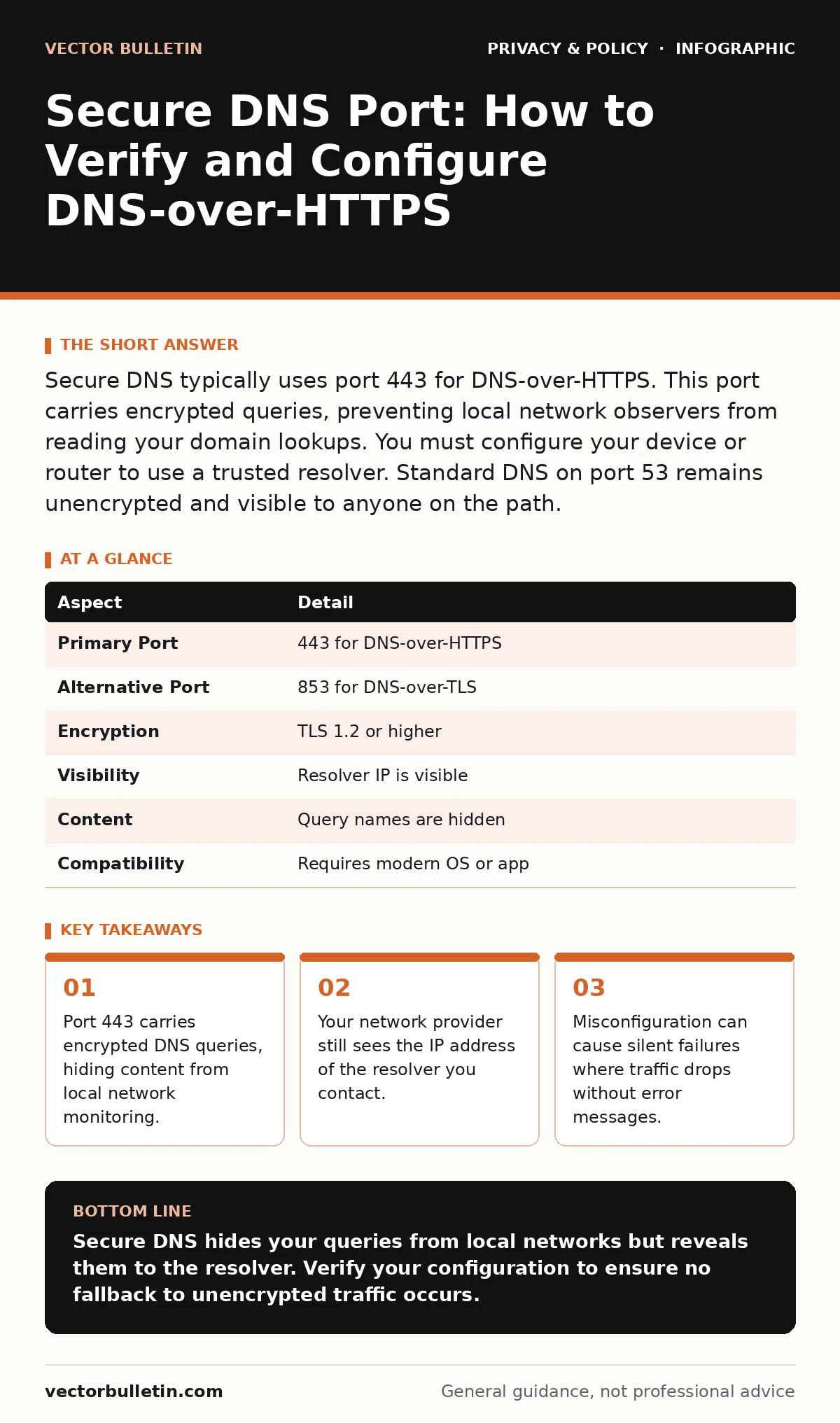
Secure DNS typically uses port 443 for DNS-over-HTTPS. This port carries encrypted queries, preventing local network observers from reading your domain lookups. You must configure your device or router to use a trusted resolver. Standard DNS on port 53 remains unencrypted and visible to anyone on the path.
The Analogy of the Postcard
Imagine sending a postcard. The recipient address is visible to everyone who handles it. The post office knows where you sent it. The neighbours can read the message. Standard Domain Name System traffic works exactly like this. Every website you visit generates a lookup request. This request travels in plain text. Network administrators, internet service providers, and anyone tapping the cable can read the domains you request. Secure DNS changes this dynamic. It places your request inside an envelope. The envelope is sealed. Only the recipient can open it. The post office still sees the envelope’s destination, but not the contents.
What Is Secure DNS?
Secure DNS refers to protocols that encrypt the communication between your device and the name server. The two primary standards are DNS-over-HTTPS and DNS-over-TLS. DNS-over-HTTPS wraps standard DNS queries inside HTTP requests. It uses the same encryption as web browsing. DNS-over-TLS wraps queries in a separate transport layer security connection. Both methods prevent eavesdropping on the query content. They do not hide the fact that you are making a query. They do not hide the IP address of the resolver you choose. The goal is privacy from intermediate nodes, not anonymity.
| Aspect | Detail |
|---|---|
| Primary Port | 443 for DNS-over-HTTPS |
| Alternative Port | 853 for DNS-over-TLS |
| Encryption | TLS 1.2 or higher |
| Visibility | Resolver IP is visible |
| Content | Query names are hidden |
| Compatibility | Requires modern OS or app |
The Specifics of the Secure DNS Port
When you search for the secure dns port, you are looking for the entry point for encrypted traffic. For DNS-over-HTTPS, this is port 443. This is the same port used for standard HTTPS web traffic. Operating systems and routers treat this traffic as generic web data. This makes it difficult for network filters to block it without blocking all web traffic. For DNS-over-TLS, the standard port is 853. This is a dedicated port for encrypted DNS. It is easier to identify and block than port 443 traffic. Most modern implementations prefer DNS-over-HTTPS because it blends in with normal web browsing. This stealth is a feature, not a bug. It prevents simple port-based blocking.
Who Is Affected by This Change?
This mechanism affects every device that resolves domain names. Your laptop, phone, and smart home devices all rely on DNS. For individual users, it prevents local network eavesdropping. For enterprises, it complicates network monitoring. Security teams often use DNS logs to detect malware. Malware often calls home to known bad domains. When DNS is encrypted, the enterprise firewall cannot see the domain name. It only sees the resolver IP. This creates a blind spot. The enterprise must trust the resolver to provide logs or use a corporate resolver. This shifts the trust model. You no longer trust your local network. You trust the remote resolver. This is a significant architectural shift.
Common Misconfigurations and Errors
Users often assume enabling secure DNS provides total anonymity. It does not. The resolver knows everything you look up. If you use a public resolver, that company has a complete log of your browsing habits. You are trading local privacy for corporate privacy. Another common error is ignoring fallback mechanisms. If the secure DNS connection fails, many devices fall back to standard DNS. This fallback happens silently. Your traffic becomes unencrypted without your knowledge. You must configure your device to fail closed. This means blocking DNS if the secure channel is unavailable. This ensures you never leak queries accidentally.
See also: Checking if your email was in a breach and assessing real exposure risks
What People Usually Get Wrong
Many believe that secure DNS protects against all tracking. It only protects against network-level snooping. Websites can still track you via cookies and scripts. The encryption happens before the connection to the website. It does not affect the traffic between you and the website. It only hides the initial lookup. Another misconception is that it prevents censorship. Censors can block the IP addresses of resolvers. They can also block port 443 entirely. If the path is blocked, the secure DNS connection fails. You must have a working path to the resolver. This requires a basic level of network connectivity that some restrictive environments do not provide.
Implementation and Verification
To implement this, you need to change your DNS settings. On operating systems, this is often a toggle in network settings. On routers, you must change the upstream DNS servers. You must specify the IP address of a resolver that supports DNS-over-HTTPS or DNS-over-TLS. After changing the settings, verify the configuration. Use a network scanner or a browser extension to check your DNS leaks. Ensure that queries are going to the intended resolver. Ensure that the connection is encrypted. Check that there is no fallback to port 53. This verification step is critical. Without it, you may assume protection that does not exist.
The Hidden Cost of Trust
The most significant trade-off is the concentration of data. By using a single resolver, you give one entity a complete view of your online activity. This entity can build a profile based on the domains you visit. This profile can be more detailed than your search history. It includes software updates, smart home device checks, and app communications. You must read the privacy policy of your resolver. Understand how they use this data. Consider using a resolver that does not log queries. This is rare. Most free resolvers monetise data in some way. This is the hidden cost of convenience. You trade local visibility for remote data collection.
Key takeaways
- Port 443 carries encrypted DNS queries, hiding content from local network monitoring.
- Your network provider still sees the IP address of the resolver you contact.
- Misconfiguration can cause silent failures where traffic drops without error messages.
- Corporate filters may block port 443 DNS traffic, forcing a fallback to insecure methods.
Secure DNS hides your queries from local networks but reveals them to the resolver. Verify your configuration to ensure no fallback to unencrypted traffic occurs.
Frequently asked questions
Does secure DNS hide my IP address?
No, secure DNS only encrypts the domain query. Your IP address remains visible to the resolver and the websites you visit.
Can my ISP see what sites I visit with secure DNS?
Your ISP can see that you are contacting a DNS resolver. They cannot see the specific domains you request inside the encrypted tunnel.
Is DNS-over-HTTPS faster than standard DNS?
It can be slower due to the overhead of encryption. However, modern implementations often cache results, mitigating the delay.
Do I need to install software to use secure DNS?
Most modern operating systems support it natively. You usually only need to toggle a setting in your network preferences.
How this guide was produced: written by the Vector Bulletin editorial team with AI assistance, checked against the public references listed below, and reviewed when the facts change. See our editorial policy or report an error.