
DDoS Protection for Dedicated Server: Architecture and Mitigation
Dedicated servers lack the natural traffic absorption of cloud platforms, making network-layer filtering and capacity planning the primary defences against volumetric denial of service attacks.
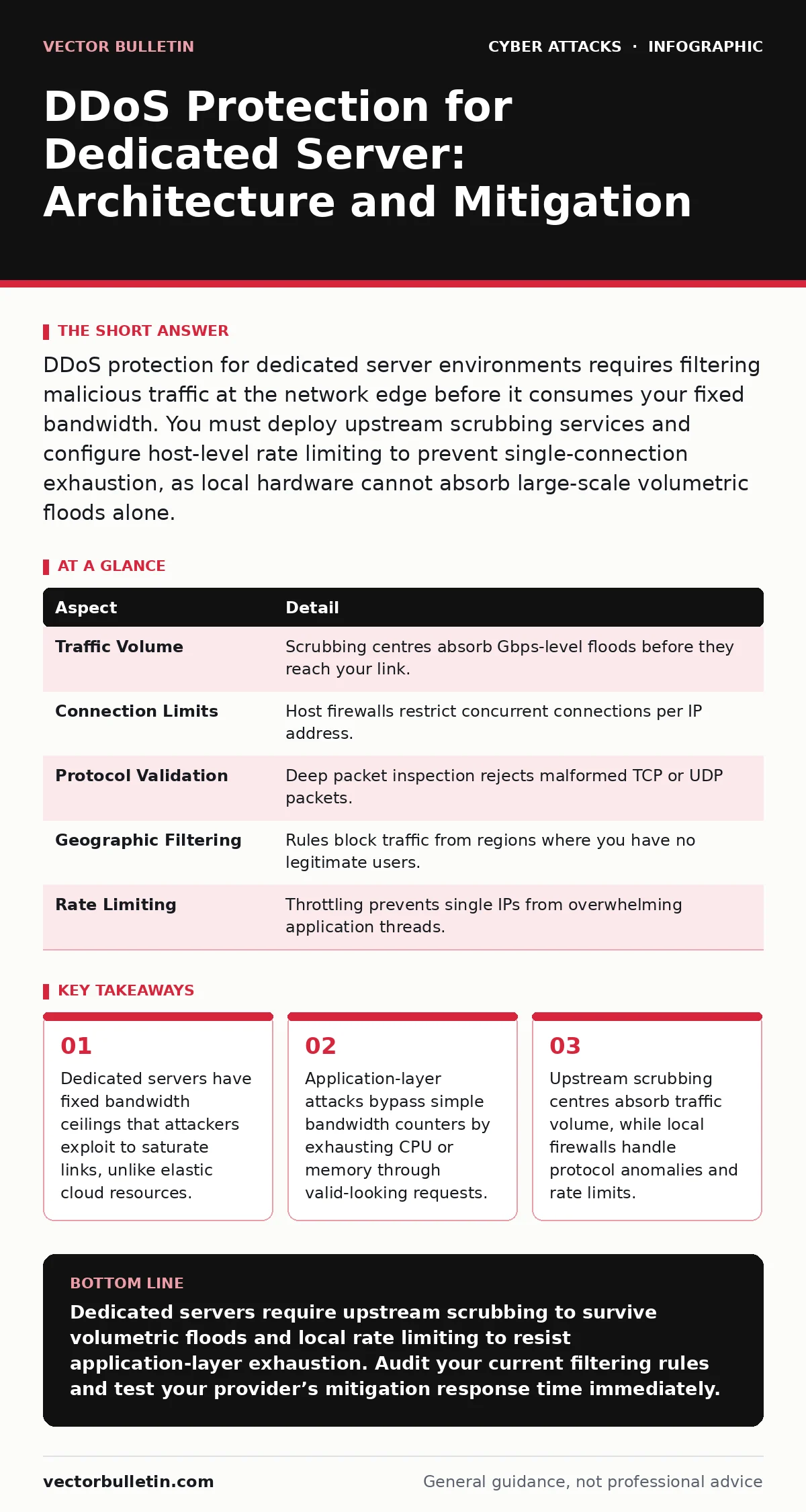
DDoS protection for dedicated server environments requires filtering malicious traffic at the network edge before it consumes your fixed bandwidth. You must deploy upstream scrubbing services and configure host-level rate limiting to prevent single-connection exhaustion, as local hardware cannot absorb large-scale volumetric floods alone.
The mechanics of dedicated server saturation
Imagine a single-lane country road leading to a small warehouse. If fifty trucks arrive simultaneously, the road blocks. The warehouse does not care why they are there; it simply cannot accept any more goods. A dedicated server operates on this same physical constraint. It possesses a fixed network interface card and a static bandwidth contract with your internet service provider. When a distributed denial of service attack sends more data than the pipe can carry, legitimate users are locked out.
The attack does not need to be clever. It only needs to be loud. Attackers command networks of compromised devices, known as botnets, to send simultaneous requests to your server’s public IP address. The goal is not to steal data but to consume resources. These resources include bandwidth, connection tables, and processing power. Once any one of these reaches its limit, the service stops responding to everyone.
DDoS protection for dedicated server architecture
Protecting a dedicated server differs fundamentally from securing a cloud instance. Cloud providers share infrastructure across thousands of tenants, allowing them to absorb spikes by distributing load. A dedicated server stands alone. You cannot rely on the provider’s shared buffer to save you. You must build a defence that filters traffic before it hits your specific hardware interface.
Effective protection relies on two distinct layers. The first layer sits upstream, between the internet and your server. This is where volumetric attacks are neutralised. The second layer sits on the server itself, handling protocol-specific threats that slip through the initial filter. Both layers are necessary because they address different attack vectors. Relying on only one leaves a critical gap in your defence posture.
| Aspect | Detail |
|---|---|
| Traffic Volume | Scrubbing centres absorb Gbps-level floods before they reach your link. |
| Connection Limits | Host firewalls restrict concurrent connections per IP address. |
| Protocol Validation | Deep packet inspection rejects malformed TCP or UDP packets. |
| Geographic Filtering | Rules block traffic from regions where you have no legitimate users. |
| Rate Limiting | Throttling prevents single IPs from overwhelming application threads. |
How upstream scrubbing works
You cannot stop a tsunami with a bucket. Similarly, you cannot stop a multi-gigabit flood with a standard firewall rule. Upstream scrubbing solves this by diverting traffic away from your server during an attack. When your provider detects abnormal traffic patterns, they redirect all incoming data to a scrubbing centre.
These centres use advanced filtering techniques. They analyse packet headers, inspect payload content, and apply behavioural heuristics. Legitimate traffic is cleaned and forwarded to your server. Malicious traffic is dropped. This process happens transparently to your users. They experience no interruption, provided the scrubbing centre has sufficient capacity to handle the attack volume.
You must choose a provider that offers this service explicitly. Not all hosting contracts include it. Some providers merely offer basic firewall rules, which are useless against large volumetric attacks. Ensure your service level agreement details the maximum attack volume they can mitigate and the time required to activate scrubbing.
Application-layer defence mechanisms
Volumetric attacks are easy to detect but hard to stop without upstream help. Application-layer attacks are harder to detect but easier to launch with low bandwidth. These attacks mimic legitimate user behaviour. They send valid HTTP requests, login attempts, or API calls that force your server to perform expensive computations.
Your server’s operating system and web server software must be configured to resist this. Rate limiting is your primary tool. It restricts the number of requests a single IP address can make within a specific timeframe. If an IP exceeds this threshold, the server blocks it temporarily. This prevents a single attacker from monopolising your application threads.
Connection timeouts are equally important. Attackers often open connections but send no data, holding the socket open until it times out. This exhausts your server’s connection table. By reducing timeout values for idle connections, you free up resources faster. You must balance this with the needs of legitimate users on slow mobile networks. Too aggressive timeouts will disconnect real customers.
Common misconceptions about mitigation
Many administrators believe that a powerful server can withstand any attack. This is false. Hardware specifications determine how fast you process data, not how much data you can receive. A server with 128 cores will fail just as quickly as one with 4 cores if the network link is saturated. The bottleneck is the pipe, not the processor.
Another common error is relying solely on blacklisting. Attackers rotate their IP addresses constantly. Maintaining a list of bad IPs is a losing battle. You must use dynamic filtering based on behaviour, not static lists. If an IP sends ten requests per second, it is suspicious. If it sends ten thousand, it is an attack. Automated systems must enforce these rules in real time.
Some teams ignore the impact of their own applications. Poorly written code can amplify attacks. If your application does not cache responses, every request hits the database. This makes your server vulnerable to low-volume attacks that would not affect a well-optimised system. Regular code reviews and performance testing are part of your security strategy.
See also: Why is SPF so important for email security
Integrating with broader security practices
DDoS protection is not an isolated function. It interacts with other security controls. For instance, if your application suffers from password spraying, the resulting login attempts can trigger DDoS-like resource exhaustion. You must coordinate your DDoS rules with your authentication systems.
Consider how session hijacking might relate. If attackers steal valid session tokens, they can launch attacks from trusted IP ranges. Your DDoS filters might allow this traffic because it appears legitimate. You must monitor for anomalous session usage patterns.
Review your cyber hygiene regularly. Unpatched services can be used as amplifiers. If your server runs an outdated DNS resolver, attackers might exploit it to reflect traffic at other targets. This makes your server part of the attack, not just the victim. Keeping software updated reduces this risk.
What to do during an active attack
When an attack begins, your priority is communication. Notify your hosting provider immediately. They can activate upstream scrubbing faster if they know an attack is occurring. Do not try to mitigate a volumetric attack locally. You will waste resources and delay the response.
While the provider handles the volume, monitor your application logs. Look for spikes in specific endpoints. Identify which application-layer attacks are slipping through. Adjust your rate limiting rules dynamically. Block the most aggressive IPs. Preserve resources for legitimate users.
After the attack subsides, analyse the traffic. Determine the attack vector. Update your rules to prevent recurrence. Document the response time and effectiveness. Use this data to improve your future defences. Continuous improvement is the only way to stay ahead of evolving tactics.
Long-term resilience strategies
You cannot predict every attack vector. You can, however, build resilience. Redundancy is key. Consider using a content delivery network to cache static assets. This offloads traffic from your dedicated server. It also provides an additional layer of filtering.
Implement automatic failover. If your primary server is overwhelmed, traffic should redirect to a backup. This requires careful planning and testing. Ensure your backup infrastructure is secure and up to date. A compromised backup is worse than no backup at all.
Regularly test your DDoS response plan. Simulate attacks in a controlled environment. Measure how long it takes to detect and mitigate. Identify bottlenecks in your process. Fix them before a real attack occurs. Preparation reduces panic and improves outcomes.
Key takeaways
- Dedicated servers have fixed bandwidth ceilings that attackers exploit to saturate links, unlike elastic cloud resources.
- Application-layer attacks bypass simple bandwidth counters by exhausting CPU or memory through valid-looking requests.
- Upstream scrubbing centres absorb traffic volume, while local firewalls handle protocol anomalies and rate limits.
Dedicated servers require upstream scrubbing to survive volumetric floods and local rate limiting to resist application-layer exhaustion. Audit your current filtering rules and test your provider’s mitigation response time immediately.
Frequently asked questions
Can a firewall stop a DDoS attack?
A standard firewall can block simple protocol anomalies but cannot stop large volumetric floods that saturate your bandwidth. You need upstream scrubbing for volume and deep packet inspection for complex attacks.
How do I know if I am under attack?
Monitor for sudden spikes in traffic volume, increased latency, or service unavailability. Check your logs for a high number of requests from single IPs or unusual geographic locations.
Is DDoS protection included with hosting?
Basic protection is often included, but it is usually limited to low-volume attacks. For serious protection, you must purchase additional scrubbing services or use a dedicated security provider.
Can I mitigate DDoS attacks myself?
You can mitigate application-layer attacks with server configuration and rate limiting. You cannot mitigate large volumetric attacks without upstream assistance from your network provider.
How this guide was produced: written by the Vector Bulletin editorial team with AI assistance, checked against the public references listed below, and reviewed when the facts change. See our editorial policy or report an error.